How to Start the Game
Title/Demo Screen
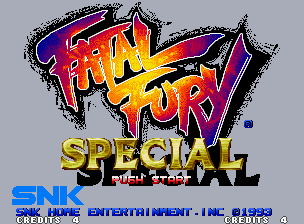
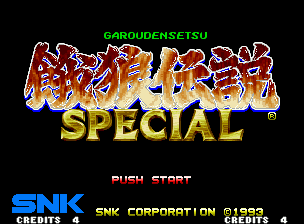
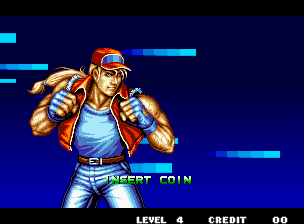
When you insert the cassette and turn on the power, the title and demo screens will appear. Press the controller's start button to go to the options screen.
Game Level Settings
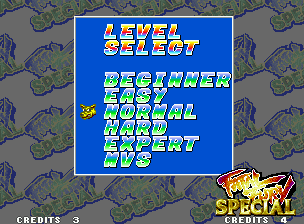
Difficulty can be changed in 6 stages. The initial setting is Normal. Select your desired level with the lever up/down and confirm with the A button.
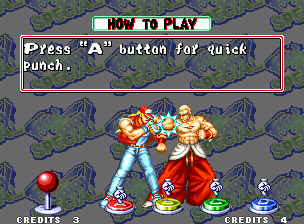
An operation demo will be displayed after this, but you can skip it with the A button.
When playing 2P versus, the level setting does not affect gameplay. Game levels are not saved on the memory card.
•
Beginner Mode (BEGINNER): For beginners
•
Easy Mode (EASY): Between Beginner and Normal
•
Normal Mode (NORMAL): For intermediate players
•
Hard Mode (HARD): Between Normal and Expert
•
Expert Mode (EXPERT): For advanced players
•
MVS Mode (MVS): Between Normal and Hard (Same difficulty as the arcade version)
The more stars there are, the higher the difficulty. Please choose a level that suits your ability.
Memory Card Load (Recall) Selection
If you are using a separately sold memory card, the "Load Selection Screen" will be displayed. Select with the lever and confirm with the A button. You can then play from the next stage.
Character Selection
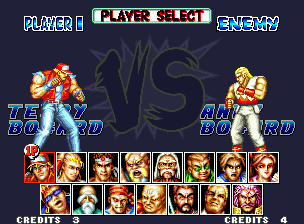
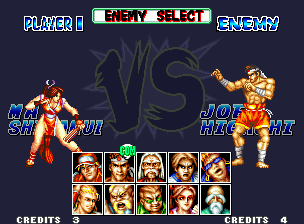
Select your character from the 15 available characters using the lever and confirm with the A button. In computer battles, you can choose your opponent's character first.
In 2P battles, the 2P side controller should select and confirm their character in the same way. It is possible to choose the same character for both computer battles and 2P battles.
Battle Demo / Game Start
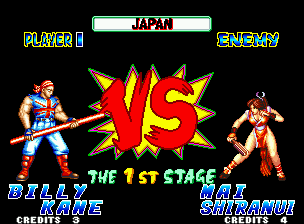
After the two battling characters and the battle stage are displayed, the game will finally start. You can skip the battle demo by pressing the A button. Aim for the strongest and do your best!
About the Battle Rules
Official Battle Rules for "The Greatest Martial Arts Tournament in History"
Matches are 3 rounds. The player who wins 2 rounds first earns the right to challenge the next match as the winner.
If either player's health reaches zero during the match and they cannot get up again, the round ends at that point. The player who is standing is the winner of that round.
The time limit for 1 round is 60 counts. If both players are standing at the end of the time limit, the player with more remaining health is the winner of that round.
In the case of a double knockout or if both players have exactly the same remaining health, the match is a draw (tie) due to an impossible decision.
If, at the end of 3 rounds, no player has won 2 rounds, a final round battle will commence. Regardless of previous match results, the winner of the final round will earn the right to challenge the next match.
At the end of each round, all health is recovered, and both players will proceed to the next round in their best condition.
About 2P Battle & Mid-game Participation
When playing with two people, press the start button on the controller of the player who is not playing before character selection.
Even during computer battles, you can join the game mid-way and enjoy 2P battles in the same way. Be sure to connect a separately sold controller to the main unit.
About Continue Play
When you lose a match during a computer battle, a continue count is displayed. When the count reaches 0, it's game over.
If you press the start button before the count reaches 0, you can continue (up to 3 times). During 2P battles, it's a free continue (unlimited). When the count reaches 0, the remaining player will automatically battle against the computer.
Precautions for use
About Memory Card Backup
This game allows you to easily back up your progress data using a separately sold "memory card". Insert the memory card securely into the memory card slot of the Neo Geo console, and then save/load the game as described below.
Load (Data Recall) Method
If the memory card is correctly set, the "Load Selection Screen" will be displayed before the game starts. Select "YES" with the lever and press the A button to continue playing from the previous save.
Save (Data Recording) Method
If the memory card is correctly set, the "Save Selection Screen" will be displayed after the game is over. Select "YES" with the lever and press the A button to record your progress data up to that point.
Some software may automatically save during the game. Normally, multiple saves for the same game are not possible. If data for the same game is saved on the memory card, the previous data will be automatically erased, so please be careful.
About Card Formatting (Initialization)
New memory cards are not formatted (initialized). Please follow the steps below to format the card before use.
•
Correctly set your Neo Geo cassette and memory card in the Neo Geo console.
•
While simultaneously pressing the A~D buttons on the 1P controller, press the reset button on the Neo Geo console.
•
When the "Data Screen" is displayed on the TV, select "Card Format" with the lever.
•
Press the A button to complete the format.