Beginning the Game
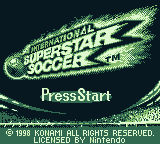
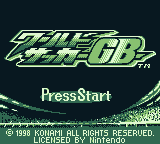
Insert the Game Pak into the Game Boy Advance unit, then switch the power ON. Press START on the title screen to display the Mode Select screen.
Select modes with the Control Pad, then enter the selection with the A Button.
Game Modes
•
Friendly Match (1 or 2 players): Play one friendly match. You can also play against a friend with the Game Boy Advance Game Link Cable. See P. 9 for details about Linked Play.
•
International Cup (1 player only):
•
Preliminary League: 40 teams are divided up into 10 divisions, and a round-robin tournament is conducted with both Home and Away matches.
•
Tournament League: 32 teams are divided up into 8 divisions and a round-robin tournament is conducted.
•
Championship Tournament: 16 teams play in a knockout competition.
•
Penalty Shoot Out (1 or 2 players): Play a penalty kick competition.
•
Options: Adjust settings for game difficulty level, game time, and commentary.
Starting a Friendly Match
1. Select mode (1P vs. CPU/CPU vs. CPU/1P vs. 2P) with the Control Pad, then press the A Button to the next screen.
2. Select a country to play as. Move the Control Pad ↑ to select a region and to select a country, then press the A Button to proceed to the Edit Mode Selection screen.
Starting an International Cup
1. Select "New Game" to begin a new game, or "Load Game" to continue a saved game, then press the A Button. When loading a game, select the file of the game you wish to continue, then press the A Button.
2. When beginning a new game, you must first choose a country to play as. Move the Control Pad to select a region and to select a country, then press the A Button to proceed to the next screen.
3. When the League Match Up screen is displayed, press the A Button again to move on to the Edit Mode Selection screen.
Beginning a Penalty Shoot Out
1. Select a game mode (1P vs. CPU/CPU vs. CPU/1P vs. 2P) with the Control Pad, then press the A Button to proceed to the next screen.
2. Select a country to play as. Move the Control Pad to select a region and to select a country, then press the A Button to proceed to the Edit Mode Selection screen.
3. Select a player to take the penalty kick. Choose "Edit" and press the A Button. Move the Control Pad ↑↓ to select a player, and press the A Button to determine kicking order. Select "OK" to begin the match.
Game Rules
Matches are played with basic football rules.
You can substitute 3 players each match, including the goalkeeper. However, when a player is removed because of a Red Card, no substitution can be made to fill the position.
Committing a foul leads to a free kick being awarded to the other team.
Committing a foul in the goal area leads to a penalty kick being awarded to the other team.
Malicious fouls (sliding from behind, etc.) result in a Yellow Card being issued. 2 Yellow Cards in the same game equal a Red card. A Red Card leads to the player being sent off.
Starting a Game
1. To begin game play, select "Start" on the Edit Mode Selection screen, then press the A Button. Modes should be edited before game play begins. Default settings will be used if settings have not been changed. See P. 5 for more on Edit Mode Selection.
2. When the game settings are verified, select "OK" with the Control Pad, then press the A Button to begin the match. To return to the previous screen, select "NO" with the Control Pad and press then A Button.
3. On the Coin Toss screen, select either heads or tails. If you win the toss, you can choose either to kickoff or which goal to defend.
How to Save
You can save matches in progress when playing the International Cup Mode.
Press START on the Result Display screen. When the "Save progress and end the game?" prompt is shown, select from among "Save and end," "Save and continue," and "End without saving" and press the A Button. When saving, select a file to save to with the Control Pad and then press the A Button.
Notes on Linked Play
Two Player Linked Play can be used in Friendly Matches and Penalty Shoot Outs. See P. 19 for details on how to connect the Game Boy Advance Game Link Cable.
Select the mode of play with the Control Pad, then press the A Button. Do not switch either of the units OFF during Linked Play.
Options
1. Select "Options", then press the A Button.
2. Select items with the Control Pad, then enter selections with the A Button.
Using the Option Screen
Move the Control Pad to change settings.
•
Difficulty: Set game difficulty from 1-5, with 5 being the most challenging.
•
Match Time: Set the time for each half to 1, 3, 5, or 7 minutes.
•
Commentary: Set commentary to ON or OFF.
•
Rules: Set fouls, yellow cards, and offside on/off, and select the type of extra time to be used.
Edit Select Screen Settings
Players
Change settings for player substitutions, free kicks, and corner kicks.
1. Use the R Button to switch the display
.png)


 (SGB Enhanced).png)