Game Overview
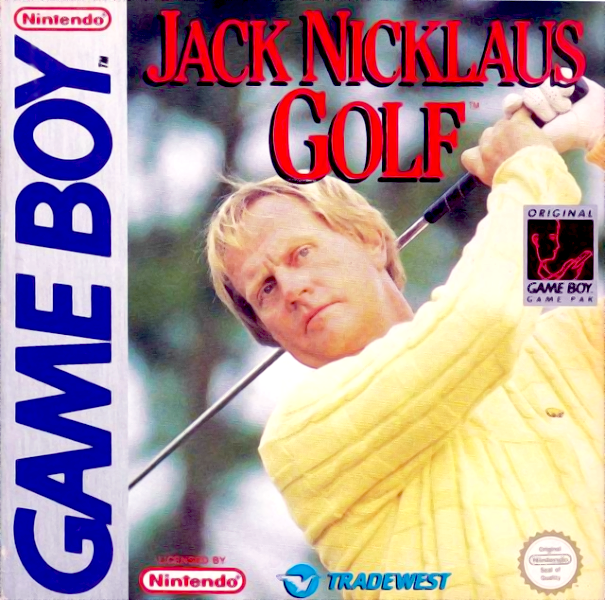
Here's your chance to play four of Jack Nicklaus' favorite courses: Castle Pines, Desert Mountain, Muirfield Village, and Jack's Greatest (a combination of holes from all over the world).
Play eighteen holes on your own, or with up to a foursome. You can choose between Skins Play and the very competitive Stroke Play. You have the option to hit the driving range, putt on the practice green, or even practice a hole before getting down to some serious golf.
A password feature allows you to save your game. Only the biggest name in golf could bring golf action this real to your Game Boy!
Setting Up Your Game
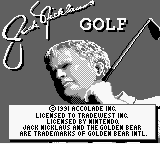
To begin, press "A" after the copyright notice appears.
•
GAME CODE 1931 ACCOLADE INC.
•
LICENSED TO TRADEWEST INC.
•
JACK NICKLAUS GOLF AND THE GOLDEN BEAR SYMBOL ARE TRADEMARKS OF GOLDEN INTL.
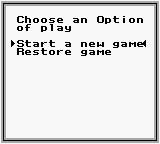
Choosing a Play Option
You can either play a new game or restore a saved game. Use the Control Pad to highlight the option of choice.
Start a New Game
This allows you to select the course, the type of game, and your player.
Restore a Saved Game
This allows continuing play for a 1 player saved game. Enter a password and your name, and play will continue with the next hole to play.
Choosing a Course
Use the Control Pad to highlight the course you want to play.
•
JACK'S GREATEST: A combination of Jack's favorite holes.
•
CASTLE PINES: A mountain course.
•
DESERT MOUNTAIN: A desert course.
•
MUIRFIELD VILLAGE: A parkland.
Choosing a Type of Play
Use the Control Pad to pick the game type and number of players you want to play.
Skins Play
2 to 4 players, playing for dollar amounts.
Stroke Play
1 to 4 players, playing for the lowest total score.
Choosing Prizes for Skins Play
Use the Control Pad to highlight the option you wish to change.
•
Championship Skins: Resets hole prizes to default values.
•
Change Total Prize: Allows total play amount to be changed.
•
Change Hole Prizes: Allows tailoring of individual hole amounts.
Selecting Your Players
Use the Control Pad to highlight particular decisions about each player. Press SELECT to go to the next player, and START to play.
•
COMPUTER PLAYER ☐ YES ☑ NO
•
PRESS SELECT TO GO TO NEXT PLAYER
Player Gender
Male or Female.
Name
To create a new player, input his/her name in the window below.
Skill
•
Beginner: Wind has less effect, and slices or hooks are less extreme. Your club is pre-selected for you.
•
Expert: Wind comes into play, and slices and hooks are more extreme. You must decide your club for each shot.
Game Options — Practice or Play
•
Play A Round: 18 holes, 9 out and 9 in.
•
Practice Hole: Enter hole number to practice.
•
Driving Range: Hit as many balls as you want to, with any club except the putter.
•
Practice Green: Hone your stroke. Get the feel for lining up your putts, playing the break, and controlling the speed.
•
Change Course: Choose any course you desire to play.
•
Change Players: Reselect your game and players to play.
Course Conditions
When a round is started, the course conditions will be randomly reset.
•
The course is in good shape for this round.
•
The wind is out of the north at 31 Miles per hour.
Hole Quote
Before each hole, a short quote will offer insight as to what lies ahead.
•
"My Favorite Shot in All of Golf"
Hole Overview
An overhead of each hole will show the hole layout.
•
WELCOME TO JACKS GREATEST
Play Screen
Play concentrates on a 3-quarter view of the field of play.
Choosing Your Clubs
Base your decisions on the yardage to the green.
Aiming Your Shots
The ball will fly in the direction of the ball aimer on top of the Play Screen.
Changing Your View
Move the ball
.png)

_2.png)
.png)
.png)
