Quick Start
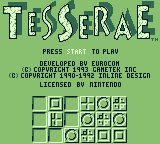
At the title screen, press START.
Using the DIRECTIONAL BUTTON, move the pointer to select game options.
Lock in your decision by pressing BUTTON A.
Press START to begin game play.
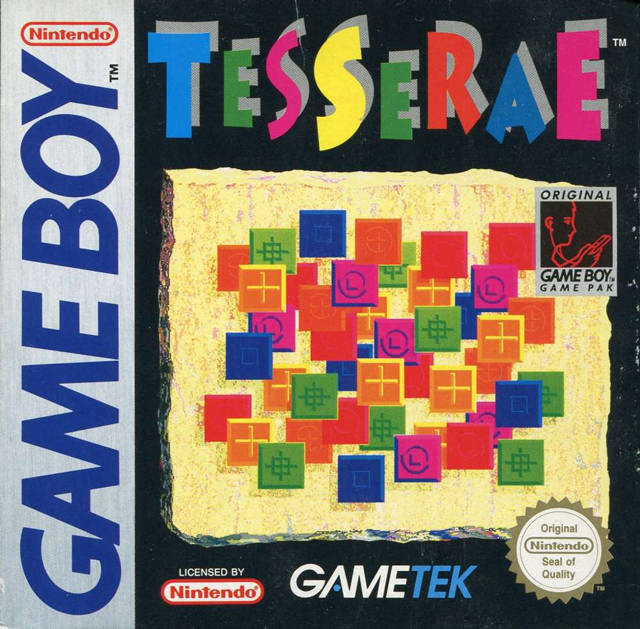
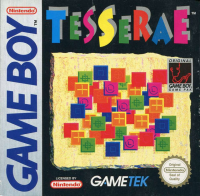
About Tesserae
Tesserae is a single player strategy game played with tiles. The game is played on one of 9 boards or "mosaics".
The object of the game is to solve a mosaic by removing tiles until only one tile is left, AND to do this in as few moves as possible.
The game can be played either on one mosaic, or as a tournament. In a tournament, the object is to solve all 9 boards in order with the lowest overall score.
Operational Instructions
At the title screen, press START to begin game play.
Game Options
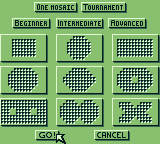
This screen allows you to select either the One Mosaic game or the Tournament game.
In the One Mosaic game, you play just one of the nine mosaics. In the Tournament game, you must finish all nine mosaics in turn to win.
Difficulty Levels
The difficulty levels in Tesserae are based on the number of secondary and tertiary tiles distributed in each mosaic. The more secondaries and tertiaries there are, the more difficult it will be to complete a mosaic.
•
Beginner Level mosaics have one secondary tile for every three primary tiles (except the first mosaic which has no secondaries at all). This level is relatively easy, and is intended for learning the game.
•
Intermediate Level mosaics have one secondary tile for every primary tile. The true complexity and strategy of Tesserae can be seen at this Level.
•
Advanced Level is for experts and masochists. There are 3 secondary tiles for every 5 primaries, and in the later mosaics there are some tertiaries. Caution: This is a very difficult level!
Getting Started
When you have selected the game options and are ready to play, move the pointer to GO! and press BUTTON A, or simply press START after you have locked in your game options.
The selected mosaic will be displayed, and all the tiles on the mosaic will fall into their proper spots. Each time you play a mosaic, the tiles on the board will be randomly generated according to the difficulty you have selected.
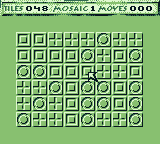
Displayed at the top of the mosaic will be the following legends:
•
The number next to the "Tiles" legend indicates the number of tiles left on the mosaic. This number will decrease as you remove tiles from the board.
•
The number displayed next to the "Moves" legend indicates how many moves you have made so far on this mosaic.
Remember that the number of tiles is not necessarily equal to the number of spaces on the board; a secondary tile counts as two tiles, and a tertiary as three.
As you play, you may eventually reach a point where you cannot make any more moves. You will then be shown a dialog box which will give you the following options:
•
"Undo Last Move" will take back the last move you made.
•
"New Tiles" will generate a new, random set of tiles for this mosaic.
•
"New Game" will take you to the game selection dialog.
•
"End Game" will return you to the title screen.
If you are playing a Tournament game, you will be taken to the next mosaic in the game. If the mosaic that you just won was the last mosaic, then you have just won the tournament, and you will receive your final score!
If you are playing the One Mosaic game, you will be shown the final score for the mosaic, and you will be given some options:
•
"Play Same Mosaic" will generate a new set of tiles for this mosaic.
•
"New Game" will return you to the title screen.
Moving Tiles
Using the DIRECTION BUTTON, position the pointer over the tile to be moved. Press BUTTON A (a solid dot will appear if it is positioned over a tile that can be legally moved).
The positions that the tile can be legally moved to will be identified by a blinking dot.
Positioning the pointer over any one of the blinking tiles and pressing BUTTON A will move the tile to the new location, or clicking anywhere else will cancel the move.
In-Game Menu
When you press the START button, a dialog box will be displayed that allows you to select the next game to play.
•
"Return to Game" returns to the game.
•
"New Tiles" ends current game and starts the game over using the same mosaic.
•
"New Game" ends current game and takes you to the game options menu.
•
"End Game" ends current game and takes you to the title screen.
About the Tiles
The tiles are divided into three types: Primary, Secondary, and Tertiary. Each space on a mosaic may be occupied by one, two, or three tiles.
If two tiles occupy the same space, then that space contains a Secondary tile. If three tiles occupy a space, then that space contains a Tertiary tile. The symbols embedded on each tile represent that tile's type.
•
SECONDARY TILES ARE COMBOS OF PRIMARIES:
•
TERTIARY IS ALL PRIMARIES COMBINED:
Legal Moves
A move in Tesserae can have elements of eight categories.
The first and simplest is that of a primary jumping over another primary and landing on a blank space. The first tile is moved and leaves an empty space behind. The second tile disappears. The first tile is then placed where the blank space was before.
The second move element is that of a primary jumping over a secondary. The primary is subtracted
.png)

 (En,Fr,De,Es,It).png)
.png)






_1.png)





 (En,Fr,De).png)



.png)



.png)
