Starting a Game
When you turn on the power, a demo will automatically play. After the demo finishes, the title screen will appear with three choices.
•
New Game: Start from the very beginning of the story.
•
Saved Game: Resume play from saved data. If you saved a game in the middle of a battle, use Resume Battle to get back into the action.
•
Color Mode: Choose the color mode best suited to your system.
Ending and Resuming the Game
Press START while on the world map to open the system menu, which allows you to save games and load saved data.
Pressing START during a battle opens the system menu with the option to Save Now, which saves the current battle. Use Resume Battle to pick up where you left off.
Note: Saving while on the world map will erase any previous Save Now data. You can use Resume Battle to resume a given saved battle only once.
How to Play
A strange book has changed the world of Ivalice. Your story begins in the town of Cyril, where you join an organization called a clan. Working with your fellow clan members, you will take on various missions.
You can sign up for missions at any of the pubs found in most locations on the world map. Complete these missions to unravel the many mysteries of Ivalice.
While many missions may appear separate from the main story, all your adventures bring you one step closer to understanding what is going on in the game world.
The World Map Menu
Press START on the world map to open the world map menu.
•
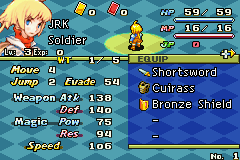
Party: Allows you to equip your units for battle.
•
Clan: Shows various information about your clan. This command becomes available as you progress through the game.
•
Link: Use the Game Boy Advance Game Link cable to link to other Game Boy Advance systems. This command becomes available as you progress through the game.
•
Area List: Shows a list of all the areas currently placed on the world map.
•
System: Save and load data, change options, or return to the title screen.
•
Options: Set various game options.
Adding an Area and Creating the World
Completing some missions will give you a “symbol.” By placing this on a point on the world map, you can add a new area to any open point. Adding a new area will add new missions at the pub.
Treasure
By placing symbols on the world map in a certain pattern, you can reveal hidden treasure. Go to the area where the treasure appears and use the Treasure Hunt command to claim it.
Missions and the Story
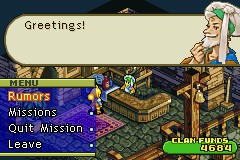
The story is told entirely through missions. Missions can be accepted at pubs found in every city area in Ivalice. Speak to the pubmaster and select Missions to see a list of available missions.
After selecting a mission from the list and reviewing the conditions, you can accept it by paying the information fee. Leaving some missions for a certain amount of time without completing them counts as a failure.
Types of Missions
There are four types of missions, each with their own conditions for successful completion. Completing a mission earns experience points, special items, and gil.
•
Regular Missions: Marked with a sword symbol ("battle icon"). You must go to the designated area and win an engagement. Most main story missions are classified here.
•
Non-battle Missions: Marked with a book symbol ("non-battle icon"). You must select and deploy one of your units. After conditions are met, the unit returns to report. Deployed units cannot participate in other missions or engagements.
•
Encounter Missions: Marked with an opposing clan symbol ("encounter icon"). An opposing clan's symbol appears on the map; cross paths with it to begin. Most result in battle, but you can sometimes negotiate your way out.
•
Free-Area Missions: Marked with a flag symbol ("turf icon"). Some require going to a specified area, while others require deploying a unit.
Quest Items
When you accept a mission, you may bring special mission items. These items can affect the outcome, so understand their nature and the mission before going. Some missions are not available unless you have the required item.
Mission items are mainly obtained as rewards for completing a mission. You can sell them or trade them with friends using a Game Link cable. Some items cannot be replaced once given away. Use the Clan command on the world map menu to check your mission items.
Clans
Soon after Ivalice changes, you will meet the mooglie Montblanc and join a clan organization. Clans make their living by accepting mission requests from citizens.
A clan advances by accepting and completing missions. “Clan level” and “clan skills” mark this advancement, and clans can be awarded titles depending on their actions.
The Clan Menu
Select Clan on the world map menu to display the clan menu. The name, title, and level are shown for your clan.
•
Quest List: Display a list of currently accepted missions and view conditions for each.
•
Report: View details of cleared missions.
•
Clan Turf: Shows the spread of your clan's area of power (“turf”). This is useful for seeing which areas have been liberated in free-area missions. Symbol colors indicate status:
•
Regular Symbol: This area is part of your clan's turf.
•
Gray Symbol: This area does not belong to any clan.
•
Red Symbol: This freed area is under attack by another clan.
•
Mission Items: Check mission items received by completing

.png)
.png)


 (En,Fr,De).png)


