Starting the Game
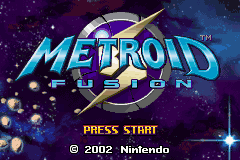
Properly insert the Game Pak into your Game Boy Advance system and turn the power ON. After the title screen comes up, press START.
Title Screen
Next, the Samus Data screen will appear. Up to three files can be saved here. Use the + Control Pad to select a data file, select Start, and press the A Button to confirm.
Audio Settings
To use headphones, select the headphone icon with the + Control Pad, select a game file, and begin playing. The game will now be in stereo.
Save Data Management
Saved data files can be copied and erased on the Samus Data screen. Refer to the following sections for specific instructions on saving, copying, and erasing.
Saving
Don't forget that the only way to save a game is by accessing a Save Room. After saving, the game will continue from the last Save Room.
Saving Game Data
When you access a Save Station in a Save Room, the game will ask if you want to save.
•
Select YES with the + Control Pad, and press the A Button to confirm.
•
A message will display confirming save completion.
If the power is turned OFF during game play, the game will continue from the last saved point.
Copying Game Data
Follow these steps to copy saved data to another file slot.
1. Select the data file to be copied and press the A Button.
2. Select Copy Data and press the A Button.
3. Choose where the data will be copied to then press the A Button to copy.
Erasing Data
Follow these steps to erase specific game data.
1. Select the game data to be erased and press the A Button.
2. Select Erase Data and press the A Button.
3. Choose Yes then press the A Button to erase.
Erasing All Saved Data
Turn the Game Boy Advance ON while pressing the L and R Buttons to display the Erase All Data screen.
•
Choose Yes when asked if you want to access this screen, and confirm with the A Button.
•
Next, choose Yes to erase all saved game data, and confirm by pressing the A Button.
Navigation Rooms
On this mission, Samus will receive directions in Navigation Rooms. These contain individual terminals through which Samus can access her ship's main computer. The computer takes the conditions of the research station as well as Samus's physical shape into consideration when formulating Samus's next move.
About Adam
The concise and logical instruction Samus receives from her ship's computer reminds her of her former Galactic Federation commanding officer, Adam Malkovich. As a result, she has christened the computer Adam.
The Map Screen
Press START to pause the game and pull up the map screen. Press START again to exit the map screen and return to the game.
On this screen, the areas that Samus has explored will appear in pink. Use the + Control Pad to scroll across the map. Press the A Button to confirm Samus's current objective.
Any areas shown in green are hidden areas that did not originally appear on the map. There is a good possibility that these areas contain valuable secrets. Use a variety of techniques to find these areas, as they can dramatically affect the progress of the game.
Map Display Legend
•
N: Navigation Rooms: Receive mission briefings here. When you stand in front of a computer terminal in a Navigation Room, the map screen will appear and instruction will begin.
•
S: Save Stations: Save current game data in these areas.
•
D: Data Rooms: Come here to download ability data.
•
E: Recharge Stations: Samus can recharge energy and missiles in these rooms. Stand on the Recharging Unit so Samus can recharge via her weapon barrel.
Recharge Station Elevators
Stand on elevators and activate them by pressing ▼▲ on the + Control Pad.
Status Screen
Press the R Button on the map screen to move to the Status screen. Press the L Button to move to the Sleep Mode screen.
Recovering Samus's Lost Abilities
When the X parasites attacked Samus, her power suit became contaminated, and pieces of it had to be surgically removed. As a result, the majority of Samus's abilities were lost. However, the Metroid vaccine, which was used to treat her, radically affected her physical makeup, giving her the ability of a Metroid to resist the X parasites. In effect, she was reborn as the ultimate X parasite predator. There are two ways for Samus to reclaim her lost abilities.
Downloading Data
The first is to download data prepared for her by headquarters. This data is sent as it becomes available, and Adam will inform Samus when it arrives.
Absorbing Core-X
The other method for reclaiming lost abilities is to absorb a mega-sized X parasite known as a Core-X. The image here is one of several types of these dangerous creatures.
The abilities of the Core-X parasites differ from type to type, but the thick thorny membrane that encases them is a common feature. This tough casing must be ruptured by a powerful attack, such as a Missile blast, to render the core vulnerable to absorption. Some of the Core-X parasites are incredibly powerful, so engage them with caution.
A Core-X will release X parasites when shot with beam weapons. Try using this to your advantage when low on missiles or energy.


_1.png)
 (En,Fr,De,Es,It).png)
.png)
.png)


 (En,Fr,De).png)



 (En,Fr,De,Es,It) (NDSi Enhanced) [b].jpg)





 (En,Ja,Fr,De).png)

 (En,Ja).png)