Starting a Game
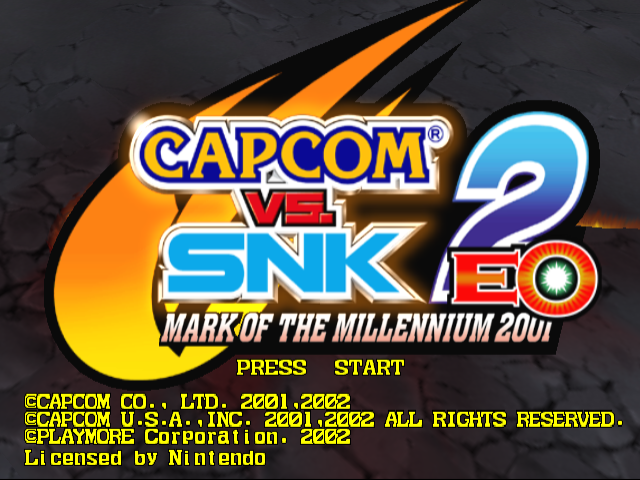
Press START/PAUSE at the Title screen to display the Mode Select menu. Use the CONTROL STICK/CONTROL PAD to highlight choices and press the A BUTTON to accept.
Mode Select
Select a game mode.
Arcade Mode
Play a perfect conversion of the arcade game here.
•
Select a groove: GC-ISM or AC-ISM. Your controls will depend on the groove you choose.
•
Select your character. The character's costume color depends on the button you press.
•
Select a strength ratio (1, 2, 3 or 4 from a total of four Ratio Points) and then select the order of players.
Survival Mode
V.S. Mode
•
In VS Mode Quick Select the character order is chosen for you.
Training Mode
Color Mode
Replay Mode
Option Mode
Game Systems
ISM System
Choose one of two ISMs, each with totally different controls, to match your fighting preference:
•
GC-ISM: A control scheme based exclusively on the Nintendo GameCube™ controller. You can easily pull off super moves using just the CONTROL STICK. Auto Guard is always ON, although this makes your guard crash more vulnerable. For beginners. •
AC-ISM: Digital controls provide more accurate control, just like in the arcade version. For more experienced players.
Which ISM is Right for You?
Choose GC-ISM first to learn to master your moves. Then move up to AC-ISM for precision control!
Groove System
You can choose from six different grooves, or fighting styles. Select the one that suits you best or try them all.
Free Ratio System
After choosing your character, you can decide how many Ratio Points the character gets. Ratio Points indicate a character's strength. You can spread up to four Ratio Points among four players.
Groove Point System
This scoring system is used when you play against the CPU. Your attacks and defense are graded in real time, and you're graded at the end of the match. Grades are SP (Super), GD (Good) and PR (Poor). These points affect your game score.
Finest K.O.
If you defeat an opponent with a Special Move or Super Combo, you may score a FINEST K.O., which greatly increases your Groove Points.
Game Rules
Match Play
You fight one-on-one until all the fighters on one team completely run out of vitality. When each round begins, you are recharged a set amount of energy based on time remaining.
Winning and Losing
Whenever you damage an opponent, his or her vitality drops somewhat. If you are damaged, your vitality drops. When vitality reaches zero, the fighter is K.O.'ed.
If time runs out before a fighter is defeated, then the winner is the fighter with more vitality remaining. You win by completely defeating the opposing team.
Draw Match
If both sides have equal vitality when time is called, a draw game occurs. If this happens on the last round, both sides lose.
Know Your Character!
You cannot fight well unless you understand what actions your character can do. Try to remember your character's Special Move commands, normal move effects, Combos, etc. Practice Combos repeatedly so you can use them quickly in the real match!
Moves
Normal Moves
Press the L or R BUTTON (GC-ISM) or a PUNCH or KICK button (AC-ISM). The moves vary depending on the character's stance when you press the button.
Special Moves
Press the CONTROL STICK in various directions (GC-ISM) or press the CONTROL STICK/CONTROL PAD + PUNCH/KICK buttons in various combinations (AC-ISM). These moves do more damage than normal attacks, and may look different depending on the character's stance when performed.
High Jump
Press (GC-ISM) or quickly (AC-ISM) to jump higher than a normal jump.
Guard
In GC-ISM, Guard is automatically activated, except when you are attacking or have been Guard Crashed. In AC-ISM, when not attacking, press the CONTROL STICK/CONTROL PAD in the direction opposite to your attacker for both upper guards (or ➡) and defensive crouches (or ).
Guard Crash
Each time your character blocks, the Guard Crash Gauge drains a bit. If your character keeps blocking the opponent's attacks, eventually the gauge will empty and your character's block will be temporarily broken (a Guard Crash).
When this is about to happen, the blocking effect turns red and the character's Vitality Gauge frame starts to blink. After a Guard Crash, your character will be unable to block for a while until the gauge recovers.
Dash/Run
Press ➡➡ or to move fast! There are two types of quick movement: DASH and RUN. Whether you can use DASH or RUN depends on your groove. Some grooves don't have either move.
Throw/Grab
When near an opponent, press or + HP or HK to throw the opponent. Depending on your character, you may do a grab move instead that damages the opponent.
Throw/Grab Escape
The moment an opponent tries to throw or grab your character, press or + HP or HK to escape.
Evade
Press the B BUTTON (GC-ISM) or LP + LK simultaneously (AC-ISM) for a quick dodge. Your character will perform either a sidestep or parry, depending on the groove.
.png)

.png)
_2.png)
_3.png)

.png)


.png)
_1.png)






.png)




.png)