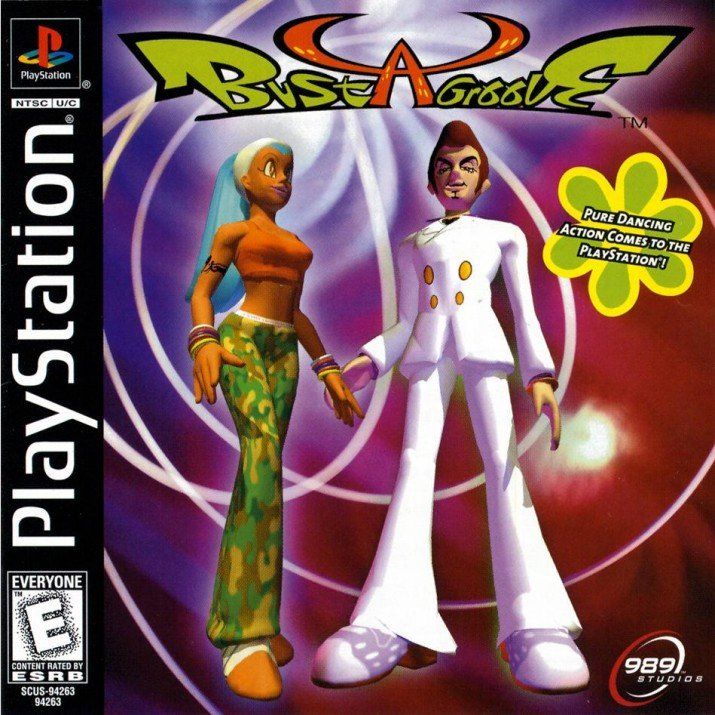
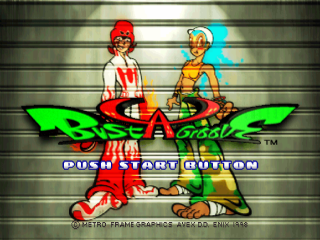
WHAT IS BUST A GROOVE?
Bust-A-Groove is an addictive competitive dancing game. All ten characters possess a "dance energy groove-tron," a mysterious jive power from outer space.
As one of these characters, you must dance rhythmically to beat a series of enemy dancers. They become progressively more challenging as you out-dance each competitor. Your goal is to become the No. 1 dancer in the universe and BUST-A-GROOVE!
Dancing Well is Everything!
You win or lose a dancing competition based on how well you dance. To dance well, you must maneuver the controller along with the beat of the rhythm.
If you're in sync with the music, your character will get seriously funky and the camera will move in for a close up. The more camera time you get, the more your Enthusiasm Gauge increases and the more dynamic your overall performance. Dancers that attract the camera will win over the crowd and beat their opponents!
•
A green light will flash in time over the on-screen button press indicator. Watch it to help keep you on the beat!
Language Selection
Before the intro movie, you must choose whether to play the game in English or Spanish. If you choose Spanish, the commands and selection screens appear in Spanish, but vocal music will remain in English and Japanese.
GAME MODE SELECT
After the intro movie and Title Screen, you can choose between 1-Player Game, 2-Player Game, Practice, Options and Dance View at the Mode Select screen.
•
Press the ↑ or ↓ Directional Buttons to select the mode you want to play.
•
The Character Selection screen that follows will differ depending on whether you are playing alone or with another person.
•
You will need another controller if playing a 2-Player game.
•
You cannot select Dance View until you have finished the game with at least one character on any difficulty setting.
•
Only characters who have finished the game will be selectable in Dance View Mode.
PLAY MODES
1-Player Game
•
At the Mode Select screen, select 1-Player from the menu and press O or X.
•
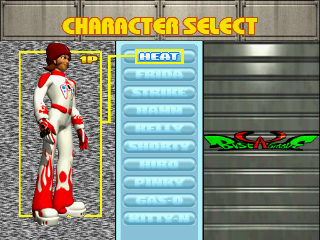
At the Character Selection screen, use the ↑ and ↓ Directional Buttons to choose your character, then press the O or X Button to begin the competition.
•
You can press △ to exit to the main menu.
•
To select a player's alternate outfit, hold down L1 while pressing O to choose your character.
Getting Your Groove On!
The dance stage appears as the music begins. You will be prompted to enter dance commands once "GO!" disappears from the screen.
•
Pressing the START Button during gameplay pauses the action, allowing you to restart the current match or quit the game.
•
Once the music ends, the winner is judged.
•
Win the dance and you face the next opponent. If you lose, you may continue.
Continue?
If you lose a match, you can either re-challenge your opponent or return to the main menu.
•
To resume play, press the O Button before the number on the screen counts down to zero.
•
To skip through the numbers, press the O Button rapidly.
•
You have an infinite number of continues.
2-Player Game
•
At the Mode Select screen, select 2-Player Game from the menu and press O or X.
•
Both players must select a character by using the Directional Buttons to move the cursor and the O Button to select.
•
The player who chooses his/her selection first selects the stage.
•
Select your stage by using the ↑ and ↓ Directional Buttons, then press the O or X Button.
•
Gameplay does not start until both players have chosen a character and the stage has been selected.
•
You can press △ to exit to the main menu.
Practice Mode
•
At the Mode Select screen, choose Practice from the menu and press O or X.
•
In Practice Mode, you can train yourself to be a smooth operator for when it matters most during the real competition.
•
Using the ↑ and ↓ Directional Buttons, select the character you want to practice with, then press the O or X Button.
•
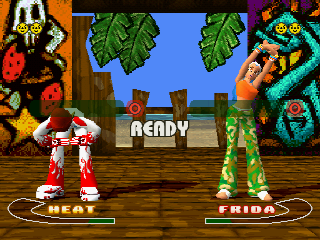
Your starting level is displayed in the center of the screen. Higher levels allow you to begin with more difficult moves.
•
Select the number using the ↑ and ↓ Directional Buttons and confirm with the O Button before "READY" disappears.
•
Once the dance begins, play as you would in a normal game.
•
The current level, points of the current dance and the remaining music time are displayed on the right side of the screen.
•
On the left side, the green portion of the bar under the dance command displays the appropriate timing of entry on the fourth beat.
•
For correct timing, press the indicated O or X Button while the moving white bar is still in the green section. After pressing the button, an imprint is left to show you your timing. Aim for the middle of the green bar!
•
If you successfully enter all shown dance combos at the current level, you will progress to the next level of moves.
•
You can do many moves from your current level without them appearing on screen, but you will not advance levels while using this dance method. Follow an entire given string of moves to produce a combo that advances your level.
•
Once the music ends, the practice is over and the results are displayed.
•
To practice with the same character again, select RETRY. To quit practice, select QUIT.
•
The RETRY and QUIT options are also available by pressing the START Button during Practice Mode.
Dance View Mode
-
.png)