Starting The Game
Press the START button to go to the Main Menu screen. Select the game mode you wish to play from the menu list by pressing the directional buttons UP/DOWN to highlight the mode and press the START button.
Bust A Groove 2 only uses MEMORY CARD Slot 1.
Play Modes
Pick your favorite character and dance against the computer.
This is the mode in which two players pick a dancer and compete against each other in a rhythmic dance-a-thon.
Note: To play a 2 Player Game you will need to insert a second Controller.
In PRACTICE mode you can learn the beat and practice your moves.
DANCE VIEW lets you view and choreograph the dance moves of characters who have cleared a 1-Player game.
As soon as you complete the game with any character, you can select "Dance View".
Configures sound, load and save game data, and sets up the Vibration Function of the DUALSHOCK™ analog controller.
Controller
DUALSHOCK™ ANALOG CONTROLLER
•
L1, L2 buttons: Not used
•
Directional buttons: Select menu items and commands
•
Left/Right Analog Stick: Not used
•
START button: Game start/Cancel Battle/Retry
•
BUTTON button: Select command/Enter dance command/Block (only in EASY mode)
•
BUTTON button: Select command/Enter dance command/Attack (only in EASY mode)
•
BUTTON button: Cancel command/Enter dance command
•
BUTTON button: Enter dance command
•
R1 button: Attack/Reversal
Vibration Function
Bust A Groove 2 will use the vibration function of the DUALSHOCK™ analog controller. The vibration function works whether the ANALOG mode switch is set to ON or OFF. You can alter the setting of vibration function on the OPTION screen.
Dance Battle Basic
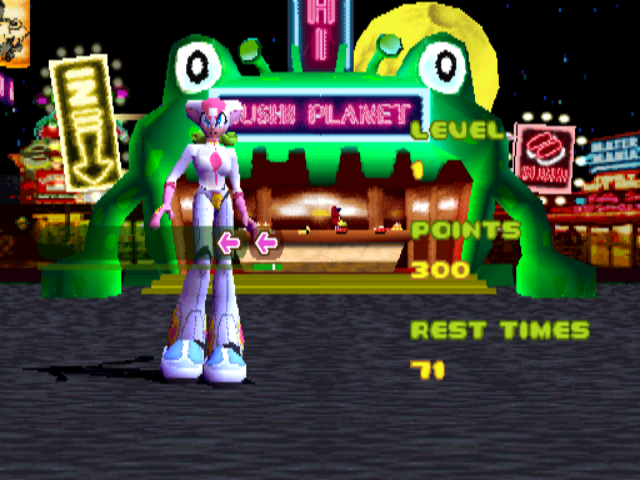
How to select dance command: The basic rhythm of each song is 4 beats per measure. In a measure of a song, the green portion of the dance command flashes 3 times and the red portion flashes once. While the green portion is flashing, hit the directional buttons according to the arrows displayed on the screen. On the 4th beat, hit the button as directed in the red circle. If you hit the buttons correctly, your character will execute a dance move.
Flashes three times. Lights up once. During the first 3 beats, as long as the order is correct, timing doesn't matter. Dance moves are executed as long as you match the timing of the 4th beat.
Difficulty Modes
•
EASY: Hit the directional buttons according to the arrows displayed on the screen. On the fourth beat another arrow will appear.
•
NORMAL: Hit the directional buttons according to the arrows displayed on the screen, and hit the button or button on the 4th beat. If you can keep doing this right, the dancer's moves will become more and more elaborate.
•
MIX: In addition to the buttons used in NORMAL mode, mix mode uses and buttons on the 4th beat as well.
Dance Battle
The player who dances better and more wildly wins. Whoever has the higher score at the end of a song is the winner of the battle.
Combo
Characters will put together dance combinations as long as you keep hitting the correct dance commands without missing. You'll receive more points and start busting awesome moves!
Application
Dance-Tastic!
If you hit the 4th dance command exactly on the fourth beat, the command mark enlarges and more difficult commands will appear.
Groove Bars
This is a new feature in the Bust A Groove 2 system called "Groove Bars." In the middle of the screen, there are bars of green, red and blue. The number of bars increases for each COOL! (green), CHILLIN! (red) and FREEZE! (blue) either of the players get.
The character who aligns the bar horizontally will get bonus points. When the bars are aligned, something fun will happen.
Attack
Pressing the R1 button on the 4th beat will cause the character to attack the opponent. Opponents will not be able to enter any commands for a time and will have to start their combinations over again. When you successfully attack the opponent, you will steal points from your opponent.
Block
Pressing the R2 button on the 4th beat will block an opponent's attack. If you avoid successfully, your combo sequence will continue.
Reversals
By pressing the R1 button on the 4th beat when you see your opponent is attacking you, you can reverse their attack.
1 Player Game
Select a Character
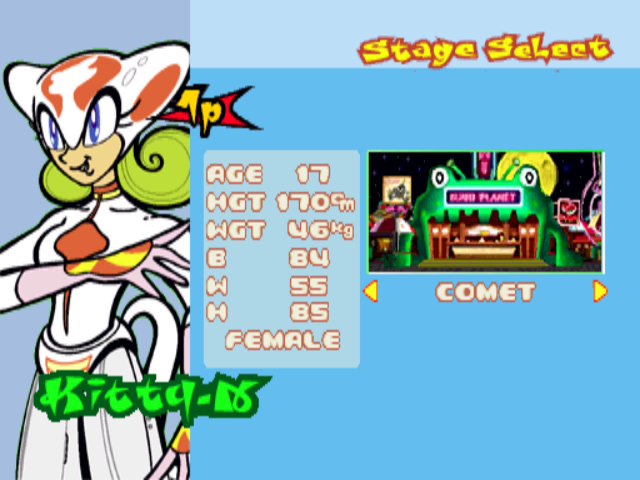
Select a character and the difficulty mode you want by using the directional buttons.
•
EASY: Uses only the directional buttons. It's so easy that you can play the game while you're actually dancing!
•
NORMAL: Uses directional buttons, ◯ and ✖ buttons.
•
MIX: Uses directional buttons, ◯, ✖
.png)

.png)
