MISSION SET-UP
Set up your PlayStation™ Console according to its Instruction Manual. Make sure the power is off before inserting or removing a compact disc. Insert the MEGA MAN X4™ disc and close the Disc cover. Insert Controllers and turn on the PlayStation™ Console. Follow the on-screen instructions to start a game. MOBILIZE MAVERICK HUNTERS
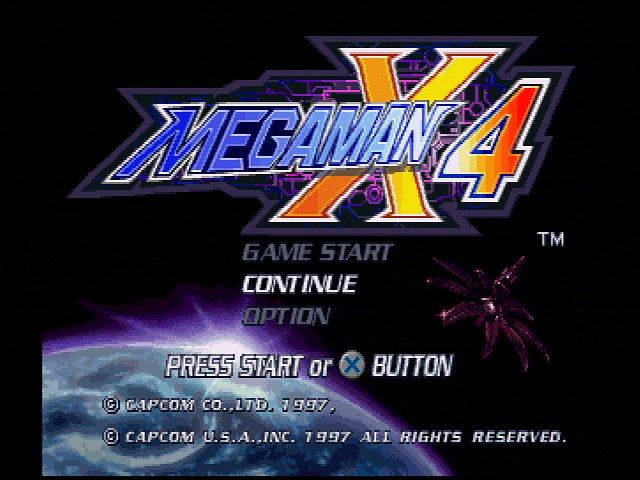
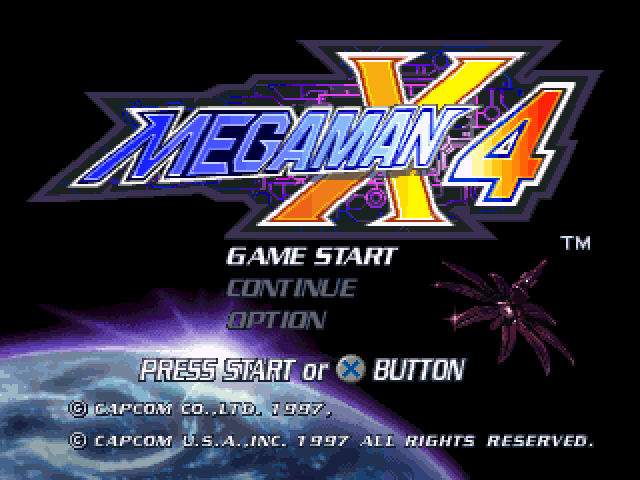
To begin playing MEGA MAN X4, press the Start button during the intro sequence to bring up the Title screen. Press the Start button again to bring up the MODE SELECT screen.
You have 3 choices: GAME START, CONTINUE or OPTION. To restart a previously saved game, highlight CONTINUE and press the Start button or the X button.
Highlight GAME START and press the Start button or the X button to begin playing a new game. Select your character. You will then see a short animation before the game begins. To bypass this animation and jump to the game, press the Start button or the X button.
To adjust your game options, highlight OPTION and press the Start button or the X button.
To quit your game and return to the Title screen during gameplay, pause the game by pressing the Start button. You will see the WEAPON SELECT screen. Press the Select button. The QUIT MENU will appear.
Highlight QUIT then select NO to QUIT the game. Select CONTINUE to return to the WEAPON SELECT screen.
STAGE SELECT SCREEN
After battling through the intro stage, you will be presented with more information on the whereabouts of the Maverick leaders who are forging the riot. This is the STAGE SELECT screen where you choose which Maverick to battle.
Use the Directional button to highlight the stage you want, then press the Start button or the X button to select the stage. After you have defeated the 8 Mavericks, Mega Man X or Zero can advance to the next set of levels. To return to one of the original levels, just move the cursor to the blackened picture of the Maverick and press the Start button or the X button. OPTION MODE
You can access the game OPTION Mode from either the MODE SELECT screen or the WEAPON SELECT screen. From the MODE SELECT screen, highlight OPTION and press the Start button or the X button. From the WEAPON SELECT screen, highlight OPTION and press the X button to select it.
In the OPTION Mode you can adjust your BUTTON/KEY CONFIG or change the SOUND MODE from STEREO to MONO depending on the capabilities of your system. To adjust your button configuration, highlight the function you want to change and press the button you want to perform that function.
When finished with the OPTION Mode, press the button or the Start button to return to the MODE SELECT screen or WEAPON SELECT screen, respectively. You can only adjust your button configuration when you enter the OPTION Mode from the WEAPON SELECT screen.
CONTINUE/BACKUP MEMORY
You can save your game progress and OPTION settings when you clear a stage or when the game is over. There are 3 files you can use to save games with Mega Man X or Zero, depending on which you choose to save. To save a game, Mega Man X4 uses 1 Block of memory, so make sure there is room on your Memory Card and place it in Memory Card slot 1. Select SAVE from the Mission Completed or the Mission Failed Screen. Select the appropriate memory card slot, then choose the file you wish to save your game to. Remember: If you save a file over a previously saved file, you will lose that previous file. To load a saved game, make sure the Memory Card is in Memory Card slot 1, highlight CONTINUE from the MODE SELECT screen and press the Start button or the X button to select it. Choose to either "USE THE CURRENT DATA" that was last saved or "LOAD DATA FROM THE MEMORY CARD."
If you select "LOAD DATA," select the appropriate memory card slot, highlight the file you want to load, and press the X button to select it. The file will automatically load.
Note: If you press the Reset button or the Power button, or if you remove a Memory Card during a save, your data may be destroyed.
HOVER DASH
Press the X button to jump, then press the X button again to hover. Use the Directional button to move Mega Man X left or right. When his hover power runs out, Mega Man X will fall to the ground. To cancel the Hover Dash, press the X button while hovering. ROBOT RIDE ARMOR
In addition to the Armor Capsules, Dr. Light has set out 3 different armors known as Robot Ride Armor. Mega Man X and Zero must find these 3 armors, each with different capabilities and functions. Some armor looks like a giant robot that they can activate by jumping into it. While Mega Man X and Zero will not be damaged when in the armor, the armor will take damage. •
Use the attack and dash functions inherent to Mega Man X and Zero. •
By attacking with strategic timing, it will release a very strong punch attack.
•
Press the X button to jump, then press and hold the X button again to hover in the air.
•
Press the button or the button to shoot missiles.
•
Mega Man X can move rapidly with this multi-purpose motorbike armor. 

_2.jpg)

.png)




_1.png)
_1.png)
_1.png)
.png)