Getting Started
INSTALLATION
1. Set up your PlayStation® game console according to the instructions in its instruction manual. 2. Make sure the power is off before inserting or removing a compact disc.
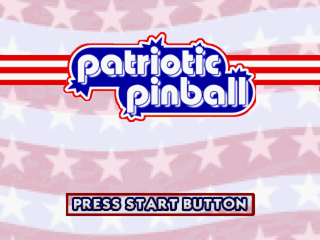
3. Insert the Patriotic Pinball disc and close the disc cover. 4. Insert game controllers and turn on the PlayStation® game console. Follow on-screen instructions to start a game. Console Top View
Front View
Choose from one of two tables - "Road Trip Coast to Coast" or "America on Duty" by highlighting the table's graphic and pressing the button.
Select options to enter the game options screens.
Table Menus
There are two tables to choose from, each with four game modes.
"ROAD TRIP COAST TO COAST"
•
Jump into your RV for a wild ride across the USA with your tour guides Chuck and Cindy.
•
Zoom through peak hour on the Golden Gate Bridge, head down to get totally ripped on Muscle Beach, then dive in to catch some big waves surfing USA.
•
Dodge the speed traps on Route 66, then take a pit stop at the roadside diner - but don't order the Salmonella Special!
•
Swing by Vegas to play for the jackpot, or pan for gold in the old mines, then cool off taking the ride of your life down the whitewater rapids!
•
Check out the tourist spots in the Big Apple and snap some pics for your photo album. It's a road trip you'll never forget!
"AMERICA ON DUTY"
•
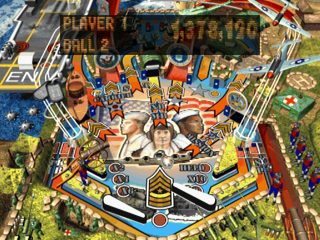
Uncle Sam needs you! Help the US armed forces to fight for freedom on air, land and sea!
•
Travel back to the Civil War to destroy the Confederate cannon.
•
Down periscope! Track the enemy subs with your sonar and take them out with your torpedoes.
•
On the deck, Private! The Drill Instructor will sort you out at boot camp.
•
Lead the Marine Corps to reclaim the woods of Hill 142.
•
Airlift the wounded from Heartbreak Ridge back to the MASH for surgery.
•
Bogies are overhead! Scramble your fighters from the deck of the aircraft carrier, then lead a B17 bombing run on the enemy tanks. We're counting on you!
Table Rules
"ROAD TRIP COAST TO COAST"
•
Point rewards are given at Hoover Dam, Golden Gate Bridge, and Mt. Rushmore.
•
When the ball goes down the right inlane, hit the Golden Gate for a skill shot bonus.
•
Reveal the 4 presidents on Mt Rushmore for multiball.
•
Light all the toll booth lanes for extra points.
•
Spell "U-S-A" to open the Death Valley mini-table.
•
Continuously hit the bumpers and all the "T-O-U-R" lights to Start Tour.
•
Light all the in and outlanes to earn a detour ballsaver.
•
Reveal the mystery bonus points at Vegas scoop.
"AMERICA ON DUTY"
•
Hit the Light Army, Navy, Air force signs and receive extra bonus points.
•
Extra ball and the Dogfight multiball can be found at the Air Force scoop.
•
Spell "U-S-A" for the USA point award.
•
Light up the Uncle Sam dividers for point rewards, including Advance Multiplier bonus.
•
Earn a Decryption mystery bonus at the Army scoop.
•
The Aircraft Carrier can be lit at the Navy scoop to open a special door to access a mini-table.
•
Shoot War Bonds for a bonus.
•
Pop bumpers, hit the Air Force ramp, or hit the Army scoop light to start a mission.
Game Modes
NOVICE: The same as Regular play except that the ball saver is active for several minutes.
REGULAR: Standard 5-ball play with extra balls, end-of-game score matching, and Wild Fireball bonus mode.
ARCADE: 3-ball play with Extra Ball awards based on score. There is no end-of-game match.
TOURNAMENT: Random game play elements have been standardized. There is no match or Wild Fireball or points awarded instead of extra balls. This is to make Tournament games as directly comparable with each other as possible.
•
Highlight the mode button you wish to play with the directional buttons and press the button to start.
•
Highlight "SCORES" beneath each mode and press the button each time to see the current High Scores for that mode. If you get a HIGH SCORE you will be prompted to enter your name at the end of the game.
•
Use the directional buttons to enter your High Score in the dotpanel. Press the button once you have finished.
•
Once a game mode has been selected it will load in its attract mode and display basic instructions in the dotpanel. To play a one-player game, press the button and then the button again to fire the ball. To add extra players to the game (maximum of four) during the table's attract mode use the directional buttons and then the button to confirm your choice.
Options Menu
Accessed by selecting "OPTIONS" from the main menu.
•
MUSIC: Adjust music volume using left and right directional buttons.
•
SOUND: Adjust volume of sound and voice effects using the left and right
.png)





_1.png)
.png)
.png)

.png)