Introduction
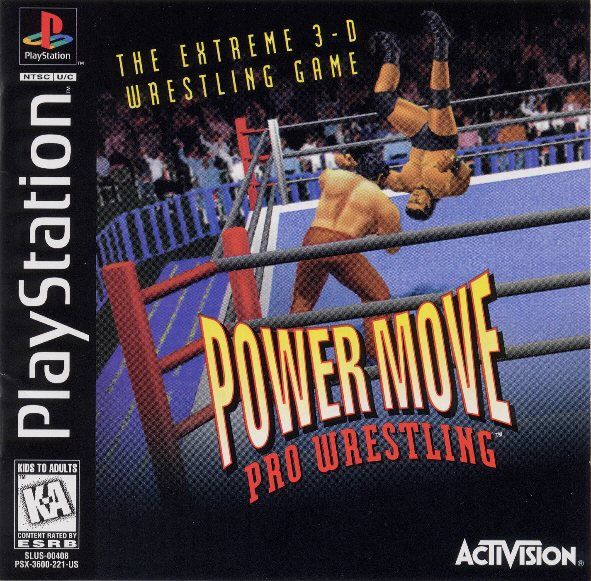
PowerMove Pro Wrestling is a 3-D wrestling game where you control one of 12 pro wrestlers. Each gouraud-shaded wrestler has a unique personal style and set of moves.
The game mechanics are realistic and logical. Mastery of moves, not hand speed, will win matches. Wrestlers move and interact just as real ones do, offering a world of technique and strategy to discover.
Gameplay
PowerMove Pro Wrestling uses three basic attack techniques: strikes, strength moves, and submission holds. The position and condition of your opponent determine which moves are executed.
Your opponent can be in any of the following positions and/or conditions: facing you, facing away from you, lying prone on the mat, outside the ring, running, groggy, and/or in the corner (next to the turnbuckle).
When both wrestlers attempt moves simultaneously, a priority-based system determines success. This system operates like rock/paper/scissors:
•
A strength move overrides a submission hold.
•
A submission hold overrides a strike.
•
A strike overrides a strength move.
If both wrestlers try the same type of move, they will grapple. The player who presses buttons fastest will prevail.
Rules
A wrestler will be disqualified if:
•
He continues applying a submission hold for five seconds after his opponent has touched the ropes.
•
He continuously touches the ropes for more than five seconds.
•
He continues applying an illegal hold for five seconds.
•
He remains outside the ring for more than 20 seconds.
A wrestler can win a match if:
•
His opponent is disqualified.
•
He pins his opponent by holding both his shoulders to the mat for three seconds.
•
The referee stops the match to prevent injury to his opponent. This occurs if the wrestler applies a submission hold to an opponent with zero hit points.
A match is a tie if:
•
Time expires in a match allowing draws.
•
Both wrestlers are outside the ring for more than 20 seconds.
Hit Points
Each wrestler has several attributes that determine his endurance and revival speed.
Main Hit Points
These represent a wrestler's overall health. Damage from strength moves and strikes reduces main hit points. As a wrestler loses health, he needs more time to recover from being knocked down or dazed, and his breathing becomes increasingly rougher.
Head/Body/Arm/Leg Hit Points
These represent a wrestler's tolerance to pain. Each submission hold damages a specific body part, reducing either head, body, arm, or leg hit points.
Whenever a submission hold is applied to a body part with no hit points, the wrestler will surrender or the referee will stop the match. As a wrestler loses strength in his arms, he becomes less able to hold up his hands; and as he loses leg strength, he walks slower and slower.
Main Menu
When the Title Screen appears, press START to bring up the Main Menu. This screen offers four options:
•
Results - View tournament and gauntlet records, and past champions.
•
Best Bouts - Review saved matches.
•
Load - Load results from the memory card.
GO! Screen
The 10 choices on this screen are:
•
1 Player - Play a match against the computer; you pick your opponent.
•
2 Player - Play a match against a friend.
•
12-Man Gauntlet - Fight without taking a rest against all of the PPW wrestlers in 12 consecutive matches. Note: Your wrestler's fatigue is carried over from match to match.
•
12-Man Gauntlet Continue - If you've stopped the 12-Man Gauntlet, use this option to pick up the battle where you left off.
•
Championship - Fight for the PPW championship.
•
PPW League - Fight in a league against the computer. Wrestlers compete for the highest total score based on a point system: win = 2, draw = 1, loss = 0. A second player can join the league by selecting a wrestler within 30 seconds.
•
PPW Continue - Continue after stopping the action in the PPW League.
•
PPW Tournament - Wrestle tournament style, with the winner of each match advancing to the next bracket. A second player can join the tournament by selecting a wrestler within 30 seconds.
•
PPW Tournament Continue - Continue the PPW Tournament after stopping the action.
•
Demo Match - Watch two computer wrestlers (your choice) square off against each other.
Note: While playing in the league or tournament, you can make any computer-vs.-computer match skip to its conclusion by pressing and holding down L1 R1↓ X.
Game Setup Screen
Once you select an option from the GO! Screen, you will be taken to the Game Setup Screen. The seven options on this screen are:
•
Level - Choose from Easy (default), Medium, Hard and Wow! to set the toughness of computer opponents.
•
Time - Choose the time limit, from 5-60 minutes (default = 30), in five-minute increments, or none at all (the number represent minutes).
•
Draws - Choose from ON or OFF (default is ON). If you turn this option OFF and a match reaches its time limit, whoever caused the most damage will be declared the winner.
•
Venue - Choose the venue or location of the match: Megadome
.png)

.png)
.png)

_1.png)




.png)



.png)
.png)









.png)
