Game Setup
Set up your PlayStation game console according to its Instruction Manual. Make sure the power is off before inserting or removing a compact disc. Insert the STREET FIGHTER EX PLUS α disc and close the disc cover. Insert game controllers and turn on the PlayStation™ Console. Follow the on-screen instructions to start a game. General Moves
BLOCK
Press Directional Button away from opponent.
GRAB/THROW
Press the Directional button toward opponent, then press either Medium or Hard Punch or Medium or Hard Kick button. Some characters may be able to execute special grab or throw moves in combination with a Directional button motion.
RECOVERY/ESCAPE
You can recover from dizziness more quickly by pressing back and forth on the Directional button and by pressing the attack buttons rapidly. You can escape grab moves in this manner as well.
GUARD BREAK
When near an opponent, simultaneously press the same strength AP and AK. For example, press LP + LK. After your opponent is dizzy, perform a grab/throw, special move, Super Combo or even string moves and Super Combos together for maximum damage.
SUPER COMBOS
Each time you execute normal moves and special moves, your Super Combo gauge will build up. Your level will increase when the gauge reaches certain points, and then you will be able to perform Super Combos.
As a convenience, you can set one button on your controller to act as 3 Punch buttons and one button to act as 3 Kick buttons when performing Super Combos.
EX Modes
MODE SELECT
•
PRESS START BUTTON TO EXIT
There are 7 modes of play and 1 setup mode for STREET FIGHTER EX PLUS α. See the following sections for more on each mode of play.
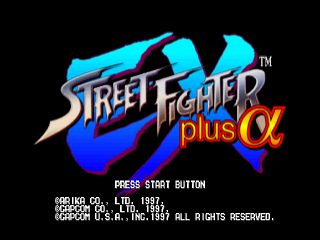
To reset your game at any time without having to reload the disc, press L1, L2, R1, R2, Select and the Start button simultaneously. You will be returned to the STREET FIGHTER EX PLUS α title screen.
ARCADE
This mode is the popular arcade mode, where you select a Street Fighter character and fight your way through other computer-controlled opponents. It is a one-player game, but a second player can join in at any time. Press the Start button on the opposite controller to join in. The character select screen will appear.
From the title screen, press Start to see the Mode Select screen. Use the Directional button to highlight this mode, then press the X button to select it. (Note: Turning SHORTCUT to “on” in the OPTION mode bypasses the Mode Select screen. See page 10 for more)
You will then see the Character Select screen. Use the Directional button to highlight a character. Press any button other than the Start button or the Select button to select a character. Different buttons select different character colors.
If you press the Start button during gameplay, you will see the Pause Menu screen. You will see these options:
•
PAUSE MENU EXIT - Highlight and press the X button to select and return to gameplay
•
COMMAND LIST - Highlight and press the X button to select and view your character's list of moves
•
BUTTON CONFIG. - Highlight and press the X button to select, highlight the function and press the button you want to perform the function
•
DEFAULT - Highlight and press the X button to select and restore the Button Config. options to their default settings.
•
RESET - Highlight and press the X button to select, highlight YES, then press the X button again to EXIT. To return to the Pause Menu screen, highlight NO and press the X button or simply press the button.
After a battle, the Continue screen appears. To quickly start a re-match, press the Select button. At the continue screen, press the X button before the time reaches zero in order to continue. To end the game, highlight EXIT and press the X button. The game will return to the Mode Select screen.
TEAM BATTLE
Team Battle lets you make up a group of 5 fighters and go up against a random group of 5 computer opponents or fight against a friend's 5 characters. Highlight this mode from the Mode Select screen and press the X button to select it.
Next highlight a character and select a character and color in the same manner as ARCADE mode. You will choose 5 different characters, and will battle with these characters in the same order as you select them. To select your characters in privacy, hold the L2 button down while selecting the character to activate the SECRET mode.
As you win, your character will advance against the computer's next character. The player who knocks out the opponent's 5 characters wins. After the battle, you will see the match recap screen.
If you press the Start button during gameplay, you will see the Pause Menu screen. This is the same menu as the previous ARCADE mode Pause Menu screen.
SURVIVAL
This one-player mode challenges your skill as a Street Fighter. Highlight and select a character as you would in ARCADE mode. Fight as far as you can in 1 round matches where your vitality level carries over to the next match.
You are rated by TIME and HITS, which add up to your RECOVER level. Your RECOVER level determines how
.png)

.png)
_2.png)
.png)
.png)
