Loading the Game
1. Set up your PlayStation®2 computer entertainment system according to its instruction manual.
2. Ensure the MAIN POWER switch (on the back of the console) is on.
3. Press the RESET button. When the power indicator lights up, press the open button to open the disc tray.
4. Place the ALL-STAR BASEBALL™ 2002 disc on the tray with the label side facing up. Press the open button again to close the disc tray.
5. Attach game controllers and other peripherals as appropriate.
To save your game, insert a MEMORY CARD (8MB) (for PlayStation®2) (sold separately) into MEMORY CARD Slot 1.
Follow on-screen instructions and refer to this manual for software information.
Note: ALL-STAR BASEBALL™ 2002 supports up to 4 players.
PlayStation®2 Ports
Game Features
One of the favorite features is the Create a Player mode, allowing you to build a full franchise of superstars. The game offers intense action and immense details.
Baseball Terminology
This booklet uses common baseball terms. It is assumed the reader is familiar with the game. If you are puzzled, visit your local library or the Major League Baseball website at http://www.mlb.com for rules, statistics, and more.
Menu Navigation
•
Highlight Option: DIRECTIONAL BUTTONS
•
Toggle Options: LEFT or RIGHT DIRECTIONAL BUTTONS
•
Start / Pause Game: START BUTTON
•
Show Help Screen: SELECT BUTTON
•
Cancel / Previous Screen: CIRCLE BUTTON
•
Confirm / Next Screen: X BUTTON
Locating Pitches
Press the LEFT ANALOG STICK or the DIRECTIONAL BUTTONS to move the pitch target to the desired location.
Positioning Fielders
Infield Positioning (L1 BUTTON)
•
In - all infielders play on the edge of the infield grass.
•
Deep - all infielders back up to the edge of the outfield grass.
•
Corners - 3B & 1B play in to anticipate a bunt.
•
Lines - 3B & 1B play closer to the foul lines to prevent extra base hits.
•
DP Depth - SS & 2B play a few steps deeper and closer to second base, putting them in better position for turning double plays.
•
Shade L - all IF move slightly to the third base side.
•
Shade R - all IF move slightly to the first base side.
•
Shift L - more dramatic shift toward third base.
•
Shift R - more dramatic shift toward first base.
Outfield Positioning (L2 BUTTON)
•
Normal left - Outfielders shade toward left field.
•
Normal right - Outfielders shade toward right field.
•
Deep - Outfielders play a few steps back toward the fences.
•
Deep left - Outfielders play a few steps back toward the fences and move a few steps toward the LF line.
•
Deep right - Outfielders play a few steps back toward the fences and move a few steps toward the RF line.
•
Shallow - Outfielders play a few steps in.
•
Shallow left - Shift is more extreme. All OF's move. RF moves toward RCF giving up his line, CF moves 4-5 steps into LCF, LF moves 3-4 steps toward the line.
•
Shallow right - Outfielders play a few steps in and move a few steps toward the RF line.
Fielding
Before Ball is Fielded
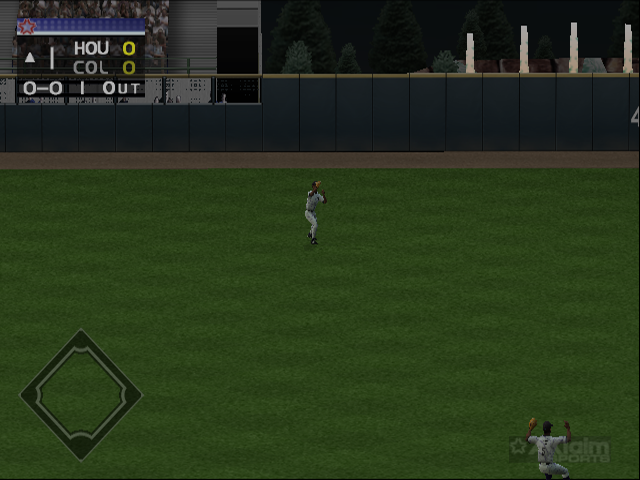
The spot where a fly ball will land is indicated by a red circle highlight. The currently controlled fielder is indicated by a blue circle highlight (different colors for multiple players). If a fielder is off-screen, a red arrow indicates the ball's direction.
To tell a fielder where to throw the ball before he fields it, press the associated control.
•
Future Throw to cut-off or relay man: L1 BUTTON
•
Move Highlighted Fielder: LEFT ANALOG STICK or DIRECTIONAL BUTTONS
After Ball is Fielded
•
Throw to relay man: L1 BUTTON
•
Move Player: LEFT ANALOG STICK or DIRECTIONAL BUTTONS
•
Future throw to 3rd Base: TRIANGLE BUTTON
•
Jump / Scale Wall: X BUTTON
•
Future Throw to 2nd Base: CIRCLE BUTTON
•
Future Throw to 1st Base: X BUTTON
•
Future Throw to Home: TRIANGLE BUTTON
•
Throw to 2nd Base: CIRCLE BUTTON
•
Throw to 1st Base: X BUTTON
•
Throw to 3rd Base: TRIANGLE BUTTON
•
Throw to Home: SQUARE BUTTON
Buntting
There are two types of bunts: sacrifice bunts and drag bunts. Sacrifice bunts are shown before the pitch, with success based on the hitter's bunt rating. Drag bunts are timed and aimed like a swing.
•
To perform a drag bunt, move the cursor (LEFT ANALOG STICK) in conjunction with the bunt button (SQUARE BUTTON).
Ball in Play (Runner Control)
•
Indicate base for individual runner select: DIRECTIONAL BUTTONS
•
Advance single runner when combined with DIRECTIONAL BUTTON direction: L1 BUTTON
•
Return single runner when combined with DIRECTIONAL BUTTON direction: L
.png)


.png)

.png)


.png)
.png)


