STARTING UP
Set up your PlayStation 2 computer entertainment system according to its instruction manual. Make sure the MAIN POWER switch on the back of the console is on. Press the O/RESET button. When the indicator lights up, press the button.
Insert the BAD BOYS MIAMI TAKEDOWN disc with the label side facing up. Close the disc tray by pressing the button.
The game should boot automatically. If not, press the /RESET button on the console. Follow on-screen instructions and refer to this manual.
A memory card (8MB) (for PlayStation 2) with at least 125KB of free space is required to save game data. Only MEMORY CARD slot 1 is supported. Do not insert or remove accessories once the power is on. Ensure enough free space on your memory card (8MB) (for PlayStation®2) before playing.
PlayStation 2 [front panel]
STARTING THE GAME
If a valid memory card (8MB) (for PlayStation®2) is in MEMORY CARD slot 1, you can save progress after each level. If game data exists, you will be asked to load it.
After the introductory sequence (or terminated by pressing the button), the Title Screen is displayed. Press the START button to go to the Main Menu.
•
If you haven't played before (or have no game data), select New Game.
•
If you have saved game data, select Continue Game.
THE MAIN MENU
The Main Menu has five options, some for accessing the game and others for features and unlockable options.
NEW GAME
Select this option to begin a new game. If a valid memory card (8MB) (for PlayStation 2) is in MEMORY CARD slot 1, you will be asked if you wish to save your progress after each level. Please see Saving and Loading p. 13. CONTINUE GAME
If you have saved game data, select this option to continue your investigation.
QUICK GAME
If you have saved game data, select this option to replay areas you have already completed. Find more evidence to unlock more secrets!
POLICE HQ
The Police HQ offers options to practice shooting skills, track progress, and select options unlocked by collecting evidence.
EVIDENCE
View gathered evidence and see if any items are still to be found.
TARGET RANGE
Do you want to improve your shooting skills? Here you can blast away without endangering your partner!
•
Money laundering and racketeering.
GAME STATS
Check out your Police Records and see what kind of cop you are.
CHEATS
These are unlocked as you play through the game. Make sure you search for all the evidence!
CREDITS
Learn more about the game's creators.
THE PAUSE MENU
To pause the game, press the START button. To resume, press START again or select Continue.
CONTROLLER SETUP
Change your control preferences. See Setup Controls on p.6.
SETUP AUDIO
Change the volume of Music, SFX, and Speech. See Setup Audio on p.6.
RESTART STAGE
Restart the investigation from the beginning of the stage.
QUIT TO MAIN MENU
Quit the investigation and return to the Main Menu.
COVER MODE
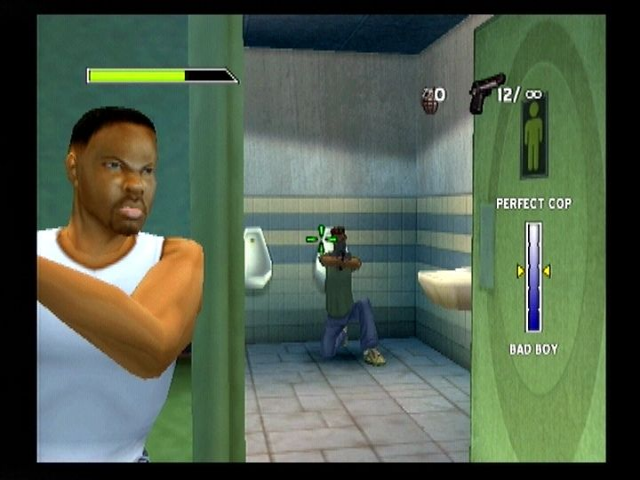
Using cover protects you from gun-toting criminals. Enemies can't shoot you while in cover (unless from behind). Leaning out presents a reduced target, greatly reducing their chance of hitting you.
ACTION
•
LEAN OUT: You can only fire if leaning out. Push fully (and hold) to lean out. Center the left analog stick to return to cover.
•
AIM: Push fully in a direction to aim the crosshair.
•
LOCK-ON TARGET: When the crosshair is near an enemy, it changes to orange to indicate lock-on is possible. Hold L1; the crosshair turns red and follows the target until L1 is released or line of sight is obstructed.
•
RELOAD: Reload the current weapon.
•
EXIT COVER MODE: Return to Explore mode.
•
SWAP WEAPON: If you have two weapons, press the button to swap between them.
•
ZOOM IN/ZOOM OUT: Press the R3 or button to zoom in. Different weapons allow different degrees of zoom.
BUTTON
•
Left analog stick or directional buttons
SNIPER MODE
If you have the sniper rifle, you can enter Sniper Mode. This is used when covering your partner from a distance. ACTION
•
ZOOM IN/ZOOM OUT: Push up/down on the left analog stick to zoom in/out.
•
AIM: Push fully in a direction to aim the crosshair.
•
RELOAD: Reload the current weapon.
•
EXIT SNIPER MODE: Return to Explore mode. BUTTON
•
Left analog stick or directional buttons


_1.png)