GETTING STARTED
Set up your PlayStation®2 computer entertainment system according to the instructions in its Instruction Manual. Make sure the MAIN POWER switch (located on the back of the console) is turned ON.
Press the RESET button. When the power indicator lights up, press the OPEN button and the display will open. Place the Pirates: Legend of the Black Buccaneer disc on the disc tray with the label side facing up. Press the OPEN button again and the disc tray will close.
Attach game controllers and other peripherals, as appropriate. Follow on-screen instructions and refer to this manual for information on using the software. It is advised that you do not insert or remove accessories once the power is on.
Memory Card (8MB)(for PlayStation®2)
To save game settings and progress, insert a memory card (8MB) (for PlayStation®2) into MEMORY CARD slot 1 of your PlayStation®2 system. You can load saved game data from the same memory card or any memory card (8MB) (for PlayStation®2) containing previously saved games.
Before starting the game please make sure you have enough free space (188 KB) on the memory card (8MB) (for PlayStation®2).
LOAD AND SAVE
You can load a previously saved game either from the Main Menu, or the Pause Menu. There are five different save game slots on one memory card (8MB) (for PlayStation®2).
When you save a game, you must pick one of these 5 slots to use. If no empty slots are available, you must select a previously used slot and overwrite that save game. When viewing the list of slots, you can see which save game is the oldest by looking at the amount of play time on the right hand column.
HOW TO PLAY
Following the introductory sequence, your adventure begins in a lonely bay on La Borgne's Island. Once Francis Blade has come around he must clamber up columns and risk a number of daring leaps in order to leave the bay and explore the island.
MOVEMENT
You control Francis Blade with the left analog stick and can adjust the camera with the right analog stick. You can automatically have the camera move behind our hero by pressing R3 (click the right analog stick).
COMBAT
When Francis attacks, a red life bar is displayed at the top left of the screen. Francis dies if this bar is empty. The opponent's life bar is displayed at the top right.
•
Press the □ button to make Francis attack with his sword.
•
Pressing the △ button makes him perform an exceptionally powerful attack.
•
To have Francis take up a defensive stance that protects him against any normal attacks, press the ◯ button.
From the outset, Francis has a pistol you can aim by pressing L1 and then □ to fire at the indicated target. The state of your pistol is indicated by the symbol underneath the life bar. A green symbol means that Francis can fire.
Later, Francis will also obtain bombs. He can use these for attacking enemies or blowing up cracked walls. Press L2 to aim the bombs, and □ to throw.
Francis can also acquire the following Voodoo powers during his adventure:
•
When close to a zombie spot, he can summon a zombie, who then fights for him (press R1). The undead creature draws its energy from Francis's life, so do not let it fight for too long. Make the zombie vanish by pressing the R1 button again.
•
Francis can also possess his opponents (press R2). Possessed opponents fight alongside Francis until you press the R2 button again. Just like zombies, possessed enemies also drain Francis's life force.
ALTARS AND STATUES
You will find altars attuned to various voodoo deities on the island. When you have collected the necessary ingredients, you can spend a portion of your collected offerings at each altar, raising the strength of your various abilities and powers.
While not essential to escaping the island, increasing Francis's power will make it easier to defeat his enemies. Skeleton statues, on the other hand, are switches that open up new paths. A scroll will help Francis learn how to destroy them.
SAVING AND RESURRECTING
Defeated opponents drop offerings which Francis picks up automatically. You can record Francis's progress at saving altars if you spend these offerings. You also need offerings to resurrect Francis. If you do not have the required offerings, you must load a previously saved game.
MENUS AND INFORMATION SCREENS
You can open the pause menu at any time by pressing START. Switch between the different information screens by pressing L1 or R1.
PAUSE MENU
Press START to open.
•
Continue game: Resume your current game
•
Load game: Select and continue a previously saved game
•
Options: Alter the game settings
•
Quit: Leave the game and return to the Main Menu.
ISLE MAP
Press SELECT to open. The right-hand side of the map screen displays a view of the island. The mini-map on the left side shows your current location. This is only displayed for your current area.
Important places are denoted by colored markers. These are explained in the map legend.
•
Blue: Location of the Player Character
•
Light green: Loa Altar Ingredient


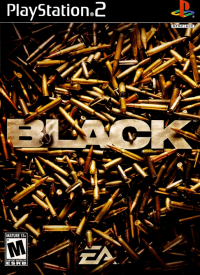
![Black [Platinum] box art for Playstation 2](https://media.retro.gold/moby_img/Sony_-_PlayStation_2/Named_Boxarts/Black [Platinum]_Front_Cover.jpg)
![Black [Platinum] screenshot 3 for Playstation 2](https://media.retro.gold/moby_img/Sony_-_PlayStation_2/Named_Snaps/Black [Platinum]_screenshot_0.jpg)
![Black [Platinum] screenshot 4 for Playstation 2](https://media.retro.gold/moby_img/Sony_-_PlayStation_2/Named_Snaps/Black [Platinum]_screenshot_1.jpg)
![Black [Platinum] screenshot 5 for Playstation 2](https://media.retro.gold/moby_img/Sony_-_PlayStation_2/Named_Snaps/Black [Platinum]_screenshot_2.jpg)
![Black [Platinum] title screen for Playstation 2](https://media.retro.gold/Sony_-_PlayStation_2/Named_Titles/black_platinum.jpg)











.png)
.png)
.png)

