Console Ports and Connectors
Getting Started
1. Set up your PlayStation®2 computer entertainment system according to its Instruction Manual.
2. Ensure the MAIN POWER switch (on the back of the console) is turned on.
3. Press the RESET button. When the power indicator lights up, press the open button to open the disc tray.
4. Place the Chessmaster disc on the disc tray with the label side facing up. Press the open button again to close the disc tray.
5. Attach game controllers and other peripherals as appropriate.
6. Follow on-screen instructions and refer to this manual for information on using Chessmaster.
Memory Cards
Chessmaster allows you to save your game progress on memory cards (8MB) (for PlayStation®2), sold separately. You can then resume play on previously saved games.
Insert memory card(s) (sold separately) into the PlayStation®2 computer entertainment system BEFORE starting play.
Important
Do not remove a memory card while saving or loading games. Doing so could damage game data.
Introduction
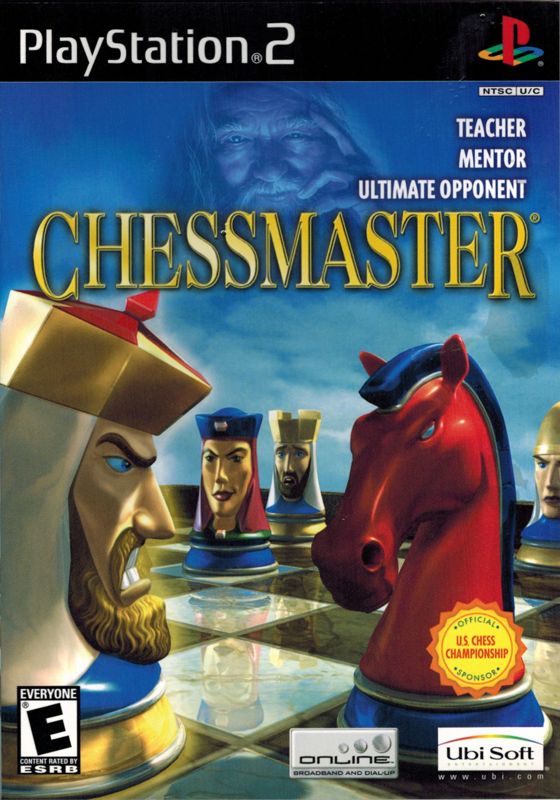
Welcome to CHESSMASTER®! Whether you are a novice chess player or a CHESSMASTER veteran, you'll find this first PlayStation 2 version of the world's best-selling chess program to be comprehensive and a lot of fun. Main Features of CHESSMASTER
•
A new and improved chess engine that allows players to challenge more than 150 computer personalities, from beginner to Grandmaster level. •
The world's best learning features in any chess program, allowing you not only to learn, but also to effectively improve your game. •
In-game advice methods including hints, detailed advice, game analysis, and blunder alert.
•
The rating system and statistics, tools players can use to measure their improvement.
•
A large selection of game modes to keep players interested for a long time.
•
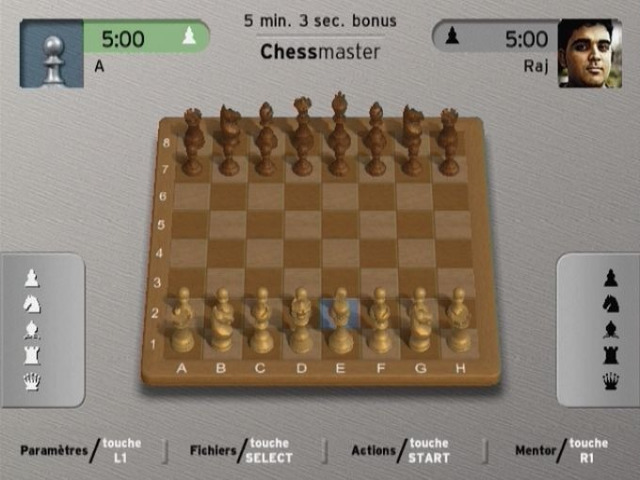
The best graphics in a console chess game to date, featuring the Chess Battlefield animated chess set that transforms chess into a vivid, spectacular confrontation. To learn more about what CHESSMASTER has to offer, take a look at the next chapter, Game Modes. Also, we strongly recommend reading chapter 3, Your Alter-Ego, before starting the game.
Game Modes
2.1. Quick Game
If you want to start playing right away, just enter this game mode. You will be playing white and will face a random opponent each time you play. This is a great game mode to hone your skills against a variety of opponents and to analyze your game using the many available tools. It's also one of two game modes in which you can take back your moves or get hints and advice.
2.2. Rated Game
If you are ready to play "for real," this is the game mode to use. In this game mode, your rating is affected by every victory or defeat, and this is equally true for your opponents, be they human or computer personalities. This game mode is as close to the real chess experience as possible, and it's geared toward more advanced players. A minimal setup is necessary, as you must select your preferences (opponent, color, time controls) before starting the match. No advice tools are available, so your performance can be measured accurately and fairly.
2.3. Setup Position
If you want to copy problems from books and use CHESSMASTER to solve them, or if you want to reproduce a well-known position and see if you can do better than famous players, this is the game mode for you. After building the position, you begin the game, having at your disposal all the advice tools available.
2.4. Puzzle of the Day
If you don't feel like playing a full game, you can just have fun trying to solve the one-move puzzles supplied in this game mode. You can try as many times as you want, or move on to another puzzle.
2.5. Online
Playing against computer opponents is great practice, but the real challenge is to play and defeat other people. The Online game mode lets you do just that - see who's playing on ubi.com's CHESSMASTER server, challenge people from all over the world in rated or unrated games, and even watch other people's matches.
2.6. Championships
What if you want to play in a tournament? CHESSMASTER Championships is a series of increasingly difficult tournaments that allow you to test your playing strength in a competitive environment. With more than 50 tournaments in all, this game mode will certainly keep you busy. However, if you wish, you can also create your own tournaments.
2.7. Pandolfini Chess School
Even if you consider yourself a chess veteran, you'll certainly learn something new in Bruce Pandolfini's Chess School. CHESSMASTER's teachers are famous chess players: the British GM John Nunn, the U.S. Champions GM Larry Evans and GM Yasser Seirawan, the U.S. Junior Champion IM Josh Waitzkin, and, of course, the famous chess teacher NM Bruce Pandolfini. 2.8. Famous Games
More than 800 famous chess matches played between 1619 and 2002 await you in this easily searchable database. You can watch them move by move and read commentaries by famous chess players. .png)

.png)
.png)
.png)
