System Components
Setting Up the System
Set up your PlayStation®2 computer entertainment system according to its Instruction Manual. Ensure the MAIN POWER switch (on the back of the console) is turned on. Press the RESET button.
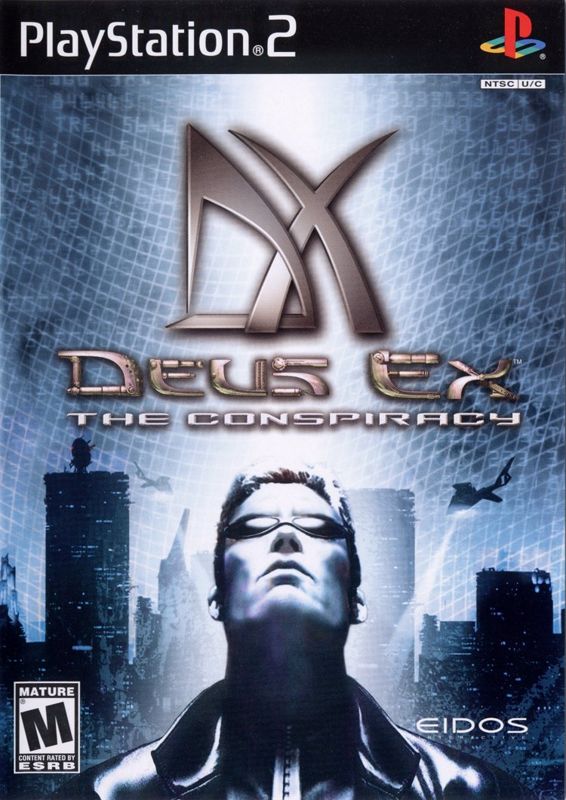
When the power indicator lights up, press the open button to open the disc tray. Place the DEUS EX: THE CONSPIRACY disc on the disc tray with the label side facing up. Press the open button again to close the disc tray.
Attach game controllers and other peripherals as appropriate. Follow on-screen instructions and refer to this manual for information on using the software.
Main Menu
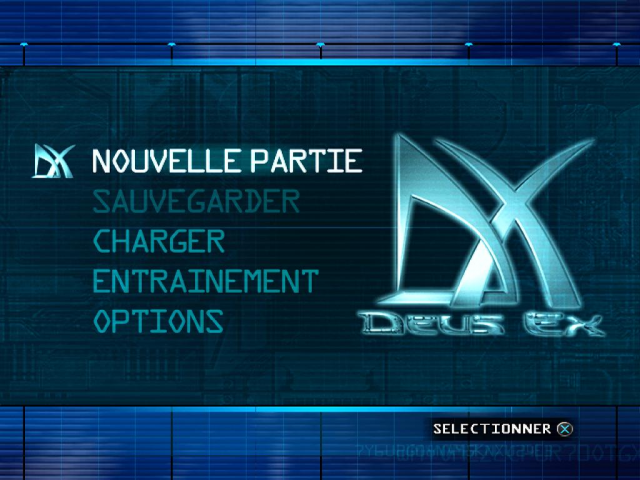
When DX: THE CONSPIRACY loads, you will see the Main Menu with several choices. You can return to the Main Menu at any time during play by pressing the START button. Use the directional buttons to navigate the menu choices.
Main Menu Options
•
NEW GAME — Begin a completely new game, starting with choosing a difficulty level, creating a character name, and selecting your character's initial skills.
•
SAVE GAME — Save a game in progress to your memory card (8MB) (for PlayStation®2). This option is only active if you visit the Main Menu from gameplay.
•
LOAD GAME — Resume a previously saved game from a memory card. This option becomes active when you have at least one DX: THE CONSPIRACY game saved on the memory card.
•
TRAINING — Begin the tutorial training mission. It is not necessary to complete the training mission before playing DX: THE CONSPIRACY, but training is strongly recommended for first-time players.
•
OPTIONS — Customize your control, sound, and other game settings. See the following section for more details.
Options Menu
On the Options Menu, press the directional buttons or to make your selection, and or to adjust a setting. Press the button to display a submenu.
Options Menu Selections
•
CONTROLLER SELECT — View the Controller Layout Menu, and press the L1 and R1 buttons to switch between four controller configurations. Press the button to select the configuration that suits you.
•
GAME OPTIONS — You have the ability to further modify your game options, covered in detail on page 6.
•
BRIGHTNESS — Adjust the game screen brightness.
•
MUSIC VOL — Adjust background music volume.
•
EFFECTS VOL — Adjust sound effects volume.
•
SPEECH VOL — Adjust the volume of speech sound.
•
CREDITS — Display the game's credits.
•
VIEW CINEMATICS — View the Intro Movie and up to three different End-Game Movies, depending on which path you choose... if you succeed.
Game Options
•
TURN SPEED — Press the directional buttons or to adjust how quickly you turn and look in the world. This option affects both the left and right analog sticks (you can't adjust them independently).
•
INVERT LOOK — Press the button to toggle this option ON/OFF (default ON). This will switch the direction you look when you move the right analog stick or.
•
VIBRATION FUNCTION — Press the button to toggle the controller vibration ON/OFF (default ON). When this option is ON, the DUALSHOCK®2 analog controller will vibrate in response to game events.
•
AUTO-AIM — Press the button to toggle this option ON/OFF (default ON). When this option is ON, it automatically targets an enemy when the crosshairs are close enough. When OFF, you must manually target the enemy. Playing the game at Realistic level with Auto-Aim OFF is the ultimate challenge!
•
HEAD BOB — Press the button to toggle whether the screen "bobs" when you run (default ON).
•
SHOW INACTIVE AUGS — Press the button to toggle whether the entire list of Augs is displayed, or just the Augs you are currently using (default ON).
The Story So Far
DX: THE CONSPIRACY takes place in the near future, in a world on the brink of collapse. Divisions and hostility have been aggravated by the growing gap between the rich and the poor. A privileged few live high above the dangerous city streets, in protected penthouses, while the majority of the population struggles below to survive. Besides the daily threats of violence, the average person also has to deal with an increase in fatal epidemics, the cures for which are available only to the wealthy or the heavily armed. The United Nations Anti-Terrorist Coalition (UNATCO) struggles to maintain order in the face of international attacks, borne out of this fragmentation and disillusionment. At this time, the organization is dealing with the Gray Death, a worldwide plague. Although there is a cure, called Ambrosia, the development and distribution of it have been slow. The National Secessionist Force (NSF), a reputed terrorist organization, claims the cure is being blocked by secret government organizations, so they have taken terrorist countermeasures.
In the game, you play J.C. Denton, a rookie agent for UNATCO. You follow in the footsteps of your older brother Paul, who is also an agent for the coalition. You've both been selected as prototypes for the nano-technological augmentation program.
When the game begins, Paul has been an active agent for a few years, and you are on your first mission. Assigned to retrieve