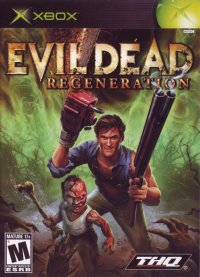
PLAYING EVIL DEAD REGENERATION
MAIN MENU
NEW GAME
Selecting New Game starts the Evil Dead Regeneration adventure from the beginning.
Once selected, the opening movie plays, followed by a brief game tutorial.
LOAD SAVED GAME
•
Replay previously played levels
•
View unlocked cinematics
You may start from a previously saved Sacred Symbol location, or at the beginning of a level that follows a previous end-of-level game save. Files are listed by time stamp.
OPTIONS
Game Options can be accessed under the headings of Game Play, Controls, and Video Calibration.
Game Play Settings
•
Turn on and off the Vibration, Subtitle, Sound Effects, and Speech functions.
•
Set the Vertical and Horizontal camera control to normal or inverted.
Controls
Video Calibration
•
Use your television color and brightness adjustments to maximize the quality of the picture.
THE GAME SCREEN
LIFE BAR OVERLAY
The Life Bar Overlay in the top-left corner of the screen will fade out after a short period of time where the player does not attack or get attacked. It returns when the player attacks or takes damage.
LIFE
A red horizontal bar represents Ash's life. When the player is in control of Sam, his life is represented by a blue horizontal bar below Ash's.
When Ash or Sam is taking damage, the skull will change its expression and the life bar will deplete. Collecting Life Essence dropped by enemies, objects in the environment or from special health-giving sacred symbols will refill the life bar.
INNER EVIL
Evil Essence fills the vertical meter, which looks like a spine below the life bar. Evil Essence allows Ash to transform into Evil Ash or to perform a charged kick with Sam turning him into a flying bomb.
Ash does not have this ability at the beginning of the game, and must work his way into the game before gaining Evil Essence.
SAM POSSESSION SYMBOL
To take possession of Sam, locate and activate the blue Sacred Symbols placed in the worlds.
SAVE GAME
To save game progress, locate and activate the greenish-yellow Sacred Symbols placed in the worlds.
NECRONOMICON PAGES
To unlock bonus content, locate the lost pages of the Necronomicon hidden throughout the environment.
CREDITS
Developed by
Cranky Pants Games
Development Team
•
Executive Producer: David Bollesen
•
Lead Game Designer: Andy Beaudoin
•
Sr. Technology Manager: Ryan Woodland
•
Project Manager: Marcus Lindblom
•
Art Manager: Drew Robertson
•
Audio Manager: Kristoffer Larson
Programming
Game Designers
Production Assistant
Audio Designer
Art Director
Lead Animator
Animation
Lead Environment Artists
Environment Artists
Character Artists
.png)

.png)
.png)
.png)



.png)

.png)



.png)

.png)