INTRODUCTION
Welcome to my organization. I'm sure you will find the benefits of working together superior to what you were accustomed to at M16.
As we agreed, I have initiated plans to restore sight in the eye you've lost. The work was contracted by Francisco Scaramanga, whose standards are of the highest caliber. I assure you, the results will enhance your abilities.
This leaves only the final term of our agreement: our common enemy, Dr. Julius No. I will hold our contract fulfilled the moment he has been eliminated. Come immediately to Auric Enterprises in Switzerland. All travel and documents have been arranged.
You will be met by my driver at Zurich Airport. He goes by the name of Oddjob.
Auric Goldfinger
SETTING UP THE GAME
•
CAMPAIGN: Start or continue a Single Player campaign.
•
SPLITSCREEN: Play against friends and discover who the top Rogue Agent is.
•
ONLINE: Play GoldenEye: Rogue Agent online.
•
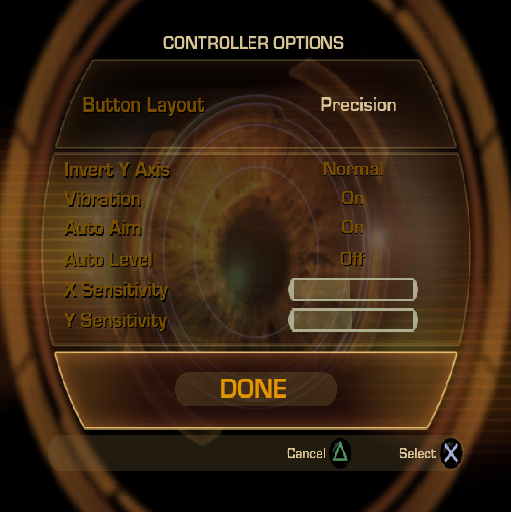
PROFILE OPTIONS: Change controller and audio/visual settings, view stats, and change or save the active profile.
•
EXTRAS: View the credits or get unlocked content.
PLAYING THE GAME
GAME SCREEN
•
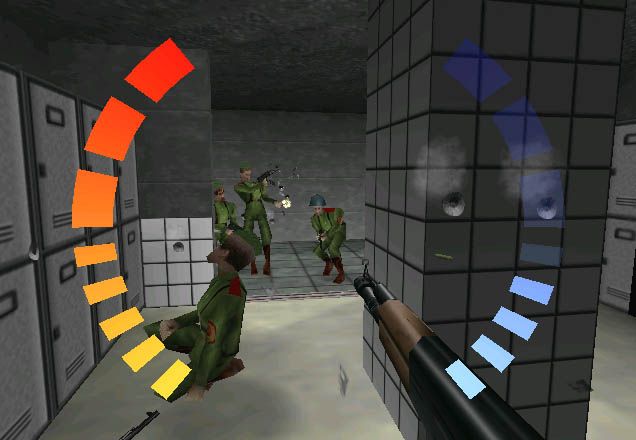
Damage direction indicator
•
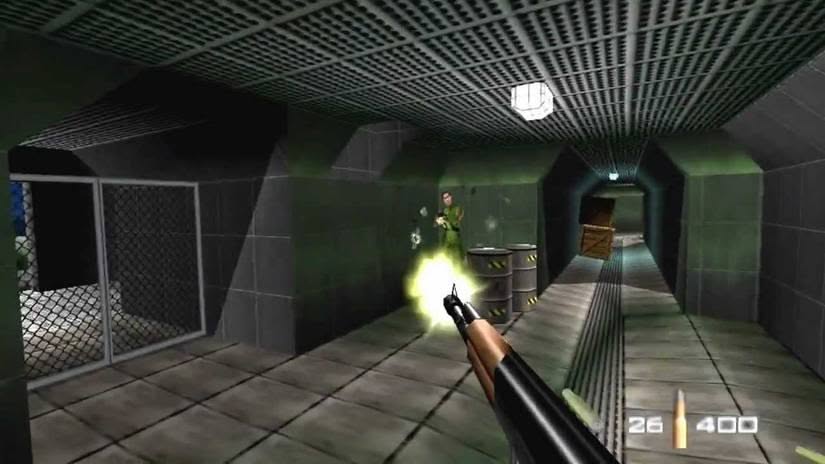
Left hand ammo remaining
•
Right hand ammo remaining
MOVING AND USING COVER
To move, press the left analog stick.
You may be tough, but you are not invulnerable. Your enemies are more accurate when you stay out in the open. To avoid damage and make it tougher for enemies to fire upon accurately, take cover behind obstacles.
To toggle between crouching and standing, press the button.
HEALTH AND ARMOR
HEALTH
Your health is measured by the curved red bar on the right side of the screen. As you take damage your health is depleted. If you avoid taking damage for several seconds your health will begin to replenish itself.
The meter flashes when your health becomes low. If your health runs out completely, you are defeated and must resume the mission from your last auto-save point.
ARMOR
Your armor level is measured by the curved blue bar on the left side of the screen. To replenish your armor level, acquire armor vests. When your armor level is full, the on-screen armor gauge turns gold.
Some enemies carry a spare armor vest which you can acquire once you have dispatched them.
•
TIP: Use precise shots to eliminate enemies cleanly and maximize the value of the armor they may be carrying (your SPEC-9 is suitable for this task). The more bullets you fire into an enemy, the more you degrade his spare armor. WEAPONS HANDLING
As a Rogue Agent you carry the SPEC-9 personal side-arm. This light weapon can never be dropped and always has ammunition. You may pick up additional weapons during a mission, but only Type-S Frag grenades and the SPEC-9 can be holstered. When your left or right hands are free, these two weapons are automatically equipped. All other weapons are dropped when you pick up a new weapon. Some weapons are small and can be fired one-handed while other weapons are heavier and require both hands.
If a two-handed weapon has a secondary feature, such as a recon scope, activate the feature by pressing the L1 button.
For maximum firepower, wield weapons in both hands.
RIGHT HAND
•
To fire your right hand weapon, press the R1 button.
•
To pick up a new weapon in your right hand, press the button.
•
To drop the weapon in your right hand, press and hold the button until it drops.
•
If no other weapon is equipped in your right hand, your SPEC-9 personal sidearm is automatically equipped. LEFT HAND
•
To fire your left hand weapon, press the L1 button.
•
You can throw grenades only if your left hand is free of other weapons.
•
To pick up a new weapon in your left hand, press the button.
•
To drop the weapon in your left hand, press and hold the button until it drops.
HAND-TO-HAND ATTACKS
Sometimes the best option at close range is your bare hands. Melee attacks directly damage an enemy's health, even if the enemy has full armor.
To subdue an enemy by hand, press the R2 button to strike your opponent until he is stunned (usually one or two strikes). Once stunned, press the R2 button again to knock your enemy out.
•
NOTE: Heavily-armored enemies can withstand multiple melee attacks before being stunned.
HOSTAGE TAKING
When cover is scarce, using enemies as human shields is an efficient way of protecting yourself and dispensing with your opponents.
To take a hostage, press the R2 button to stun your opponent with a hand-to-hand attack then press the button to take a stunned opponent hostage.
Hostages can be thrown by pressing the button. Well-timed throws can knock other enemies to the ground.
USING MACHINE TRAPS
Machine traps - elements in the environment that can be used to defeat opponents - are located throughout the game.
When the prompt appears, press the button to activate a machine trap.
•
TIP: Be cautious around machine traps. Your enemies may decide to use them against you.
USING THE GOLDENEYE
Your GoldenEye can be upgraded with the ability to shield you from gunfire, see enemies through walls, and more. As you progress through the campaign, new GoldenEye ability upgrades are awarded to you by Francisco Scaramanga.
-
.png)

.png)
_2.png)
.png)
.png)







.png)





.png)
.png)

.png)

