GETTING STARTED
Set up your PlayStation®2 computer entertainment system according to the instructions in its instruction manual. Make sure the MAIN POWER switch (located on the back of the console) is turned on.
Press the RESET button. When the power indicator lights up, press the OPEN button and the disc tray will open. Place the La Pucelle: Tactics disc on the disc tray with the label side facing up. Press the OPEN button again and the disc tray will close.
Attach game controllers and other peripherals, as appropriate. Follow on-screen instructions and refer to this manual for information on using the software.
La Pucelle: Tactics uses real voices to augment the text in some of the game dialogues. Don't worry if you only hear voices some of the time. If you can hear music and other sound effects, the game sound is working fine.
STARTING UP
DUALSHOCK®2 analog controller
•
left analog stick (L3 button when pushed down)
•
right analog stick (R3 button when pushed down)
To select menu options, use the ↑ and ↓ directional buttons to navigate the menu options. Highlight the desired option and press the X button to accept. To select a menu option, follow the on-screen button prompts and press the X button to accept and the O button to go back.
La Pucelle: Tactics supports the DUALSHOCK®2 analog controller. When the MODE INDICATOR is on, the left analog stick works the same as the directional buttons.
STARTING THE GAME
When you start the game, the title screen appears with three options to choose from. To start a new game from the beginning, select Start. To continue a game that you played earlier, select Continue. To set the game options, such as whether to hear the characters' voices in English or Japanese, select Options.
Note: This game requires approximately 40 seconds to load before the title screen appears.
SAVING AND LOADING GAMES
Saving
To save your game, first press A on the World Map to bring up the Command menu. Insert a memory card (8MB) (for PlayStation®2) into MEMORY CARD slot 1. Select the slot where you want to save your game, and your progress up to that point will be saved.
You can also call up the Save screen by pressing A on the Area Map Selection screen.
Loading
By loading a game, you continue a game where you left off. Insert a memory card (8MB) (for PlayStation®2) into MEMORY CARD slot 1. Select Continue from the title screen and choose the game you want to load from the list of saved game data.
•
A memory card (8MB) (for PlayStation®2) is required to save your game. You cannot use original PlayStation memory cards.
•
If you turn off the main system power, press the reset button or remove the memory card (8MB) (for PlayStation®2) while saving or loading game data, the data may be lost.
MAPS
In La Pucelle: Tactics you guide your characters through several different map types. Each type of map has a different purpose and a different set of commands that can be used.
THE WORLD MAP
The World Map is a large-scale map of the entire game world. It's used to jump between small-scale maps like Area Maps and Field Maps (see below). Select your destination with the cursor and press the X button to travel to that location. The number of places that you can travel to increases as the story unfolds.
Every time you visit the World Map, your characters' Hit Points (HP) and Special Points (SP) are restored. You can also save your game and check the status of your characters here, so it's a good idea to return to the World Map frequently.
World Map Commands
Press the A button on the World Map for the following commands:
•
Items - Equip or discard items.
•
Status - Check the status of your characters.
•
Train - Train monsters you have converted over to your side.
•
Change Order - Arrange your characters with the human characters first, the monsters first or by level.
•
Options - Access the sound settings and switch between Japanese and English dialogue.
FIELD MAPS
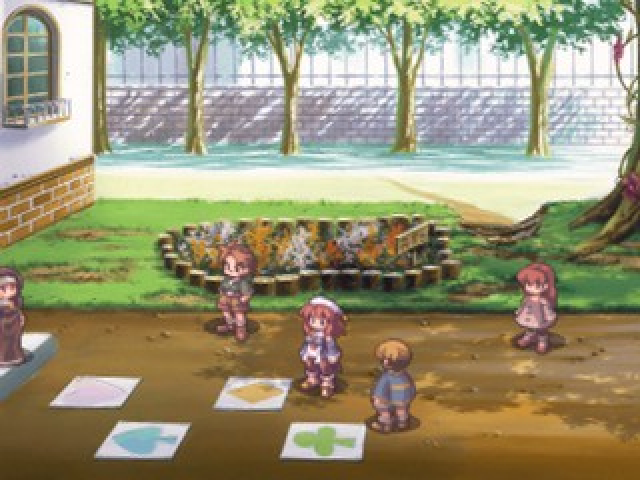
Locations such as towns, churches, castles and villages in La Pucelle: Tactics are called Field Maps. Field Maps are 2D maps where you can buy items and collect information by talking to people. Sometimes collecting information on a Field Map can be the key to an investigation.
Controlling Your Character
Use the directional buttons to move your character right and left on the Field Map. When you approach another person on a Field Map, a green triangle appears above them. Press the X button to talk to the person. You can move to other locations in the Field Map by pressing X when the name of the location is displayed at the top of the screen.
Tip: Make your character run by pressing while moving left or right with the directional buttons, or by using an analog controller's left analog stick to move. Running allows you to get through areas you've already explored more
.png)

.png)
.png)
.png)

.png)
.png)


.png)

_1.png)
