GETTING STARTED
Set up your PlayStation®2 computer entertainment system according to the instructions supplied with your system. Check that the system is turned on (the on/standby indicator is green). Insert the Odin Sphere disc in the system with the label side facing up. Attach game controllers and other peripherals as appropriate. Follow the on-screen instructions and refer to this manual for information on using the software.
Memory Card (8MB)(for PlayStation®2)
To save game settings and progress, insert a memory card (8MB)(for PlayStation®2) into MEMORY CARD slot 1 of your PlayStation®2 system. You can load saved game data from the same memory card or any memory card (8MB)(for PlayStation®2) containing previously saved games.
A Note about Saving
You can save at the end of a chapter, or from the pause menu. A memory card (8MB)(for PlayStation®2) with at least 200KB of free space is required. Up to five save files can be created.
Title Screen
•
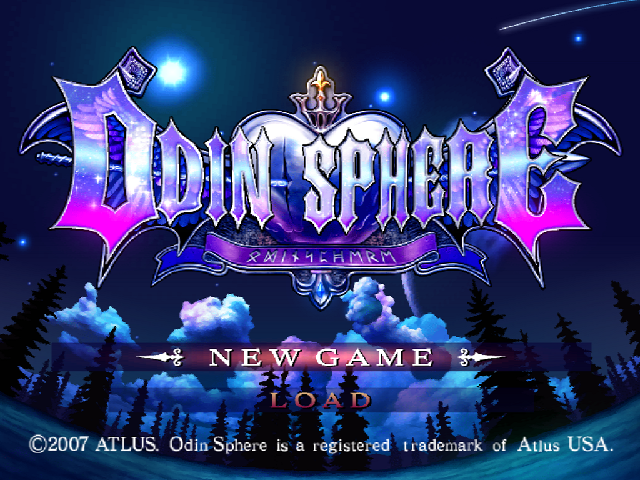
NEW GAME: Select this option to play from the beginning. There are three difficulty levels: Easy, Normal, and Hard.
•
LOAD: Select this option to continue from where you previously saved.
Game Flow
The Basic Sequence of Events
Select a Story
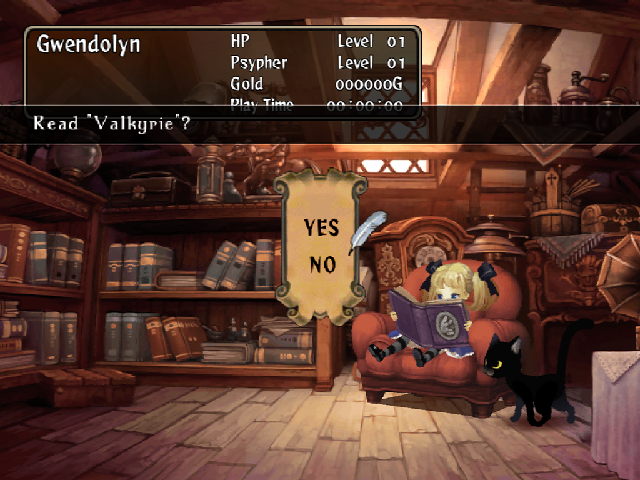
The game begins in the attic, where the currently available books will be on the floor. Each book chronicles the story of a different character. Choose a book to play the corresponding character's story from where you last left off.
Base
You can prepare for battle here. At the base, you can purchase items or converse with others to gather information.
World Map
You will be able to select a location. If you like, you can revisit certain areas to gain items and experience. The available destinations will vary according to circumstances. The flag with the X indicates the location from which the story will continue.
Drama Scene
If you have selected the location marked with an X, a dramatic scene will be played and the story will advance.
Battle
In battle, you will control your character while fighting the enemy. The story will advance once you have defeated the main boss located in that particular region.
The Attic
Move Alice to the book you'd like to read and tilt the left analog stick down to pick it up. Each book represents a different character's version of the tale.
You can also pick up Socrates the cat to watch any of the drama scenes you've already viewed. Tilt the left analog stick down again to set what you've picked up back on the ground.
Selected character's status
Choosing a Character
While holding a book, tilt the left analog stick up or press the x button to play the story from that character's perspective. Initially, only one book will be available. However, once you've completed it, a new one will be unlocked.
Viewing the Story Archive
While holding Socrates, press the x button to open the Story Archive. The scenes for each version of the story are in chronological order. You can view whichever ones you've already watched.
•
"SCENE" Select this option to play only the chosen scene.
•
"TO END" Select this option to play all scenes in this character's story consecutively from the one chosen to the furthest one you've unlocked, or to the end of the book.
Pause Menu
Press the START button in any stage to open the pause menu. The options may vary depending on the situation.
•
RETRY: Select this option to restart just prior to entering the current stage, with the exact same items and experience you had at the time.
•
HOME: This option allows you to return to the most recent base point. Your current items, experience, etc. will be retained.
•
TEXT: By selecting this option, you can view any documents, memos, and recipes you have obtained.
•
STORY: This option opens the Story Archive, which is also accessible from the attic. You can watch any drama scenes you've already viewed.
•
SAVE: Select this option to save your progress. However, if you haven't yet completed a stage, only your data from the beginning of that stage will be saved.
•
OPTION: Here, you can adjust various game settings.
•
DIFFICULTY: Change the difficulty level.
•
SOUND: Select between stereo and mono.
•
VIBRATION: Turn the vibration function ON/OFF for the DUALSHOCK®2 analog controller.
•
TIMER: Turn the timer display ON/OFF.
•
MESSAGE COLOR: Change the color of the dialogue boxes, or remove them altogether.
•
VOICE: Select between the Japanese and English voice tracks.
Clearing a Stage
You will be able to progress to the next stage after
.png)

.png)
 (En,Ja).png)
 (En,Ja).png)
