GETTING STARTED
Set up your PlayStation®2 computer entertainment system according to the instructions in its Instruction Manual. Make sure the MAIN POWER switch (located on the back of the console) is turned on.
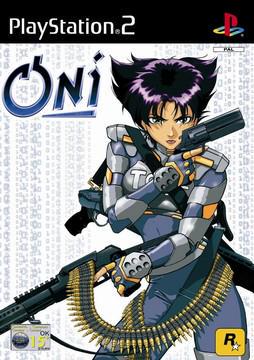
Press the RESET button. When the power indicator lights up, press the open button and the disc tray will open. Place the ONI disc on the disc tray with the label side facing up. Press the open button again and the disc tray will close.
Attach game controllers and other peripherals, as appropriate. Follow on-screen instructions and refer to this manual for information on using the software.
Reset Method
To exit to the Main Menu during gameplay, press the START button. On the pause screen choose the QUIT GAME option.
When asked if you are sure you want to quit, press the button if yes, and the A button if no.
MENU NAVIGATION
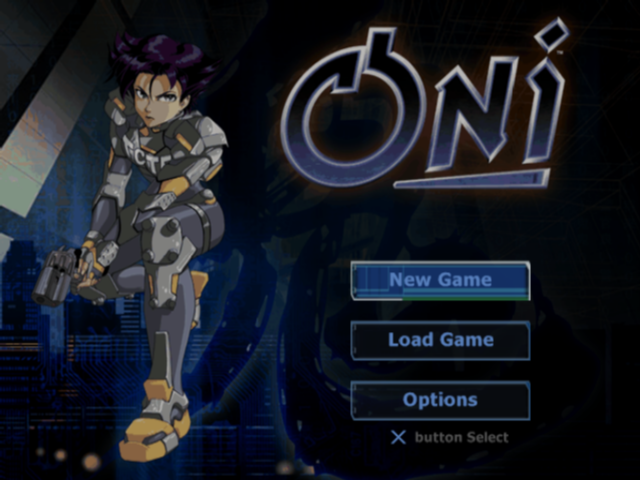
On-screen button prompts will be provided on all menu screens.
•
The X button is used to select highlighted options/advance to the next screen.
•
The A button is used to cancel operations/return to the previous screen.
•
The directional buttons are used to navigate through the menus.
OPTIONS
In the Options Menu you will be able to change a multitude of gameplay variables: Difficulty, Sound, Screen Brightness, Vibration, Subtitles, and Controller Configuration can be tailored to suit your preferences.
Inverted Aiming
On the Controller Configuration Screen you will be able to toggle Inverted Aiming On and Off. Inverted Aiming simply switches Up and Down on the right analog stick. Experiment to see which arrangement you prefer.
GAME MODES
Oni is a one-player game. It's just you, on your own, matching wits and blows with the Syndicate. If you like, you can recruit a friend to be your own real-life Shinatama -- hang out, watch you play, offer advice, maybe even bring you cookies, and other foodstuffs of dubious nutritional value. TCTF Training
This is where your game begins. Utilize this training facility as if your life depends on it -- because it does. Take the time and put in the effort to master all of your moves, because Boss Muro and his Syndicate are not fooling around.
Remember the time-honored axiom: "Practice - you don't win just by doing it, but you can't win without it."
Bypassing TCTF Training
TCTF Training is optional. To bypass TCTF Training, select Load Game instead of New Game on the Main Menu, and select Syndicate Warehouse.
SAVING, LOADING AND OVERWRITING
Saving A Game
Insert a memory card (8MB) (for PlayStation®2) with 128kb of free space into MEMORY CARD slot 1. If you do not have enough free space, and your memory card (8MB) (for PlayStation®2) is inserted prior to the booting procedure, a message will appear informing you of how much free space there is on your memory card (8MB) (for PlayStation®2), and how much space you need in order to save your Oni game. If you do not have enough free space, and your memory card (8MB) (for PlayStation®2) is inserted after the booting procedure, a message will appear informing you that there is insufficient space to save when you begin a new game. You will be given the option to continue without saving: if you choose this option and begin a new game, save points 3 through 6 will remain intact until you reach each of those individual save points. Once you re-access save point 3 (and 4, and 5 and 6, one by one), your new progress will automatically over-write your old progress.
If you insert a memory card (8MB) (for PlayStation®2) that is unformatted or has no saved Oni game on it, and select load on the Main Menu, you will simply receive a message informing you of the condition of the memory card (8MB) (for PlayStation®2).
MOVES
Run, Konoko, Run! - Lord knows that's what you'll be doing a lot of in this game, but you are by no means a one-dimensional coward! Here are just some of the slick and/or gravity-defying moves you'll be able to perform, and how to pull them off: •
Escape Moves - Press CROUCH + any DIRECTION. These are useful for avoiding hand-to-hand attacks -- and picking up objects!
•
Jump Flip - JUMP, then press CROUCH while in mid-air. Perform higher and longer jumps with flip. Also a great attack move!
•
Slide - While running press CROUCH to avoid traps, knock enemies off their feet, or pick up objects!
•
Throw - While standing next to an enemy press FORWARD (into the body of your enemy) + PUNCH or KICK. Try throwing from various angles to get different results.