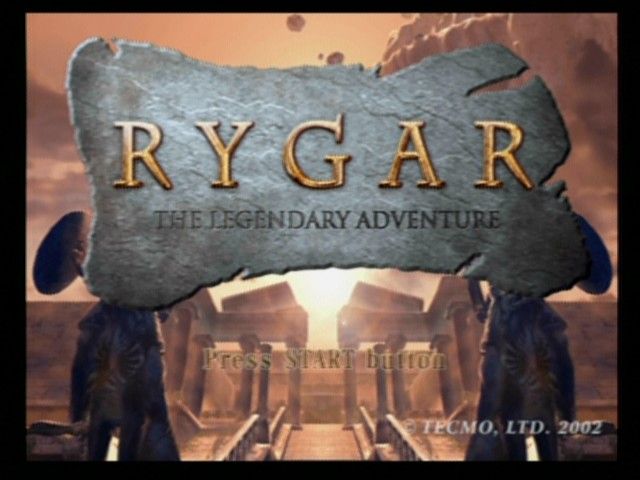
Title Screen
New Game
Select to start a new game.
1. Select New Game to start.
2. Selectable difficulty levels will be displayed.
•
HARD: For confident players
•
LEGENDARY: Highest difficulty
You can only play NORMAL level when playing for the first time. Other difficulty levels will become selectable after clearing certain conditions in the game.
Load Game
Select to continue play from previously saved games.
Insert a memory card (8MB) (for PlayStation®2) into either MEMORY CARD slot 1 or MEMORY CARD slot 2 and select a save file to continue play from that point.
Game Over
When the player character's LIFE gauge reaches zero, the game is over. The game may also end under special conditions such as getting caught or falling into a trap. Once the game is over, the Title Screen will be displayed.
Save
When you want to stop playing and continue it later, use the Save feature. At certain spots in the game, you can press the button to display the Save Menu.
The memory card (8MB) (for PlayStation®2) is accessible from either MEMORY CARD slot 1 or MEMORY CARD slot 2.
•
A memory card (8MB) (for PlayStation®2) is needed to save game data.
•
A minimum of 150KB free space is required on the memory card (8MB) (for PlayStation®2) in order to save game data.
One World
Select to play a stage again that you have already cleared. Your play will be evaluated depending on how long it took to clear that stage and also your highest combo hit points.
Gallery
Select to view various early concept sketches, movies, and also listen to BGM. Assets will be viewable by obtaining certain items throughout the game.
Option
Select to set various settings such as screen and music settings. You can change settings at any point during the game.
•
[BGM Volume] Adjust the background music volume.
•
[SE Volume] Adjust the sound effect volume.
•
[Audio] Toggle between stereo/mono.
•
[Vibration] Toggle Vibration function on/off.
•
[Controller] Check control configuration.
•
[Brightness] Adjust television brightness to optimum level for this game.
•
[Monitor position] Adjust the screen position.
Menu Screen
Press START button during the game to go to the Menu screen.
Diskarmor
You can change or customize your Diskarmor.
•
Equip: Change the Diskarmor's equipment. You can also change during game play by pressing the L2/R2 button.
•
Mystic Stone: Set a Mystic Stone (P. 22) onto your Diskarmor. •
Strengthen: Increases your Diskarmor's abilities. (P. 23)
•
Moves Chart: Displays executable attacks.
Item
Displays information on obtained items and documents.
Map
Displays map.
Pause Screen
Press SELECT button during the game to go to the Pause screen.
Return to game
Returns to the game.
Option setting
Set various settings at the Option Screen.
•
[BGM Volume] Adjust the background music volume.
•
[SE Volume] Adjust the sound effect volume.
•
[Audio] Toggle between stereo/mono.
•
[Vibration] Toggle Vibration function on/off.
•
[Controller] Check control configuration.
•
[Brightness] Adjust television brightness to optimum level for this game.
•
[Monitor position] Adjust the screen position.
Quit game
End game and return to Title Screen.
Basic Skills for Summoning
Each Diskarmor contains a Familiar. By summoning a Familiar during battle, you can perform attacks based on its ability. The power of Familiars you may summon will increase as the game progresses. Additional Familiars will appear as the game progresses.
Using a Familiar consumes Icol. The amount of Icol consumed depends upon your Diskarmor level and the type of effect.
Your Familiar's levels will increase when you Strengthen (P. 23) your Diskarmor.
•
Familiar summoning (level 1): R1 button + button
•
Familiar summoning (level 2): R1 button + button → button
•
Familiar summoning (level 3): R1 button + button → button → button
Cerberus
Guard dog of Hades. Burns enemies with fire.
Siren
Freeze enemies with extremely chilling air.
Sealed Areas
There are several areas sealed by the Titans all over Argus island. You must unlock these seals to go through certain passageways. There are various types of seals and ways to unlock differ.
Green Seals
Green seals will unlock once you destroy all enemies surrounding the area.
White Seals
White Seals will unlock by rotating switches located in certain areas.
Diskarmor Seals
There are seals for each type of Diskarmor. Lighting fire to a Diskarmor and bringing it close to the seal will unlock it.
•
Red Seal (Diskarmor of Hades)
•
Yellow Seal (Diskarmor of Heaven)
•
Blue Seal (Diskarmor of Sea)
Extra Combos
In "Rygar: The Legendary Adventure", you can perform unlimited numbers of combos on enemy groups. By performing extra attacks on your enemies while they .png)

.png)


_1.png)



 (NDSi Enhanced) [b].jpg)







 (En,Ja,Fr,De,Es,It,Zh,Ko,Pl).png)