Starting a Game
Please choose your language at the Language Selection screen.
Title Screen
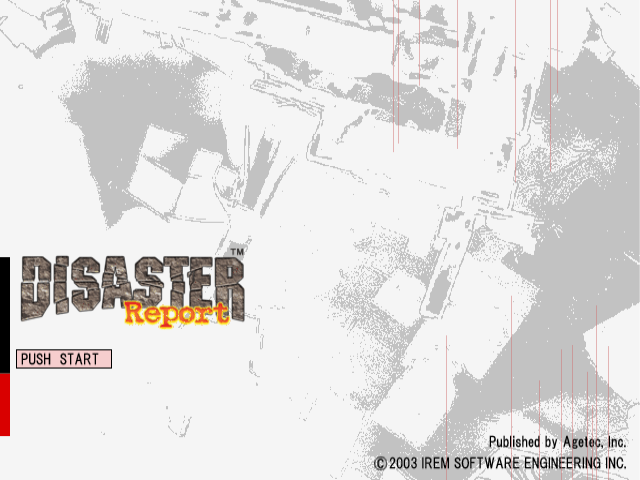
Press the START button to display the main menu options. Use the directional buttons or left analog stick to highlight menu selections. Press the button to confirm a selection.
•
NEW GAME: Begin a new game.
•
LOAD GAME: Load a saved game.
•
???: Special feature available upon completion of the game.
•
OPTION: Adjust various game related settings.
New Game
Select this menu option to begin a new game and select the difficulty level (NORMAL/HARD).
Load Game
Select this menu option to load previously saved game data. Use the directional buttons or left analog stick to highlight the desired saved data file. Press the button to confirm selection.
Data Save
While exploring the game world, your character will come across water spigots. These can be used to quench their thirst, fill bottles with water and also provide an opportunity to save game progress.
•
Approach a water spigot and press the button.
•
When the menu appears, use the ↑↓ directional buttons or left analog stick to highlight the [SAVE] option.
•
Press the button to confirm and access the [DATA SAVE] screen.
•
Use the directional buttons or left analog stick to highlight a data save file and press the button to save game data to the selected file.
•
Up to ten separate save game files can be created.
Note on Saving
320KB of free space on a memory card (8MB) (for PlayStation®2) is required in order to save game data. Make sure to insert the memory card (8MB) (for PlayStation®2) into MEMORY CARD slot 1. Saving game data to an existing file causes the previously saved data to be overwritten.
Option Menu
The [OPTION] menu can be accessed from both the main and item menus.
•
SOUND: Adjust sound settings (MONO/STEREO/HEADPHONES).
•
VIBRATION: Turn the analog controller (DUALSHOCK®2) vibration function ON/OFF.
•
CONTROLLER: Make adjustments to the default controller settings.
•
SCREEN POSITION: Adjust the position of the game screen on the TV monitor.
•
BRIGHTNESS: Optimize the TV monitor's brightness level for best viewing.
Headphone Safety Note
Prior to playing the game wearing headphones, please make sure you have carefully read the operating instructions and safety precautions included with them and set the volume to a moderate level to avoid hearing impairment.
Game System
Always plan the next move according to the ongoing circumstances the character is facing. Take time to look around and understand the surrounding area before deciding on a particular course of action. Rushing into situations recklessly could prove to have fatal consequences.
Thirst Gauge
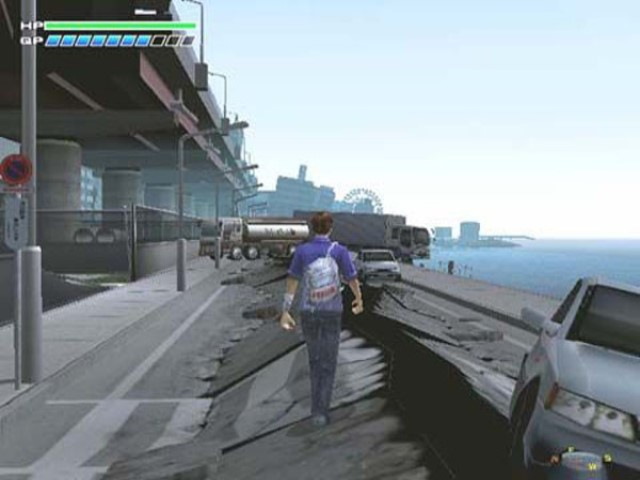
Keep a close eye on the character's thirst gauge! The thirst gauge reflects the character's need for water. This gauge diminishes over time as the character exerts energy exploring and moving around.
A character's movement speed and ability to perform strenuous activities is impaired as their thirst grows. Avoid depleting the thirst gauge by drinking whatever water can be found and storing water in bottles for future use.
Bracing
Brace yourself! Tremors that occur during the game have the potential to knock the character off their feet and injure them. Assume the bracing position (press and hold the R1 button) to avoid sustaining damage during tremors.
The bracing options available to the character depend on their location when a tremor strikes. When in the bracing position, the character is unable to move. Assume the bracing position to "ride out" tremors.
The frequent and sizable tremors that occur throughout the course of the game can hinder the character's progress. Decisive decision-making and precise controller operation are required to recover from these occurrences.
Cling
Hide
Shout
The character must shout on certain occasions! The character can establish contact with other people trapped in the city by shouting. Performed at the right time, a shout will be heard by others.
Run
RUNNING FROM DANGER IS A FUNDAMENTAL SURVIVAL TACTIC! Sometimes, a split-second decision is all that stands between life and death.
Climb
CLIMB OVER OBSTRUCTIONS TO CONTINUE THE JOURNEY! Oftentimes the character will encounter areas blocked by rubble. Climb over obstructions blocking the way in order to advance.
Traverse
USE EXTREME CAUTION WHEN TRAVERSING CERTAIN AREAS! One false step could prove fatal.
Transportation
TAKE ADVANTAGE OF ALTERNATE MEANS OF TRANSPORTATION! Alternate means of transportation can make getting around the island much easier. Sometimes they are required to reach areas that would otherwise be inaccessible.


 (En,Fr,De).png)



.png)

.png)



.png)







_1.png)

_1.png)
.png)