Hardware Overview
Getting Started
Set up your PlayStation®2 computer entertainment system according to the instructions supplied with your system. Check that the system is turned on (the on/standby indicator is green).
Insert the Secret Agent Clank™ disc in the system with the label side facing up. Attach game controllers and other peripherals as appropriate. Follow the on-screen instructions and refer to this manual for information on using the software.
Memory Card (8MB)(for PlayStation®2)
To save game settings and progress, insert a memory card (8MB) (for PlayStation®2) into MEMORY CARD slot 1 of your PlayStation®2 system.
You can load saved game data from the same memory card or any memory card (8MB)(for PlayStation®2) containing previously saved games.
Main Menu
Use the left analog stick or directional buttons to highlight a selection and press to confirm your choice.
•
LOAD GAME: Continue an in-progress game from where you last left off.
•
NEW GAME: Begin a new adventure for Secret Agent Clank™.
•
OPTIONS: Adjust the game's options. For more information, see Options, pg. 19.
Clank: Maneuvering
•
Ledge Grabbing: You can hang on certain ledges simply by landing near them. Move left and right along them using the left analog stick and pull up by pressing .
Clank: Using Weapons and Gadgets
•
Clank Fu Action: Press to attack enemies. Pressing three times in a row results in a quick, triple-hit “Clank Fu” combination. •
Additionally, once he acquires his Jet Boots, Clank is able to execute an aerial assault by pressing after jumping. As he purchases extra moves from Vendors, Clank will be able to add a fourth hit to his combo, as well as finish the attack with a quick blast from his Jet Boots by pressing at the end of his combo. •
The Quick Select Menu: Press and hold to open the Weapon Quick Select Menu. Use the left analog stick to select the weapon or gadget you want to equip and release to equip it.
•
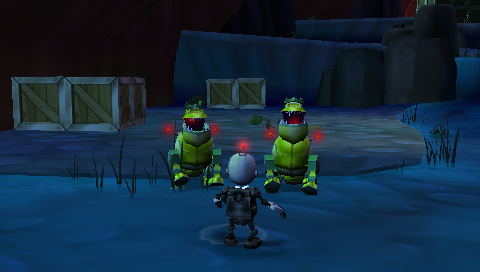
Weapons: Press to fire Clank's equipped weapon. Most of his weapons employ an auto-targeting system. Once you get within range of an enemy, a red targeting icon will appear, letting you know you have acquired that target.
•
You can use this feature in conjunction with the strafe controls to target and eliminate opponents while avoiding their return fire.
•
Stealth Takedown: As a secret agent, Clank should avoid exposing himself unless absolutely necessary. Discretely dispatch patrolling enemies by moving Clank behind the enemy and pressing before they have a chance to notice him. •
Several randomly generated onscreen button commands will appear, and if input correctly before the bar timer runs out, the enemy will be defeated and Clank will remain unnoticed.
•
Stealth Essentials: The key to surviving high-danger situations is to avoid them all together. As a secret agent, Clank excels in covert ops. You will be rewarded with stealth bonuses from your stealth multiplier whenever you perform stealthy maneuvers, such as avoiding or disarming traps, executing stealth takedowns, and maintaining a low profile in dangerous situations. If you don't act stealthy or are detected by an enemy your stealth multiplier is reset. Clank: Rhythmic Robot
Occasionally, Clank will encounter a scenario that requires the utmost finesse and precision to overcome. During sequences such as these, Clank will move automatically as you input button commands streaming along the bottom of the screen in time with the music.
Press the buttons with careful timing as they cross over the vertical line on the bottom right-hand corner of the screen, and Clank will progress further through the scenario. However, if you miss several inputs, he will receive damage. If his life is depleted, you will need to restart the scenario. Buttons followed by white lines must be held and then released when indicated.
Rhythmic Robot Combos
Rhythm sections lend a great opportunity to boost Nanotech experience. By successfully completing four button commands in a row, you increase your combo meter, which in turn increases the Nanotech Clank receives for completing the objective. The bigger the combo, the bigger the reward. However, an incorrect button press will reset the multiplier.
Playing as Ratchet
Without a single memory or notion of his recent actions, Ratchet awakens to find himself locked up in prison. Unfortunately for him, many of his cellmates are there with him because he helped put them there. In order to survive their constant attacks, Ratchet will need to use every bit of wit and skill available to him.
Ratchet: Maneuvering
•
Movement: Like Clank, the left analog stick controls Ratchet's general movement, while the directional buttons allow him to strafe left, right, forward and backward.
•
Jumping: Press to make Ratchet jump. Press twice to double jump.
Ratchet: Using Weapons and Gadgets
•
Omniwrench: Press ◉ to attack enemies. Pressing three times in a row results in a quick, triple-hit combination attack.
•
Pressing then causes Ratchet to execute a powerful Hyper Strike. Crouching (press and hold R2) and pressing results in a Comet Strike — Ratchet will throw his wrench at enemies or objects.
.png)


.png)


_1.png)