GAME MODES
You have five choices at the title screen.
Begin a new game, starting from the beginning.
Continue from a previously saved game. Use the up/down directional buttons to select a file to load. Make sure you have a memory card (8MB) (for PlayStation®2) inserted into MEMORY CARD slot 1.
Continue from suspended data (P13). Remember that after continuing, you will not be able to load it again. This option isn't available unless you have Suspend Data.
Learn the intricacies of playing the game. Select a category and press the X button to view a tutorial on that subject. Return to the Title Screen by pressing the O button.
Alter the settings of the game. This includes things like message speed and volume. See page 23 for details.
GAME PROGRESSION
The game alternates between 2 basic areas: the World Map, and battle fields.
About the World Map and Battles
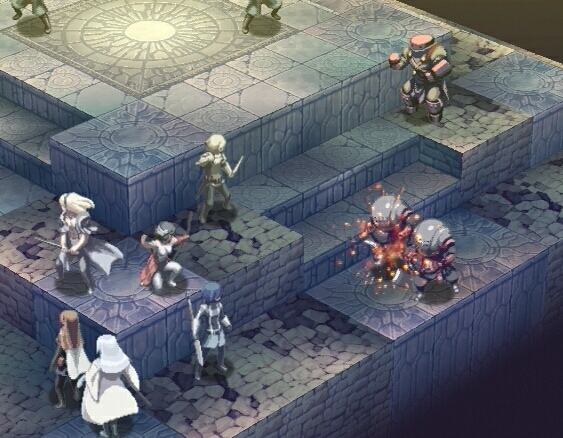
Stella Deus is split between the World Map and battles. Select a destination on the world map and win battles to progress the story.
World Map
This is where you'll move around the map and prepare for battle. Select a destination with the cursor and press the X button to move. Pressing the A button will display the Camp Menu, and the START button will display the System Menu.
Battles
The red mark on the World Map indicates your next destination. When you arrive there, the story will unfold and a battle will ensue. If you are victorious, you'll return to the World Map and travel to your next destination. If you cannot win the battle, power up your party in the Camp Menu.
Camp Menu
Visit the Shop to buy equipment, or the Guild to fuse items and accept quests. You can also power up your characters or equip new skills, so always visit Camp between battles. Lastly, you can choose to level up in the Catacombs of Trial.
WORLD MAP
The World Map's an important screen; it's where you'll shop, open menus, and initiate battles.
About the World Map and the Battle Screen
Movement, shopping for items, and entering battle are all initiated from this screen. As the story progresses, your movement options will increase...but first, you need to learn how to read the map.
Viewing the World Map
Moving to the Next Area
Move the cursor to the desired area and press the X button to move. If you go to the flashing red area, the story will progress and a battle will follow. Nothing will happen if you stop on a white area unless the area is related to a quest you are currently undertaking.
The next required destination. Moving here progresses the story and begins a new battle.
An area you have not cleared. You may move to these areas, but cannot enter them.
•
Areas are connected by paths along which the party travels.
The Flow of Time
It takes one day to travel between two areas. Keep this in mind, as certain quests have time constraints. Also, entering the Catacombs of Trial takes one day.
•
[About the Flow of Time]
Time passes as you move across the map. Wander too much, and you'll risk failing quests. However, certain events will not occur unless you move.
•
1: Date: The current date. Moving to an adjoining area costs one day.
•
2: Area: Locations you can move to. The flashing red area is your next plot destination. The destinations are connected by paths which your party travels.
•
3: Current Area: Your party's present location.
•
4: Cursor: Use this to select a destination.
•
5: Area Name: The name of the currently selected area.
Using the Menus
You may access two menus from the World Map. The A button displays the Camp Menu (P18) and the START button displays the System Menu (P13). Learn to use them both.
The Camp Menu is an invaluable tool in your adventure.
The Relationship Between Areas and Quests
Entering red areas will advance the story. These areas remain red until you enter them. After accepting a quest (p19), events may occur in white areas as well. This will vary depending on the quest you've selected. Keep an eye on time and distance, as both can affect quests.
CAMP MENU
Going camping?
Using the Camp Menu, you can visit the Shop and the Guild, as well as customize your party. It's very important to use the Camp Menu to its fullest.
Five Essentials
Pressing the A button opens the Camp Menu. There are five choices to select from. Town and Party are important, as they allow you to strengthen your characters and examine their stats.
1: Town
There are three areas you can visit by selecting Town: The Shop, The Guild, and Catacombs (Catacombs of Trial). You can purchase or sell weapons, armor, and items at The Shop. In The Guild, you may accept quests or fuse
.png)

.png)



.png)

.png)



.png)
