Console Ports
Getting Started
Set up your PlayStation®2 computer entertainment system according to its Instruction Manual. Ensure the MAIN POWER switch (on the back of the console) is turned on.
Press the RESET button. When the power indicator lights up, press the (OPEN) button to open the disc tray.
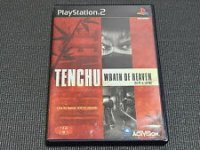
Place the Tenchu: Wrath of Heaven™ disc on the disc tray with the label pointing up. Press the (OPEN) button again to close the disc tray. Do not open the tray during gameplay.
Attach game controllers and other peripherals as appropriate. Follow on-screen instructions and refer to this manual for information on using the software.
DUALSHOCK®2 Analog Controller Configurations
•
left analog stick (L3 button when pushed down)
•
right analog stick (R3 button when pushed down)
Starting Up
To select menu options, use the ↑ and ↓ directional buttons to navigate. Highlight the desired option and press the X button to accept.
To select a menu option, follow the on-screen button prompts and press the X button to accept and the △ button to go back to navigate through the menu options.
Tenchu: Wrath of Heaven™ supports the DUALSHOCK®2 analog controller. When the MODE INDICATOR is on, the left analog stick works the same as the directional buttons.
Options Menu
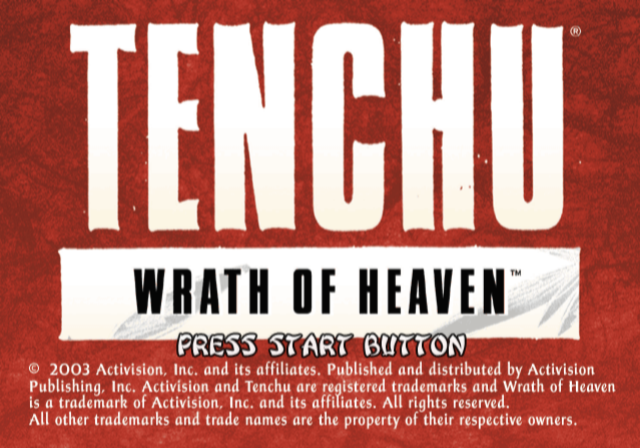
Use the ↑ and ↓ directional buttons to highlight an option and the X button to select. Use the △ button to return to the Title Screen. There are eight options to choose from.
Records
Choose this option to view a record of rankings achieved with each character. Use the ← and → directional buttons to switch between records of different characters.
Difficulty
Use the ← and → directional buttons to select between Easy, Normal, and Hard difficulty settings.
Sound
Use the ← and → directional buttons to change the sound settings for music, sound effects, audio output, and languages.
Controller
Change button settings. Use the ← and → directional buttons to turn the vibration On/Off.
Stealth Kills
Use the ← and → directional buttons to turn the stealth kills On/Off. Save and Load
Select this option to interact with the memory card (8MB) (for PlayStation®2).
Brightness Adjustment
Use this screen to adjust the brightness settings of your TV.
New Abilities
Choose this option to view a list of new abilities earned and their explanations.
Memory Card
Use the ↑ and ↓ directional buttons to highlight LOAD to load a game from the memory card (8MB) (for PlayStation®2) or select SAVE to save a game to the memory card (8MB) (for PlayStation®2). Select Auto Save to turn the auto save feature On/Off.
Tenchu™: Wrath of Heaven™ supports MEMORY CARD slot 1. This title requires 40KB of free space to save game data.
Character Select Screen
Use the ← and → directional buttons to select the character you want to use. Press the X button to advance. Press the △ button to return to the Title Screen.
Mission Screen
This screen will display all playable missions. When you complete certain missions, more will become available.
Use the ↑ and ↓ directional buttons to select a mission and press the X button to select. Use the ← and → directional buttons to select an enemy layout within the selected mission. Press the △ button to return to the Character Select Screen.
Mission Intro
In the mission intro you'll hear a description of your mission. Press the START button to skip the intro and move to the Items Screen.
Items Screen
The ninja items available for you to use will be displayed on this screen. By completing missions and earning better rankings, you'll earn more items.
Highlight the item you want to add to your inventory by using the ↑, ↓, ← and → directional buttons and press the X button to select it.
You are limited both by the total number of items you can carry (shown by the remaining number in the middle of the screen) and the number of different types of items you can carry (six). You always carry the grappling hook.
.png)

_2.jpg)
_2.png)
.png)
 (En,Ja).png)
 (En,Ja).png)


_1.png)


.png)