GETTING STARTED
Set up your PlayStation®2 computer entertainment system according to the instructions in its Instruction Manual. Make sure the MAIN POWER switch (located on the back of the console) is turned ON.
Press the RESET button. When the power indicator lights up, press the OPEN button and the disc tray will open. Place The Shield The Game disc on the disc tray with the label side facing up. Press the OPEN button again and the disc tray will close.
Attach game controllers and other peripherals, as appropriate. Follow on-screen instructions and refer to this manual for information on using the software.
OPTIONS
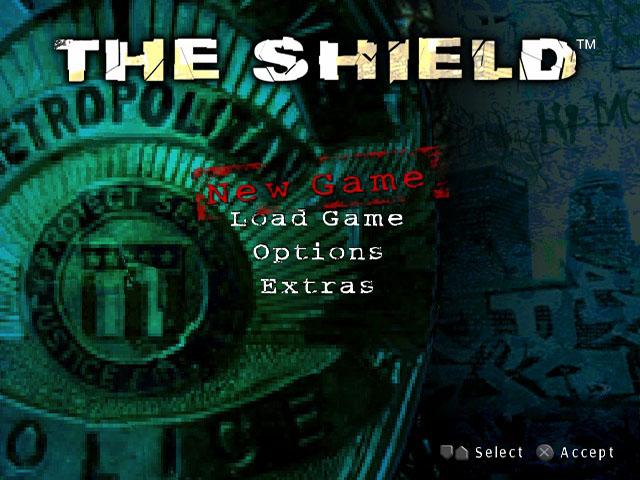
From the Main Menu, select OPTIONS to change the following:
VIBRATION
Select ON to play with the controller's shock/vibration feature. The default is ON.
INVERT AIM
Select ON to reverse the controller's directions when manually targeting an object. The default is OFF.
ASSISTED TARGETING
Select ON to automatically lock the target when aiming for an object. The default is OFF.
SUBTITLES
Select ON to play with the subtitle feature. The default is OFF.
WIDESCREEN
Select YES to play in widescreen mode. The default is NO widescreen.
SFX VOLUME
Select the volume level for the game's sound effects. The default is 100%.
MUSIC VOLUME
Select the volume level for the background music. The default is 100%.
VOICE VOLUME
Select the volume level for the in game voice over. The default is 100%.
AIM SENSITIVITY
Select the sensitivity level for targeting objects. The default is 100%.
CONTRABAND
Part of Vic's job is dealing with shady drug dealers. Ideally, any drugs Vic discovers will always be turned in at "The Barn"...but that's not always the case.
As Vic, you can choose how much contraband to turn in. Turning in contraband lowers Vic's heat level. Remember: Vic sometimes follows his OWN set of rules in order to catch the bad guys, and he'll use whatever means necessary.
To lower heat, Vic must perform his duties within the limits of the law. Returning evidence to the Barn and arresting criminals lowers heat. Hiding Vic's bad behaviors, such as planting evidence, also lowers heat.
You must carry out Vic's unique brand of justice and maximize his Retirement Fund earnings while keeping heat levels low enough not to get caught.
EYE WITNESS
An eye icon displays when an eye witness is present. Extra heat is added when Vic performs questionable acts when someone is watching.
ADRENALINE
The blue meter represents Vic's adrenaline. Adrenaline increases during intense situations, such as fighting. When Vic's health is low, adrenaline kicks in to assist him during combat. Adrenaline decreases over time.
WILL METER
The meter above a criminal or suspect's image represents his will and his ability to be intimidated. The higher a suspect's will, the less likely he will give in to Vic's methods of interrogation.
When suspects have low will, they readily give into questioning, physical force, and handcuffing. There are several ways to intimidate a suspect. Not everyone can easily be broken...as Vic, you must find the best way to intimidate people.
Sometimes, punching a suspect in the face is enough. Other times, Vic may have to resort to more drastic methods such as smashing a gun in a criminal's face or shoving a criminal's head in a toilet.
CONTROLS
The lower left menu displays the actions available to Vic. These actions vary, depending on the situation. Choose Vic's next move by selecting the appropriate button as displayed on the screen. To see the list of all actions, see page 12.
GRAPPLE MODE
TAKEDOWN
After grappling a suspect, press the button when prompted to perform a takedown and pin the suspect to the ground.
HANDCUFF
After pressing a suspect against a wall during a grapple or performing a takedown, press the button when prompted to handcuff the suspect.
When handcuffing a suspect, a mini-game starts. Rotate the right analog stick within the allocated time to lock the handcuffs on the suspect.
RELEASE SUSPECT
After grappling a suspect, performing a takedown, or handcuffing a suspect, press the button when prompted to release the suspect.
SEARCH PERSON
After grappling a suspect or performing a takedown, press the button when prompted for Vic to search the suspect's body.
SMASH SUSPECT
After grappling a suspect, press the button when prompted to smash a suspect into items in the environment.
PUNCH
After grappling a suspect or performing a takedown, press the button to punch the suspect into submission.
•
Center camera view behind Vic.
HAND-TO-HAND COMBAT
Use hand-to-hand combat to attack and subdue a suspect. Single button presses result in Vic executing a variety of different attacks. Multiple, consecutive button presses will result in Vic performing short combinations of kicks and punches.


_1.png)