open button
memory card slot 2
memory card slot 1
disc cover
on/standby/
reset button
IR receiver
USB connectors
controller port 1
controller port 2
Getting Started
1. Set up your PlayStation®2 computer entertainment system according to the instructions supplied with your system.
2. Check that the system is turned on (the on/standby indicator is green).
3. Insert the UEFA EURO 2008™ disc in the system with the label side facing up.
4. Attach game controllers and other peripherals as appropriate.
5. Follow the on-screen instructions and refer to this manual for information on using the software.
Multitap (for PlayStation®2)
When using the multitap, a controller must be connected to controller port 1-A.
Corner Kicks
•
Lob cross: right analog stick ↑
•
Driven cross: left analog stick
•
Ground cross: button + left analog stick/➡
•
Short corner: R2 button (call a player)/ button (pass)
•
Change kick taker: R1 button (hold) + left analog stick / left analog stick (hold)
Taking a Penalty Kick
•
Aim shot: See Kick Stick on p. 7
•
Driven shot: button (hold for increased power—press the left analog stick to add topspin or backspin)
•
Chip shot: L1 button + button (hold for increased power)
Defending a Penalty Kick
•
Dive/Move along goal line: right analog stick
•
Lunge: right analog stick ↑
•
Squat: right analog stick/➡
•
Wave arms: button (hold for increased power—press the left analog stick to add topspin or backspin)
•
Jumping jacks: button (hold for increased power—press the left analog stick to add topspin or backspin)
Tactics
Press the D-button to make tactical adjustments to your team's attack on the fly. Press the L1 button + D-button while on defense.
Attacking Strategy
Defensive Strategy
Mentality
Press to show the current Team Mentality, then press again to cycle through the mentalities options, including NEUTRAL, ALL-OUT ATTACK, and DEFENSIVE.
Playing the Game
Controller Configuration
Before starting your match, you will be prompted to choose a Controller Configuration. There are six different options: CLASSIC ANALOG DRIBBLE, CLASSIC ANALOG DRIBBLE 2, NEW ANALOG DRIBBLE, CLASSIC DIGITAL DRIBBLE, CLASSIC DIGITAL DRIBBLE 2, and NEW DIGITAL DRIBBLE.
Make sure you select the configuration that you're most comfortable with, because it can affect how well you play the match.
User Profile
Before taking the pitch, you must create a user profile in order to track and save game stats and player development throughout UEFA EURO 2008.
On the Pitch
Experience Level
At the beginning of the match you will be asked to select your Experience Level. Here are the three options:
•
Beginner: This level is for the first-time player who has limited experience with soccer games. The game defaults to the Amateur Difficulty Level with Auto-Switching ON and Manual Through-Ball/Crossing OFF.
•
Intermediate: This level is for the casual player who has played soccer games before. The game defaults to the Semi-Pro Level with Auto-Switching halfway ON and Manual Through-Ball/Crossing OFF.
•
Experienced: This level is for the experienced player who has played numerous soccer games. The game defaults to the Professional Difficulty Level with Auto-Switching OFF and Manual Through-Ball/Crossing ON.
For the ultimate challenge, you can increase the difficulty level further by selecting the World Class setting via the Game Settings screen.
Player Status Bar
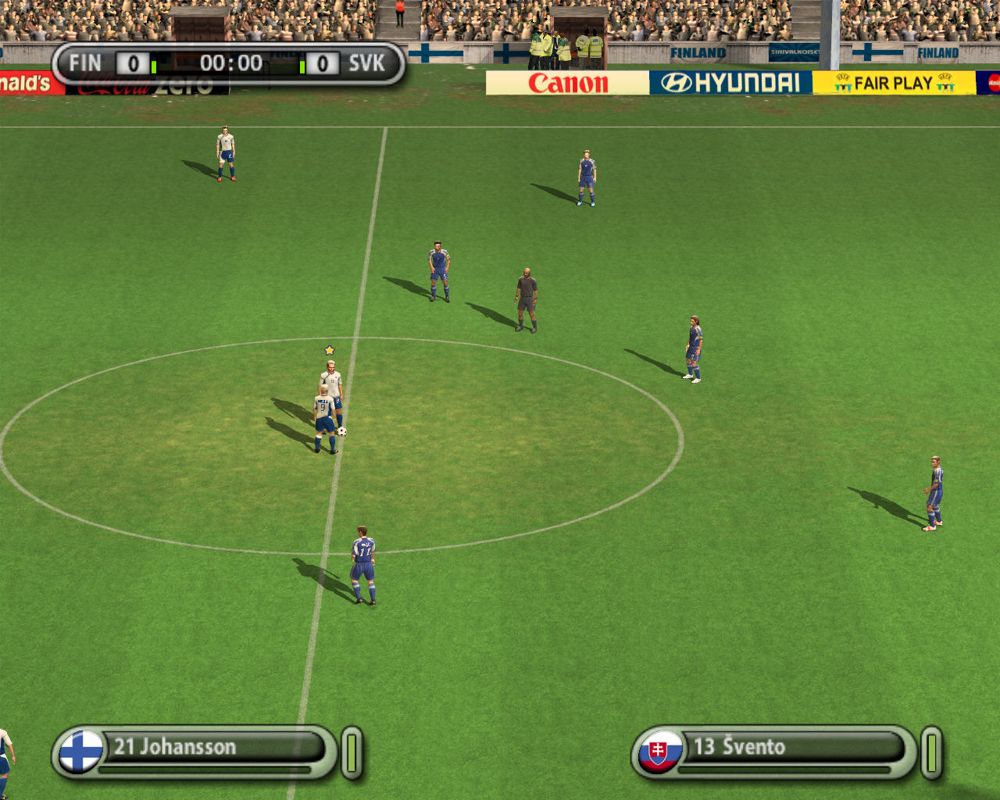
During a match, the Player Status Bar appears at the bottom of the screen, displaying the highlighted player's current level of fitness and stamina.
Fitness
The overall stamina of a player is represented by a green bar which decreases the more you exhaust a player. As the match goes on a tired player sprints less and less, and his green bar will gradually change to red.
Performance Meter
Keep one eye on the match and the other on the performance meter to check that the momentum stays with your team. The Performance meter increases as team gains momentum.
Kick Stick
Place your kick exactly where you want with the all-new Kick Stick. Press the left analog stick to aim the kick, then press the right analog stick to begin the player's run up to the ball. Once the player reaches the ball, move the right analog stick to kick the ball. It's as easy as that.
To add curve to the ball when kicking, press the right analog stick in a circular motion. The left analog stick is the default setting used for aiming the Kick