Setting Up
1. Set up your Sega Saturn system and plug the Control Pad into CONTROL PORT #1. 2. With the power switch OFF, insert the F1 Challenge™ disc into the disc tray.
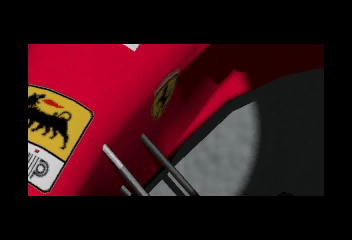
3. Turn on your TV or monitor, and then turn on the Sega Saturn system. 4. After the Sega, Sega Sports, and Formula-1 World Championship logos, the F1 Challenge game intro begins. Watch Jean Alesi's Ferrari tear up the road. 5. After the intro, the game title screen appears. You can press Start during the intro to bring up the title screen. Press Start.
6. From the Mode Select screen, select one of the racing modes or access the Options screen. Press the Confirm Button to make your selection. See the Gameplay Modes and Options descriptions for more details. If nothing happens on screen when you start up, turn the power switch to OFF. Check your Sega Saturn system to ensure the disc is properly inserted. Turn the power switch ON again. Always turn the power switch OFF when inserting or removing the disc. Gameplay Modes & Options
•
Arcade Mode: 6 courses in all! 23 computer-controlled cars and 8 laps stand between you and victory.
•
Time Attack: Step into your car and race as long as you want. No rivals, and no lap limit; just you and the road. Perfect your driving and lower your lap time. •
Options: Change difficulty levels, check fastest times, or configure the controller.
Option Descriptions
•
Record Time: Press Button A or C to access. The top 5 times for Arcade Mode are listed at the top, and the top 5 times with Split Times for Time Attack are displayed at the bottom. Press the D-Button LEFT or RIGHT to select another course. Press the Confirm Button or Button B to return to the Options screen.
•
Difficulty: Select the difficulty level of the game. Press the D-Button LEFT or RIGHT to select EASY, NORMAL, or HARD.
•
Memory Data: Save Record Time data on the internal RAM of the Sega Saturn or on the Sega Saturn Backup (sold separately). Press Button A or C to access, then select SATURN for internal RAM or CARTRIDGE for Backup. Important: Inserting the Sega Saturn Backup while the power is on can result in damage to the Backup. Be sure to insert the Backup cartridge before turning the Sega Saturn on. •
Audio: Choose either stereo (STEREO) or monaural (MONO) sound. Press the D-Button LEFT or RIGHT to select.
•
Music Test: Play any background music tracks. Press the D-Button LEFT or RIGHT to highlight a track number, and Button A or C to play it. Press Button B to stop the track.
•
Key Config.: Change button functions on your Sega Saturn Control Pad or Arcade Racer. Press Button A or C to access, and use the D-Button LEFT or RIGHT to bring up the next configuration. Press Button A, B, or C to return to the Options screen. •
Exit: Highlight EXIT and press the Confirm Button. The Mode Select screen appears.
Selecting Modes and Options
•
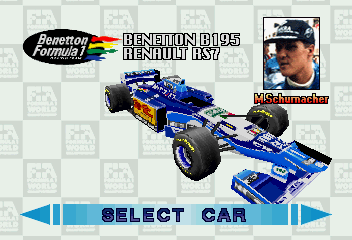
Arcade Mode: Select Car, Transmission Type, Select Course, Car Customization.
•
Time Attack: Select Car, Transmission Type, Select Course, Car Customization.
When you are finished practicing in Time Attack mode, press Start to bring up the Pause window. After retiring from the race, the Time Attack Result screen appears showing your top 10 Lap Times and Split Times. Press Button A or C to return to the Select Course screen.
Game Features
Driving
When the green lights are lit, the race begins. Get off to a quick start by holding down Button B while the red lights are still lit. Refer to the button functions for driving your car; these are the default functions. You can change the button functions if desired (see Key Config.). View Change
There are two views in this game: cockpit and raised rear. Experiment with both to find the one that works best for you. Press Button X or Z to toggle between views.
Rear Mirror
You can catch the action happening behind you with the Rear Mirror. Press Button Y to display/remove the window.
For Arcade Mode only.
Curves
Learn how to handle curves to keep your car in good condition and make a good time. Otherwise, you will collide with the wall and need to visit the pit.
According to the course, curves are highlighted with different colors. Some are highlighted by orange and white guard rails, and the most difficult are highlighted by yellow and black warning signs. Watch for these in the distance and prepare for the turn, otherwise you'll wind up eating rail.
There are several ways you can slow down for a curve:
•
Release the button you press to accelerate the car
•
Tap the button used for braking
•
Downshift (manual transmission only)
Experiment to find which works best for you. When coming out of the curve, hold down the button used for acceleration for best results.
The Pit
If you collide too much with walls and/or other cars, you'll need to change your damaged tires or you'll start sliding all over the road. The same will happen if you have been racing with TYPE B HIGH GRIP tires for more than a few laps. Time to head for the pit. You should also head for the pit when your fuel is running low. The pit is located on the right side of the track near the start/finish line. In
.png)

.png)
