Getting Started
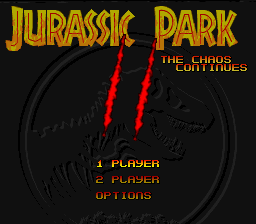
Turn off your Super NES. Insert the Game Pak and plug controller one into port one and Super NES Mouse into port two, if desired. Turn power on and press START to begin game.
Option Screen
The Option Screen allows you to change the following game features:
•
START: Starts the game with the options that are displayed.
•
HI SCORE: Displays the hottest dino-hunters.
•
MUSIC ON/OFF: Toggles music on and off.
•
STEREO/SURROUND/MONO: This game features Dolby Surround™ Sound. In order to utilize this feature you will need to connect your Super NES control deck to a receiver equipped with Dolby Surround™ (refer to your Super NES manual). When activated, the system will place a sound effect in the room relative to its position on screen. Although the sound field actually extends beyond the screen so you can hear an object before it is visible. Don't worry if you don't have a Dolby Surround™ system as you can still enjoy the game in fabulous stereo sound.
Lives
You begin with five lives. If you don't make it off the island, you can continue the game twice, the first time with four lives, the second time with three lives.
Continue Screen
If you become a victim of Jurassic Park, the Continue Screen is displayed with a countdown. Press any button before the countdown ends to begin at your last level. Otherwise, you're extinct. High Score Entry
If you've really earned that degree, Doctor, you can enter your score in the Hi Score Table. Select your ID by pointing at a letter, then pressing any button to enter it. Choose "END" when you're finished. The Hi Score Table will then be displayed.
Playing the Game
As a world-renowned paleontologist, you have been invited to a special preview of Jurassic Park. Imagine being able to study a live animal that you thought you'd only see as bone fragments. But your dream of a lifetime has become a nightmare since a system failure released the dinosaurs from their carefully-constructed pens. Now they have overrun the island, and you've got some serious work to do before you can get yourself off the island. To accomplish your tasks, you'll have to get into certain buildings, each of which requires a specific access card (see "Objects to Pick Up," page 16). If you have the correct access card, you will be able to enter or leave a building by walking up to the door.
Isla Nublar Locations
•
CAUTION BIOLOGICAL HAZARD AUTHORIZED PERSONNEL ONLY
•
B Visitor's Center - contains all guest facilities and park control room.
Game Objectives
You must achieve each of these objectives in this order before you can escape from Jurassic Park. •
Activate Motion Sensors: None of the motion sensors, including your personal one, are working because the main power is out. You must reach the main generator and power up the computer to activate the sensors.
•
Secure Visitor's Center: Raptors are somehow getting into the Visitor's Center - which was supposed to be the safest building! You must get access to the Center, find out how the clever creatures are getting inside, and stop them... fast!
•
Stop Escaping Raptors: The Velociraptors are causing trouble again! Now they have gotten onto a supply ship that is leaving for the mainland - imagine what will happen if they reach the shore! You must find your way aboard the ship and destroy them.
•
Destroy Raptor Nests: Through a miscalculation by the genetic engineers, the raptors have begun to breed in underground volcanic caverns. You must find the nerve gas bomb and go into the caves to destroy these nests before the raptors spread even further!
•
Radio for Help: The computer's back on line, the raptors have been slowed down (for now), but it's a long swim home and this is no time to relax. You need to find the communications room and radio the mainland to send a helicopter to pick you up.
•
Reach the Helipad: The helicopter is on its way. Now all you have to do is get to the helipad to be picked up and flown to safety. Will you make it off this tourist trap?
Motion Sensors
Electronic motion sensors are located throughout Jurassic Park. This is how the computer was supposed to keep track of the dinosaurs. When the motion sensors are working, they can detect all moving objects on the island, and can even identify the different types of dinosaurs running free in the park. Only when these are in operation will your personal short-range motion sensor work. Your personal motion sensor will not work when you are inside a building, but the exterior motion sensors still work, and can be accessed through computer terminals.
If you lose a life, you will return to the last motion sensor you touched.
Communications
When you patch into the main communications network, a translucent window appears over your screen, showing the character talking to you.
Why a translucent window? So you can see the action in progress - dinosaurs don't stop hunting just because you're on the phone! You can make a communication screen solid by pressing the start button, but  (Rev 1).png)

.png)
