Outer Space Terminology
Before starting, you'll need to get familiar with some of the terminology used in the game.
•
Galaxy: The galaxy in WarpSpeed is composed of eight quadrants.
•
Quadrant: An area of space divided into a grid of 8 x 8 (64) sectors. You can view the quadrant you are currently in by activating the Long-Range Scanner from your ship. •
Sector: Each one of the 64 squares in a quadrant is a "sector." Any of several objects can be found in a sector, including your ship, a friendly base, black holes, asteroids, mines, or enemy ships.
The Main Menu
Use the Control Pad to highlight one of seven scenarios, Game Options, Campaign, or Resume Campaign, and press START.
The Main Menu options include:
Game Options
The following options can be adjusted from the Game Options screen:
•
Music On/Off: Use the Control Pad to highlight Music and press the L Button or START to toggle between ON and OFF.
•
Stick Down-Nose Up/Down: Highlight Stick Down and press the L Button or START to toggle between Nose Up and Nose Down. If you choose Nose Up, your ship will move upward when you press ▼ on the Control Pad while flying. Nose Down does the opposite.
•
Main Menu: Highlight this and press START when you are done to return to the main menu.
Game Scenarios
Choose from seven single game scenarios, ranging from a basic training mission to more complex adventures. Each scenario has 1 to 8 quadrants filled with aliens, arranged in order of difficulty:
•
Training: Clear a single quadrant of enemy ships. Enemies are slow and easy to destroy.
•
Pirate Busting: Destroy enemy pirate ships attacking convoys in two local quadrants, then destroy their leader.
•
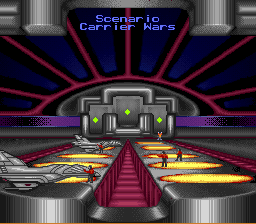
Carrier Wars: Eliminate enemy carriers spread out in four quadrants before they release the swarm of enemy fighters they transport.
•
No Haven: Enemy ships have destroyed all but two bases. You must eliminate all enemies before they destroy Earth's surviving outposts.
•
Skirmish: A strong solar storm has knocked out sensors in six quadrants. Your Long-Range Scanner will only detect enemy vessels in the eight sectors surrounding your ship. Find and destroy all enemy vessels.
•
Space Maze: Find the hidden route to all eight quadrants and destroy all enemy ships you confront along the way. •
Nexus: Use the black holes found in Quadrant Alpha to hunt down enemy ships which have assembled for their final assault on humanity.
Campaign
Four linked scenarios from a pool of 10 are randomly drawn. These scenarios differ from the single scenarios, must be completed in order, and get increasingly difficult.
How to Resume a Campaign
You don't have to finish an entire campaign in one sitting. After each scenario, you'll be given a nine-character password. To resume your campaign, follow these steps:
•
1. Select Resume Campaign from the Main Menu and press START.
•
2. Press ▶ on the Control Pad to highlight the first blank line.
•
3. Press ▲/▼ on the Control Pad until the first character of your password appears.
•
4. Press ▶ on the Control Pad to move to the next blank line.
•
5. Press ▲/▼ on the Control Pad until the second character of your password appears.
•
6. Repeat with the remaining seven characters.
•
7. After entering the password, press the L Button to resume the campaign.
After selecting a scenario or campaign, the Galactic Armed Services (G.A.S.) will brief you on your upcoming mission. Press any button during or after the briefing to view a blueprint of your assigned ship. Press a button again to appear in your ship at a base ready to launch.
Missions
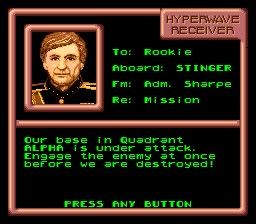
During a scenario, you may be called on your radio and asked to carry out a mission. These missions usually require you to travel to a different quadrant and sector. You may also be challenged to a duel by an alien pilot.
If you ignore missions or challenges, your score and chance to receive a medal will suffer. Successfully completing them adds to your score, leading to medals and better ships. All missions and duels have time limits, so you must work fast.
Launching Into Action
Once you have chosen your game, been briefed by G.A.S., and are sitting in your ship, press the L Button to launch into action. Your Ship
There are four different ship classes in the G.A.S. fleet. Each succeeding class carries better weapons, more artillery, and stronger armor. You begin a scenario in the lowest class ship (a Stinger) and upgrade as you accumulate points. You will be informed at any base if you qualify for an upgrade. In some tougher scenarios, you will start with a better ship.
Class 1 - Stinger Class
•
Bonus points required (Single scenario): 0 (basic ship)
•
Bonus points required (Campaign): 0 (basic ship)
Class 2 - Striker Class
.png)

.png)
.png)
.png)
