The Library
Visit the Library to see history come to life! Talk to the Librarian to increase your collection of Free Play characters.
Tag other characters in the library to take control of them by pressing the A button.
The Art Room
In a LEGO® world, anything is possible. In the Art Room, express your creativity by creating your own customized characters – then take them in to a Free Play adventure!
The Mail Room
In your adventures across the globe, look out for hidden packages containing ancient artifacts of great power. Whenever you find them, pick them up and take them to a mailbox.
When your travels are complete and you return to the College, go to the Mail Room and make a collection - once you've paid for the shipping, of course! You can activate or de-activate these "Extra" powers using the Extras Menu, from the Pause Menu.
The Math Classroom
Got a secret code? Congratulations! Write it on the blackboard here.
Explore And Discover
Rumors abound of hidden areas in the College – perhaps, it is said, there are even secret levels, somewhere, waiting to be discovered. Can you uncover the truth?
On-Screen Information
Special Torches
You can use torches to clear your path of critters and blow up obstacles. Also, torches can set some objects alight.
Phobias
Certain characters have fears that won't allow them to move forward. For example, Indiana Jones is afraid of snakes, Prof. Jones Sr. is afraid of rats, and Willie is afraid of bugs. Find a torch to clear the snakes/rats/bugs from your path and conquer the character's fears.
Dynamite
Dynamite can be used to create large explosions by using specially lit torches next to them. These explosions will often destroy silver LEGO® objects that cannot be destroyed by regular weapons. Studs
Studs are LEGO® currency and are used to purchase characters, abilities and hints. There are four types of LEGO® Studs, each with a different value:
Artifacts
There are ten artifact pieces located in each chapter, some accessible in Story Mode, but the majority can only be collected in Free Play. You must collect all ten to complete the artifact.
Hearts
Some items and enemies will reveal heart tokens when destroyed. Pick these up to restore your health.
Saving and Loading
When you first complete a chapter or purchase an item, you will be asked to select a save-game file. Choose where you want to save and press the ⓧ button to confirm.
You will be asked if you wish to enable auto-save, which is recommended. If you do so, LEGO® Indiana Jones: The Original Adventures will then save your progress into this file automatically at the end of each chapter. Where to Find Us Online
Visit the LucasArts Web site at www.lucasarts.com. From there you can access the Support area where you will have the option to receive online technical support through Yoda's Help Desk, browse technical documents, or leave a message for an online representative.
Yoda's Help Desk
We are proud to feature Yoda's Help Desk, an interactive knowledge base, which is available in the Support section of the LucasArts Web site at http://support.lucasarts.com. Yoda's Help Desk offers solutions to technical issues based on information you provide.
Visitors to Yoda's Help Desk will be able to receive technical support 24 hours a day, seven days a week. If Yoda's Help Desk is unable to provide you with a solution to your problem, you will be given the option to submit an e-mail message to an online representative.
Product Support Mailing Address
•
LucasArts P.O. Box 29908
LucasArts Company Store
Visit our secure online store at http://store.lucasarts.com. The Company Store offers a complete selection of LucasArts games, hint books and logo gear.
You can also reach us by mail at:
•
Lucasfilm - LucasArts Store
Returns Address
.png)

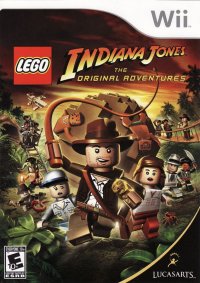
![LEGO Indiana Jones The Original Adventures [Greatest Hits] box art for PSP](https://media.retro.gold/Sony_-_PlayStation_Portable/Named_Boxarts/lego_indiana_jones_the_original_adventures_greates.png)
![LEGO Indiana Jones The Original Adventures [Greatest Hits] screenshot 3 for PSP](https://media.retro.gold/Sony_-_PlayStation_Portable/Named_Snaps/LEGO Indiana Jones - The Original Adventures (USA) (En,Fr,Es) (v1.01).png)
![LEGO Indiana Jones The Original Adventures [Greatest Hits] screenshot 4 for PSP](https://media.retro.gold/Sony_-_PlayStation_Portable/Named_Snaps/LEGO Indiana Jones - The Original Adventures (Europe).png)
![LEGO Indiana Jones The Original Adventures [Greatest Hits] title screen for PSP](https://media.retro.gold/Sony_-_PlayStation_Portable/Named_Titles/LEGO Indiana Jones - The Original Adventures (USA) (En,Fr,Es) (v1.01).png)
![LEGO Indiana Jones The Original Adventures [Greatest Hits] title screen for PSP](https://media.retro.gold/Sony_-_PlayStation_Portable/Named_Titles/LEGO Indiana Jones - The Original Adventures (Europe).png)













_1.png)


.png)

_1.png)



.png)

.png)

