Console Setup
Set up your PlayStation® console according to its Instruction Manual. Ensure the power is off before inserting or removing a compact disc. Insert the "Bomberman"Ⓡ Party Edition™ disc and close the Disc Cover. Insert game controllers and turn on the PlayStation console. Follow the on-screen instructions to start a game. DUALSHOCK™ Analog Controller
Console Layout
Controller Compatibility
Compatible only in Digital and Analog mode. You may have a controller that looks like this, if so please follow the digital instructions outlined above.
Game Setup
"Bomberman" Party Edition can be played with up to five players, but some setup is required. When more than two people play, a separate controller is needed for each player.
If three or more people want to play, the PlayStation Multi Tap (available separately) is required. When using the Multi Tap, always connect it to Controller port 2. When attaching controllers to the Multi Tap, always connect them in order, beginning with Controller port 2-A.
Multi Tap Caution
When playing with more than three people, be sure to connect the controllers and Multi Tap as shown in the diagram below before turning your PlayStation on. If you use a MEMORY CARD, be sure to always use MEMORY CARD Slot 1. Multi Tap Diagram
Game Instructions
Normal Game
This single-player game is a remake of the classic "Bomberman" game. Try to clear all 50 stages!
Battle Game
This multi-player game pits up to five players against each other. There are two different modes: "Battle Royal Mode", which is the standard "Bomberman" battle game, and the "Custom Battle Mode", which allows you to customize different features of the battle game.
Options
Select this to change your controller options or listen to game music and sounds.
Playing a Normal Game
Starting a New Game
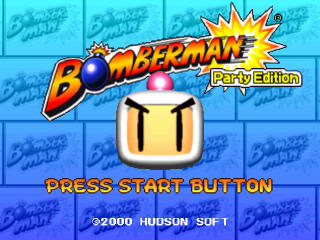
Choose "Normal Game" from the title screen, and select "New Game" from the menu to display the "Select Version" screen. Here, you may choose between the "Modern" and "Retro" graphics modes.
Modern Mode
This is the Modern Mode. After clearing 10 stages, the graphics change, and you can enjoy an animated "Bomberman" show.
Retro Mode
This is a recreation of the original, classic "Bomberman" graphics.
Memory Card Check
Once you have selected which mode you wish to play in, the MEMORY CARD check screen will appear. Press the Circle Button to scroll through the displayed messages. Once the MEMORY CARD check is complete, the game will begin.
Continuing a Saved Game
Password
By selecting "Password" on the "Continue from:" screen and entering a password, you can continue a previous game from where you left off. Be careful to write down the password and enter it without any mistakes!
Memory Card
By selecting "MEMORY CARD" on the "Continue from:" screen, you can load saved game data from a MEMORY CARD.
Loading Saved Games from a Memory Card
Selecting "MEMORY CARD" takes you to the "LOAD" screen. Before any games can be loaded, a MEMORY CARD check must be performed, so be sure to insert your MEMORY CARD into MEMORY CARD Slot 1 before continuing. When the MEMORY CARD check is complete, any saved games on the MEMORY CARD will be displayed on the screen. Select the game you wish to continue playing.
The Game Screen
•
2: Remaining Time: When time runs out, additional enemies will appear on the screen
•
3: Remaining Lives: For every stage cleared, this number increases by one
•
4: Number of Bombs: The number of bombs that can be placed simultaneously can be increased to a maximum of ten
•
5: Firepower: Firepower can be increased to a maximum of five
Destroy the Soft Blocks!
In order to clear a stage, you must find the Exit which is hidden inside one of the many soft blocks on the stage. Use your bombs to destroy the soft blocks.
Find the Powerups!
In addition to the Exit, the soft blocks on each stage also have a powerup item hidden in one of them. Be sure to find it before going on to the next stage!
Additional Monsters
If time runs out before you complete a stage, additional monsters will appear all over the stage. Also, if the Exit or an item is caught in a bomb explosion, it will produce a large number of additional monsters, so be careful!
Game Over
If "Bomberman" is hit by a monster or caught in a bomb explosion, one of your "Remaining Lives" is used up and you must start the stage over. If your "Remaining Lives" reach 0, the game is over.
Clearing a Stage
Once you have
.png)

.png)
.png)
.png)
.png)


.png)