Starting the Game
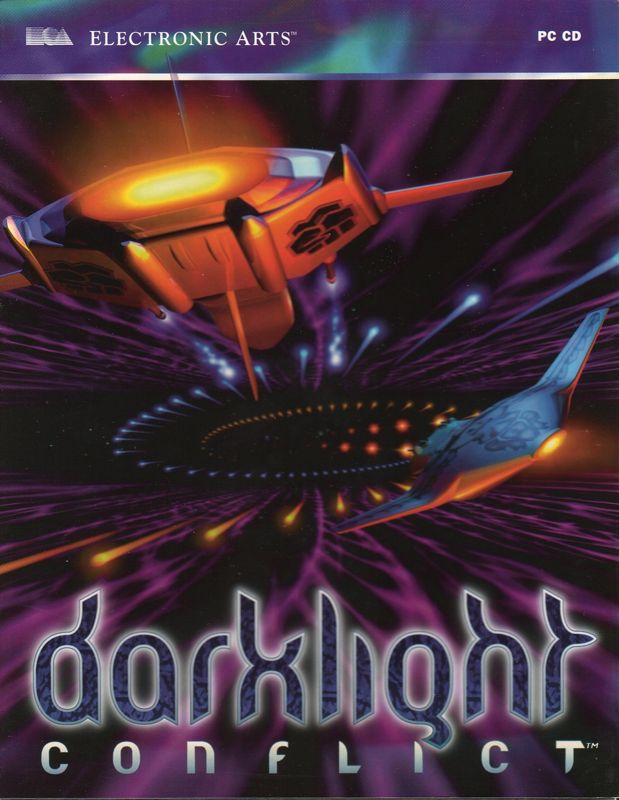
1. Set up your PlayStation™ game console according to the instructions in its Instruction Manual. Make sure the power is OFF before inserting or removing a compact disc. 2. Insert the Darklight Conflict™ disc and close the Disc Cover.
3. Insert game controllers and turn on the PlayStation™ game console. 4. The Darklight Conflict title screen appears, followed by a demo. Press any button to bypass these two screens and go to the Language Select screen.
The Main Menu
At the Main Menu you can select a game mode, enter a password after selecting PASSWORD, or customize your game by selecting OPTIONS.
Use the D-Button to cycle through the different game modes, and press the button to select the game mode you want.
•
NEW ADVENTURE Select this game mode to start the adventure of a lifetime. Fight through fifty separate missions, many with multiple levels.
•
ARCADE Select ARCADE To bring wave upon wave of ships upon your tiny human head, attacking with greater and greater force until you can take no more. •
CHOOSE A MISSION Return to missions you have already completed up to and including the highest level you have reached. If you have flown 20 successful missions, you can select any one of those missions to replay.
Note: If you fail your mission, you can still enter your name in the High Score area if you've done well enough. See Mission Debriefing on p. 26.
Thrusters
Your thrusters are a miracle of modern thinking. At one with the sun, they ride along its electromagnetic surf. A quick change in frequency and there's a change of direction, an alteration in intensity lets you speed along, or grinds you to a full stop.
Get it right and you can flip around star craft, spin on a spatial point and reverse direction faster than you can say Newton's Law Of Inertia. Your D-Buttons turn you around in space. To get where you want to go, face the required direction and move forward. You can pull up, push down, and turn left and right. •
To bank left/right, press L1/R1.
You can increase your forward thrust with the R2 button. Decrease speed with the L2 button. This is good for sudden, reversible changes of speed in a dogfight.
Note: If you hold down L2 long enough, the ship will eventually go in reverse.
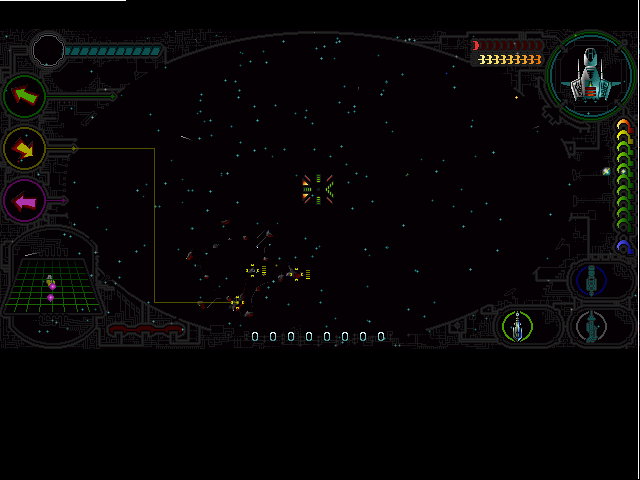
The Speed meter lets you know how fast you're going. It's located at the bottom of the screen, to the right of the Scanner grid.
Afterburner
You can increase your maximum thruster speed with the Afterburner, by holding down the L2 + R2 buttons. However, such excessive speeds require boosting the solar-derived energy with your on board energy supply, thereby depleting your reserves.
Note: You can't steer your starship while using the Afterburner.
Hyperspace
Pre-programmed portals take you from location to location. They are accessed from either end. Do not touch the edges of the portals or you could explode. Messy but pretty.
Hyperspace is sometimes more like magic than reality. Some have glimpsed heaven while in its grip, others hell. Some have seen strange shadow spiders out of the corner of their eyes.
Inside a portal, you travel along the quantum superstrings, massless tunnels created from nothing. Basically, the nouvelle cuisine of the spaceways. Matter and anti-matter separate from the vacuum.
While in Hyperspace, your onboard energy can be drained or restored through contact with the matter and anti-matter. The orange flashes of matter help to restore your on-board energy while the blue flashes of anti-matter deplete it.
Navigation
Choose an arrow to follow, and swivel around until it is pointing straight ahead. If the selected object is in visual range, you will be able to see it in front of you.
Straight lines connected to the arrow mark out the position of the designated object in space, whether it is in range or not. Targets
The target sights and arrows work together and highlight mission objectives and the nearest type of a certain object. Targets and Arrows are all color coded.
•
Yellow Enemy Ships/Structures
•
Green Mission objectives
Aiming
So to shoot your weapon at a moving object, you just point and fire? Not a chance! These are moving objects. Use your human fighting skills and judgment to shoot ahead of the object and you'll soon be blowing your opponents to smithereens.
Onboard Energy
Your on board energy powers your weapons, shield, and emergency boosters, and each time you use these, your energy is drained. Displayed as two sets of bars at the bottom left of the screen, each time the primary energy (the blue bar on the left) is worn away, you lose a section of the main energy (the orange bar on the right).
When there are no bars left, you are stranded in space, without even the power to jump start your solar thrusters. Note: Your onboard energy is not affected by the use of normal thrusters or by your Standard Cannon. Stress Status and Shields
Each starship has a certain amount of stress its hull can take before it explodes. Stress on the hull can be caused
 (En,Fr,De,Es,It,Sv).png)

.png)
 (En,Fr,De,Es,It,Sv).png)




.png)
.png)
.png)
_1.png)