SETTING UP
Console Top View
Front View
Set up your PlayStation™ game console according to the instructions in its Instruction Manual. Make sure the power is off before inserting or removing a compact disc. Insert the Black Dawn™ disc and close the CD door. Insert game controllers and turn on the PlayStation™ game console. Follow on-screen instructions to start a game. HUD Elements
Rescues appear as BLUE DOTS.
The Landing Zone appears as a BLUE "H".
Speed Display
The Speed Display, found at the left side of the screen, shows your airspeed in both numeric and analog fashions. The analog part is a colored thermometer-style bar which extends upward with a green color as the aircraft speeds up.
Backward airspeed is represented by a downward, amber extension of the bar. Airspeed is measured in knots (a knot equals one nautical mile, or 1.15 statute miles, per hour).
While the chopper is flying at speeds of 18 knots or less in either direction, the bar is yellow and you can land the aircraft. Once the airspeed exceeds 18 knots, the Terrain Avoidance system kicks in and landing is not possible.
Ordnance Display
This display is found at the center top of the screen. It shows your current armor, fuel, and weapon status. Ordnance refers to unused weaponry, such as missiles or cannon rounds.
Altitude Display
The Altitude Display is very similar to the Airspeed Display. It has both a numeric and analog portion that shows your current height above the ground. If the aircraft is low to the ground, the bar will be yellow, otherwise it shows green.
Primary Map Screen Display
This display is found at the lower right side of the screen. It shows your current location in reference to your mission target zones.
GAME MODES
Black Dawn has 4 different game modes (control configurations) to choose from.
Arcade Mode
Arcade Mode is the standard default mode. This configuration seems to be the best all-around format for novice to average players.
Agile Mode
Agile Mode is a mode designed for fans of Agile Warrior: F-IIIX™. Players familiar with the control configurations of Agile Warrior: F-IIIX will be able to use this mode to jump right into the action of Black Dawn, using controls they are familiar with. Players unfamiliar with Agile Warrior: F-IIIX will probably prefer to use the other game modes offered in Black Dawn, since there are no other special advantages of this mode.
Racer Mode
Racer Mode is for the player that maneuvers their aircraft with frequent forward and backwards thrusts. Racer Mode is also effective for the player who likes to position their aircraft before taking out targets.
Gunner Mode
The Gunner Mode is for the player who likes to maneuver and fire simultaneously. The buttons are positioned so that the most accessible buttons take over the helicopter maneuvering, leaving your fingers free to access the weapons through the top buttons: LI, RI, L2 and R2.
AIRCRAFT FEATURES
Overview
The AH-69 Mohawk's advanced fly-by-wire system is designed to simplify the operation of the aircraft and allows you to concentrate on the mission at hand. Features include:
•
"Fly Mode" toggle for 2 different flight models (selected from Pause menu).
•
Automatic landing toggle (selected from Pause menu).
•
Automatic terrain-avoidance (always active in flight).
•
Smart throttle control (different in forward/backward flight).
•
Four different game modes, also known as control configurations (selected in shell).
Fly Mode Toggle
The "fly mode" toggle allows you to choose between two flight models.
•
If fly mode is OFF, the Mohawk handles like an elevator. It maintains any desired altitude, regardless of orientation and airspeed. This allows you to aim the weapons at will without affecting the aircraft's altitude—useful for long attack runs against multiple ground targets.
•
If fly mode is ON, the Mohawk will fly more like a plane. In forward flight, the aircraft will descend if the nose is pointed down, and rise if the nose is pointed up. If the nose is pointing at a target, flying forward will cause the aircraft to close in on that target. Flying backward reverses these effects.
In both modes, the Automatic Terrain Avoidance system will prevent the aircraft from crashing into the ground.
Automatic Terrain Avoidance
Terrain avoidance is always active while the helicopter is at speeds above 18 knots. The helicopter WILL NOT LAND unless it is in Hover mode (flying at 18 knots or slower), to prevent structural damage. The Airspeed Indicator on the left side of the HUD indicates what mode is currently active.
The Terrain Avoidance system WILL NOT prevent collisions with trees, structures or vehicles.
Smart Throttle Control
Simply put, the helicopter will stay at whatever forward speed you set. If you put the helicopter into backward flight, it will slow to a hover as soon as the throttle is released.
Automatic Landing Toggle
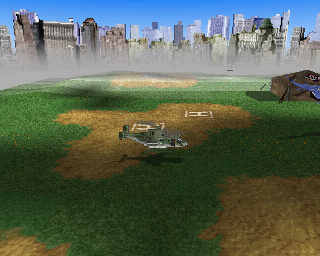
Setting this feature to ON will cause the helicopter to gently land if it is in Hover mode above a landing pad or in close proximity to a hostage. Auto-landing is aborted if you adjust the throttle or the collective.
Collective refers to raising and lowering the altitude of the helicopter. This is done by holding down the <shift> button
.png)