GETTING STARTED
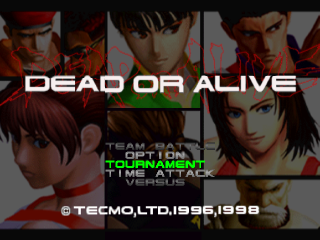
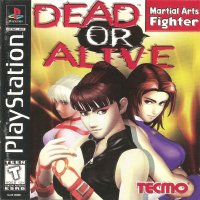
Set up your PlayStation game console according to its Instruction Manual. Make sure the PlayStation game console's power is off before inserting or removing a compact disc. Insert the DEAD or ALIVE™ disc and close the disc cover. Insert a game controller and turn the PlayStation game console ON. The opening story will start, and then the Title/Game Start Menu will appear. Press the Start Button to begin play. Follow the on-screen instructions to start a game.
HOW-TO-USE-THE-CONTROLLER
CAMERA OPERATION
You can change the camera angle during your character's.
•
To Control the Camera Directional Buttons:
•
Dolly around from the left (clockwise)
•
Dolly around from the right (counter-clockwise)
CHARACTER MOVES
(All instructions are based on the assumption that the player character is facing to the right)
(See character notes for specific character moves.)
DIRECTIONAL BUTTONS
•
When your character is down, use the directional buttons pressing several times along with a directional key.
•
Enable your character to attack as he/she stands back up.
ATTACK
When the enemy is down, you can still give him/her an additional attack. P and K functions depend upon which enemy you're fighting. Some characters also have a special KO attack technique. •
When the character falls toward the background:
•
To perform a fine kick as the character gets up:
•
Press and K several times as the character is getting up.
•
When the character falls toward the foreground: (Z-axis forward)
CONTROLLER
•
K (Kick)/select or execute
Note
You can reset your game at any time by pressing and holding L1+L2+R1+R2+++START then hitting SELECT.
Directional Buttons
•
To move a character. Able to make them jump, sit (squat), or guard.
•
To move a cursor. To make a change on the list
Select
START
•
To PAUSE during game play
ATTENTION
•
squat always say so pre-programmed
•
Press several times as the character is getting
•
names indicate that the user should press the button for a short length of time. Arrows indicate that the user should press and hold the button.
•
To reduce the down time: Press (repeated) several times.
BASIC-BUTTON-FUNCTION
•
Each character has their own special 'throw'. When you are thrown by your opponent, press the UP command to avoid falling.
•
A: Escaping Combination Throw
•
After using either 'Throw' or 'Offensive Hold', some characters will immediately attack with a 'Throw'
•
When you are about to be thrown into the DANGER ZONE, press+4+0 to defend yourself and rebound.
•
button: Defensive hold toward high and mid attacks.
•
Low button: Defensive hold toward low attacks.
•
With this command you can reverse your opponent's attack and put him or her on the defensive.
GAME-MODES
There are a number of different game modes. An additional controller is required for 2 player modes.
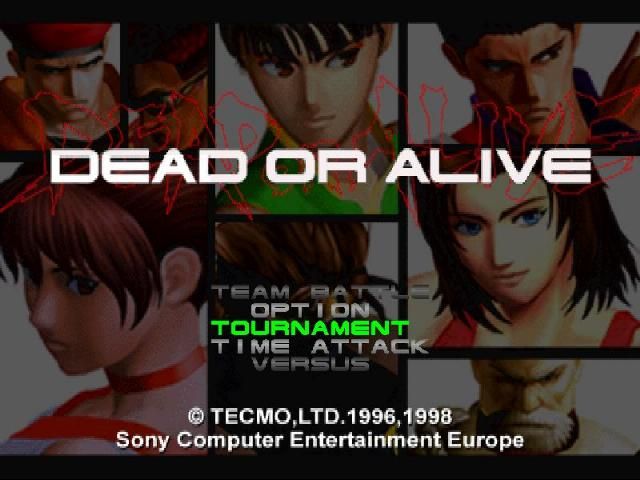
TOURNAMENT MODE (1-2 players)
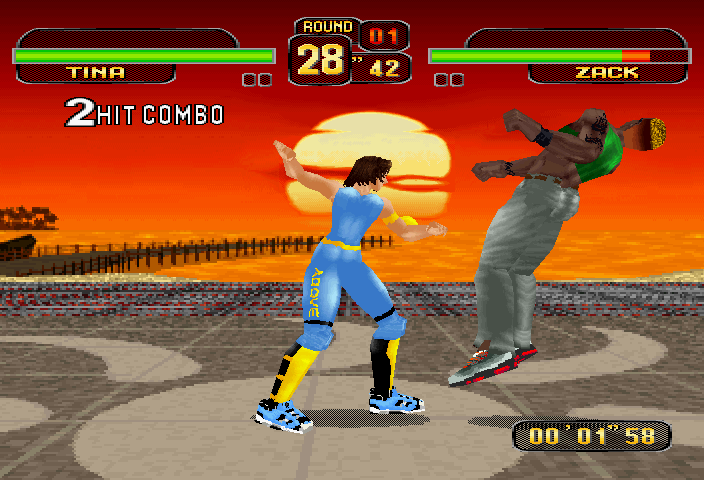
In this mode you play against the computer (COM). There is no limit to the number of matches you can play. Another player can also join in the battle. Once the battle is over, the winner will remains to fight the next COM opponent.
TIME ATTACK MODE (1 player)
In this mode you must battle against both the COM and the clock. (All preset options return to default settings in this mode.)
DANGER ZONE MODE
The entire ring becomes DANGER ZONE. (See pg. 11)
In Character Select mode, press button to enter this mode. There is no limit to the number of matches you can play.
V.S. MODE (2 players)
In this 2 players mode there is no limit to the number of matches you can play.
SURVIVAL MODE (1 player)
A fight to the death of your energy). You continue fighting until your energy (on the energy gauge) is depleted. Your opponent is the COM. The level of the battle and number of sets are set in default. Winning battles restore some of your energy. KUMITE MODE (1 player)
It's you against 100 COM opponents. The object of this mode is to win high points in the winning rate and to gain a fast Clear Time. When you move onto the next battle your energy is restored.
TEAM BATTLE MODE (1-2 players)
Team up 5 of your favorite fighters against 5 of your friends' favorite fighters in this mode. Fighters are eliminated in one on one battles until the last fighter left standing.
TRAINING MODE
Just as it sounds, in this mode you train and develop your fighting skills. Lucky you, your COM opponent will not attack back, so hone up and be fearless. TRAINING MODE has no time limitation, nor any KO. A menu window will pop up when you press the .png)

.png)











.png)
.png)
 [b].jpg)

 [b].jpg)
_1.png)

.png)

.png)



_1.png)

