SETTING UP YOUR GAME
Set up your PlayStation® game console according to its Instruction Manual. Make sure the power is off before inserting or removing a compact disc. Insert the Irritating Stick disc and close the disc cover. Insert game controllers and turn on the PlayStation game console. Follow on-screen instructions to start a game. Console Top View
Front View
HOW TO PLAY: ARE YOU READY FOR THE CHALLENGE?
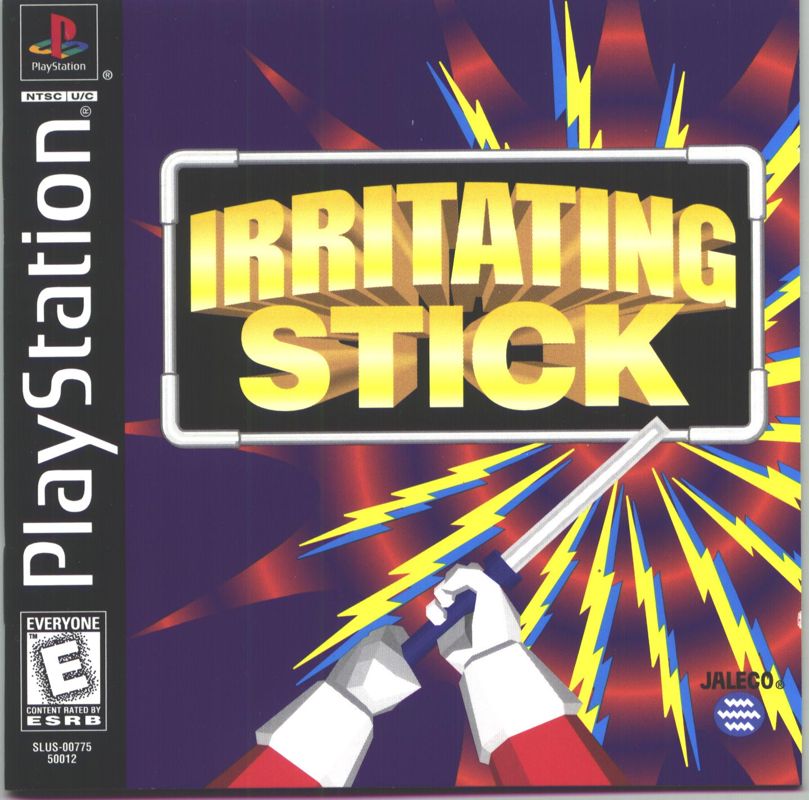
Based on the wildly popular segment of the Japanese television show, Uchan Nanchan's Blazing Challenger, the object of Irritating Stick is to traverse a three-dimensional labyrinth. The maze is electrically charged and will deliver a "shock" if you touch any of the edges.
There is a time limit on each of the mazes. Run out of time and you'll have to settle for mere consolation prizes.
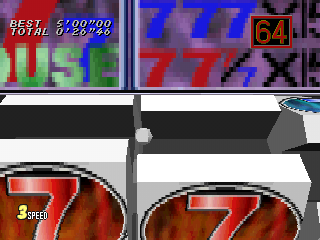
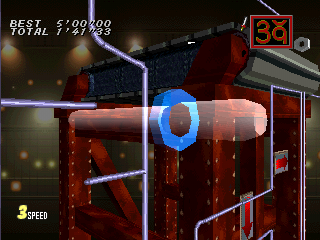
THE SCREEN DISPLAY
•
BEST TIME - Record time in which the course was completed.
•
TOTAL TIME - Player's current time.
•
COUNTDOWN CLOCK - Remaining time.
•
STICK SPEED - Your stick's top speed ranges between 1 (slow) and 5 (fast). The default setting is 3.
VIEWING YOUR CURRENT POSITION
Press and hold the button and use the DIRECTIONAL buttons or left analog stick to view your current position from different angles. The countdown clock is ticking so don't spend too much time looking around!
MAIN MENU
Choose from a variety of play modes: 1P PLAY, VS. PLAY (Two-player race), TOURNAMENT, COURSE EDIT, and OPTION.
1P PLAY
A single player mode where you can attempt to traverse over 100 courses, including reproductions of actual courses used in the original Japanese television show. A second player can join in at any time by pressing the START button on Controller Two.
VS. PLAY
Vs. Play is a two-player "race" through the courses. The first contestant to complete the course wins! Lose all your sticks and it's "game over". Results are displayed at the end of each game.
Vs. Play Variations
Handicap
Changes the diameter (size) of your stick and the number of sticks available.
Vs. Course Edit
When set to ON, courses can be edited exclusively for VS. Play. Players design their opponent's course, selecting from a limited range of course sections. Earn points in 1P Play mode to unlock new course sections. Refer to Course Edit mode for additional information.
Irritant Select
Activate the use of Irritants. See Irritants for more information.
Irritant Icons
Actives the use of Irritant Icons. See Irritant Icons for more information.
Penalty Game
Activates the penalty game. See Penalty Game for more information.
IRRITANTS
In Vs. Play mode, Irritants can be your best friend or your worst enemy. To use Irritants, set the Irritant option to ON, then select one of the four irritants: Hallucination, Spot Light, Inertia and Crazy Camera. Use these as weapons to slow down, confuse, or just plain irritate your opponent.
Hallucination
Wait! There's three sticks. No? Four? Watch the one in the middle.
Spot Light
Shut the lights off on your opponent. Only the immediate area around your victim's stick is visible.
Inertia
A stick in motion will stay in motion until its velocity is reduced by friction or an electrically charged wall.
Crazy Camera
With great power comes great responsibility! This is the most irritating and annoying of the Irritants.
IRRITANT ICONS
When switched ON, Irritant Icons appear throughout the course at random. Activate an Irritant Icon by touching it with your stick.
Irritant Icons You May Encounter
•
TIME -3 - Three seconds are subtracted from your opponent's remaining time.
•
BIG - Touch this icon and your opponent's stick becomes really big!
•
+1 - Hey! You get an extra stick! Awesome.
•
Blank - Absolutely nothing happens.
PENALTY GAME
When set to ON, losers must suffer the consequences and follow the commands of the Wheel of Fate. Press the button to spin the wheel. Press the button a second time to stop the wheel. You're on the honor system here to carry out your punishment properly.
PENALTY GAME EDITOR
Customize the misfortune of others by selecting the Penalty Game Editor. Up to 32 alphanumeric characters can be displayed. New penalties can be saved to a Memory card.
•
Number Select - Press L1/R1 to select a penalty number.
•
Penalty - The penalty assigned to the number you chose at Number Select.
•
Characters - Enter your penalty message.
TOURNAMENT
A great way to have fun at parties! Up to eight courageous contestants vie for top honors. Tournament mode is identical to Vs. Play mode except contestants are placed into "playoff brackets".
When the Penalty Game is set to ON, the tournament will
.png)

.png)
