GETTING STARTED
1. Set up your PlayStation® game console according to its Instruction Manual. 2. Make sure the power is OFF before inserting or removing a compact disc.
3. Insert the Risk disc and close the disc cover.
4. Insert game controllers (and Memory Card if you have one).
5. Turn ON the PlayStation® game console. The introductory sequence will begin. To skip this sequence and go directly to the Main menu, press the button. Note: It is advised that you do not insert or remove peripherals or memory cards once the power is turned on.
Multi Tap Connection
The Multi tap must be connected to Controller port 1 and must not be connected to Controller port 2. Also, a controller must be connected to Controller port 1-A of the Multi tap.
Console Diagram Labels
RISK: The Game of Global Domination
INTRODUCTION
OPENING SCREEN
From the opening screen you can choose from the following:
•
Play Game: Start a new game.
•
Options: Change the music volume, the sound-effect volume, or the screen position. Calibrate the analog controller – follow the on-screen instructions. This option will appear gray if the controller is not in the correct mode. To toggle between analog controllers in use, press the left and right directional buttons while the cursor is over the “Configure Analog Controller <port> option.
•
Load Game: Load a previously saved game.
QUICK START GUIDE TO CLASSIC RISK
From the opening screen, move the pointer over CLASSIC RISK QUICK START. This will set up a game of Classic Risk with a choice of five computer-controlled or four human opponents, or a combination of the two.
PLAYER SELECT SCREEN
•
Choose the color that you want to play with. Then select the text next to the corresponding color. Change the text by first highlighting it with the pointer and pressing the button to change the text to correspond with the controller being used.
•
To register your name, click on the color text. Move the cursor over the first letter, then toggle through the alphabet using the L1 and R1 buttons to change the letters. Use the directional buttons to move to the next letter in your name. Finally when all letters are in place, select OK with the cursor and press the button to register your name.
•
To control the number of enemy opponents, move the pointer over the text changing them to either Computer Player/Not Playing or one of the controllers. Press the button to select.
Note: In the Classic Game, there must be at least three players.
•
Move the pointer over the advance icon then press the button, to take you to the next screen.
Default Options for Quick Start Classic Risk
The following options are set-up:
(For a summary of these options see CREATING A USER-DEFINED GAME OF CLASSIC RISK.) From this screen select the advance icon. To return to the previous screens, select the go back icon.
CREATING A USER-DEFINED GAME OF CLASSIC RISK
From the main menu move the pointer over CREATE CLASSIC GAME and press the button. This will take you into the game options. Unlike the quick start game, you will be able to customize your game, through the following screens:
MAPS
•
North American Map c.1800
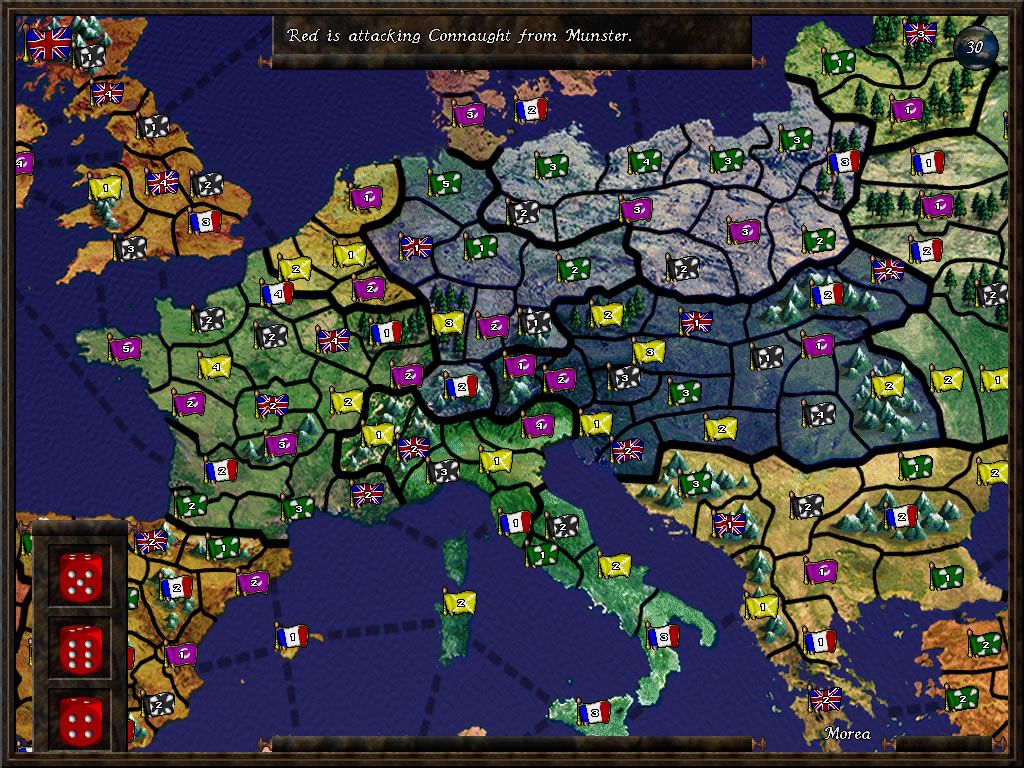
Move the pointer over the maps. When you reach the map where you want your battle to take place, press the button. Then select the advance icon and press the button.
Map Navigation
The map can be navigated using defined cursor mode or by using the snap-to mode. In cursor mode, the cursor moves freely around the map. The snap-to mode moves the cursor to the nearest adjacent territory corresponding to the direction selected. To toggle between the navigation modes, use either R2 or L2.
GAME OBJECTIVES
Highlight the individual options and press the button to change the settings.
•
Mission: The object is to complete your mission successfully, as stated at the beginning of your turn.
Note: You can only play Mission Risk on the Classic Map.
•
Domination: The last surviving player wins the game.
•
Capital: Each player secretly nominates a territory to be his capital. The aim is to capture your opponents' capitals while at the same time protecting your own. The target number is relative to the number of participating players in the game.
COMBAT VARIATIONS
•
Classic Dice Rules: Taken from the original board game. See COMBAT, described later in the manual, for more details. •
Ultimate Dice Rules: Similar to classic dice, ultimate dice is designed to raise the odds, sometimes resulting in more than one battalion being lost per-dice-roll, dependent on the size of the armies involved in the battle. (See COMBAT.)
INITIAL SETUP
•
Select Territories: Select manual to choose your own territories, or random to have them randomly divided between all players.
•
Place Battalions: As with selected territories, choose either manual or random placement. If you select manual set-up, at the beginning of the game you will be prompted to place your territories and later your battalions, one by