Console Top View
Console Front View
Controller Front View
Controller Top View
Smuggler's Start Up
Set up your Playstation™ game console according to the instructions in its Instruction Manual. Make sure the power is off before inserting or removing a compact disc. Insert the Shipwreckers! disc and close the disc cover. Insert game controllers and turn on the Playstation™ game console. Follow on-screen instructions to start the game. To play Shipwreckers! on your PlayStation™ game console:
•
Set up your PlayStation™ game console in accordance with the instruction manual supplied with the system. •
Follow your system directions to open the disc cover and place the CD onto the bed of the drive, ensuring the printed side faces upwards.
•
Close the disc cover. If the unit is switched off, press the POWER button to begin play. If the unit is already on, press the RESET button.
•
Now follow on-screen instructions to start the game.
Warning!
It is advised that you do not insert or remove peripherals or Memory Cards once the power has been turned on. Make sure you have enough free blocks on your Memory Card before commencing play.
The Legend of Blowfleet
"Gather round 'n' hear the legend. Cap'n Blowfleet never lost a crewman to th' scurvy, nor a tsunami, nor a creature from th' depths. In truth, his pirates were feared thru' each o' the seven seas. From th' Windies to th' Polars, thar weren't a port nor anchorage which were safe from his plund'rers 'n' it be foolish to challenge 'em.
Legend says they were guided by Egyptian enchantment, so only th' bravest mariner would be foolish enough to risk a salty death. But for one pirate, Davy Jones's locker held no dread.
That pirate commandeered a vessel of high repute 'n' mustered a crew of strong-n'-th'-arm sea-dogs. That pirate took up Blowfleet's gauntlet. That pirate set sail to pillage 'is strongholds, plunder 'is loot, 'n' capture 'is scalp. That pirate be you."
Crow's Nest
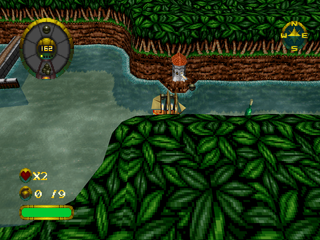
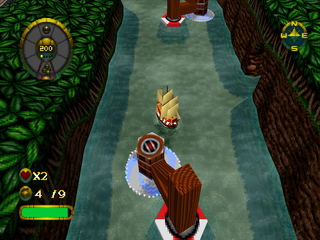
The view from the crow's nest looks like this.
•
HEALTH - Replenish your crew's health by picking up the health chests scattered throughout each level.
•
TREASURE CHESTS - Try and collect all the treasure chests in each level. Shows the total number of chests in the level and the amount you have collected.
•
LIVES - Start each game with 3 lives.
•
Weapon level <<yellow dots>>
•
SHIP'S COMPASS - Useful instrument for plotting courses and navigating the seven seas.
Mariner's Menus
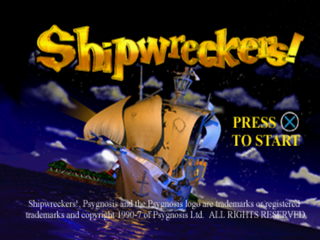
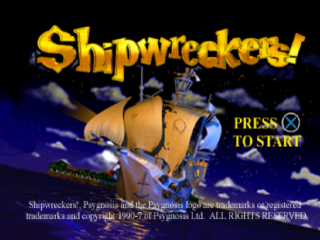
Title Screen
Press the X button on your Controller to take you to the Main Menu.
Main Menu
There are three treasure chests upon this screen, each one containing diamonds, doubloons and vast riches beyond imagination... Oh, and three choices for you, shipmate. Use the Left and Right Directional buttons to move the highlighting effect over 1 Player, Multi-Player or Options.
Press the X button to confirm your selection. Aye, as ever 'X' marks the spot.
One Player
This 'ere screen gives you the options to Start Game, enter a Password or access a Memory Card. Use the Left and Right Directional buttons to move the highlighting effect over your choice and press the X button to confirm. Listen up sailor, 'ere be your choices.
Start Game
This'll take you into the game proper. Go on me hearty, go Shipwreckers!
Password
This'll take you to the Password Screen, where you can level hop via secret codes. To trigger the passwords you must first arrange the six powder-kegs in the correct sequence.
Use the Left and Right Directional buttons to highlight a keg 'n' it'll begin to bounce. Now press the Up and Down Directional buttons to spin th' keg around in mid-air to reveal one of th' four maritime symbols - a fish, a ship, an anchor and a skull. When happy with your selection, press the X button to confirm. If it be correct you'll be transported to th' corresponding level, if it be incorrect you'll have to walk the plank and try again!
Memory Card
Allows you to load in a previously saved game, erase a Memory Card Block or save your Controls and Options configuration. Note that you cannot save a game at this point. See section SAVING A GAME for information about saving games.
When you save Configurations or a game for the first time, Shipwreckers! will create a dedicated Shipwreckers! block on your Memory Card. This block has twenty save slots - one for each level of the game and one for a saved configuration (see Saving Controls and Options Configuration).
Saving Controls and Options Configuration
To save Controls and Options configurations before
.png)