STARTING THE GAME
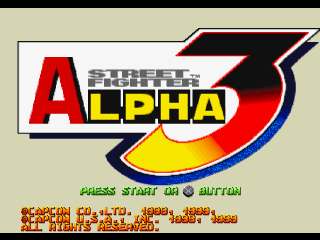
1. Press the Start button at the Title screen. The Mode Menu will appear.
2. Use the Directional buttons to select a game mode, and confirm by pressing the X button.
3. Highlight a character with the Directional buttons. Confirm your choice by pressing any button.
4. Select the character's Ism with the Directional buttons, and press any button to confirm.
Ism Types
•
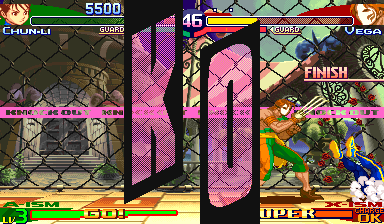
X-Ism: Simple fighting style with one powerful Super Combo. •
A-Ism: Standard fighting style with several Super Combos. •
V-Ism: Variable fighting style including a Custom Combo. Ism Comparison
| Feature | X-Ism | A-Ism | V-Ism |
| :------------------- | :---- | :-------- | :---------------- |
| # of Super Combos | 1 | 2 or more | 0 |
| Super Combo Levels | 1 | 3 | 2 (Custom Combo) |
| Custom Combo | No | No | Yes |
| Air Block | No | Yes | Yes |
| Power | High | Standard | Low |
| Defense | Low | Standard | Standard |
| Alpha Counter | No | Yes | Yes |
5. Choose a game speed, Normal (standard) or Turbo (fast), with the Directional buttons, and press any button. (You can toggle Speed Select ON/OFF in Option mode.)
MODE MENU
Use the Directional buttons to choose a game mode, and press the Start button or the X button to confirm your choice. A second player can join in a game by pressing the Start button on controller 2.
ARCADE MODE
1 or 2 players. Defeat 10 computer-controlled players to win. Each character has a different victory ending.
VS MODE
2 player head-to-head competition, lasting for one match. Select characters and adjust handicaps before starting. You must have two controllers connected to play this mode.
TRAINING MODE
1 player. Practice your moves and combos. Select your character and opponent and adjust settings before starting practice.
Press the Start button during practice to view the Training Mode Menu. Most of the options are self-explanatory. Choose the DUMMY option to adjust the opponent character's settings.
•
ACTION: Adjust the opponent's stance: Stand, Crouch or Jump. •
GUARD: Adjust the opponent's block: Auto Guard or No Guard.
•
BREAKFALLS: Select the opponent's manner of defensive fall after being punched up in the air: Off (none), Front, Neutral or Back.
•
GP GAUGE: Adjust the opponent's Guard Power Gauge: Max(imum), Normal, or Min(imum).
WORLD TOUR
Train and increase your characters' powers while taking a world tour of street fighting arenas and stages. 1. Choose a game:
•
LOAD GAME: Resume a previously saved game and character from a Memory Card.
•
NEW GAME: Choose a character and start a new World Tour from the beginning.
2. Choose a country from the World Map:
•
STAGES: Each country has 1-3 stages. Complete all of them and you'll return to the map where new countries appear. Choose another country to continue the tour. You can also choose a country you have already competed in, but your experience points won't increase.
3. Start play, view and adjust your character's status, or save the game:
•
BATTLE: Start the contest.
•
SETUP: Display the Setup screen.
•
SAVE: Save the game to a Memory Card.
WORLD TOUR STAGES
•
Normal: Defeat one opponent to win.
•
Survival Stage: Beat some opponents successfully to win.
•
Team Battle Stage: Fight against an opponent team of 2 or 3 characters.
USING THE SETUP SCREEN
•
Current Experience Points
•
Experience Points Required for Next Level
•
Ism Levels - Current/Required for Next Level
In World Tour mode, your character's Ism level increases as you gain experience points by defeating opponents. The higher the level, the more often you can perform Custom Combos and Super Combos. At set point increments, your character's level increases and you earn an Ism Plus (special ability). You can add up to three Ism Pluses to your character's base Ism.
To use the Status screen:
1. Select an Ism: X, A or V.
2. Select a game speed: Turbo 1 or Turbo 2.
3. Add any Ism Plus you have earned. You can acquire and add up to three, as shown by the blocks. Green Ism Plus requires one block and Red Ism Plus requires two blocks.
4. Adjust the balance of power (POW) and defense (DEF). Adding more to one side decreases the level of the other side. As your character's level increase, the range adjustment will widen.
5. Press the Start button to exit.
ENTRY MODE
Register your World Tour characters in order to use them in other game modes. Load the character data, previously saved onto a Memory Card, and choose ENTRY to register it. You can register up to six characters. Once registered, your characters will be displayed on the Character Select screen in
.png)


.png)





.png)
.png)