Starting the Game
1. Set up your PlayStation game console according to its Instruction Manual. Make sure the power is OFF before inserting or removing a compact disc. 2. Insert the WCW Mayhem disc and close the Disc Cover.
3. Insert game controllers and turn on the PlayStation game console. After the developer logos, the opening video sequence appears. •
If you want to bypass the video, press START.
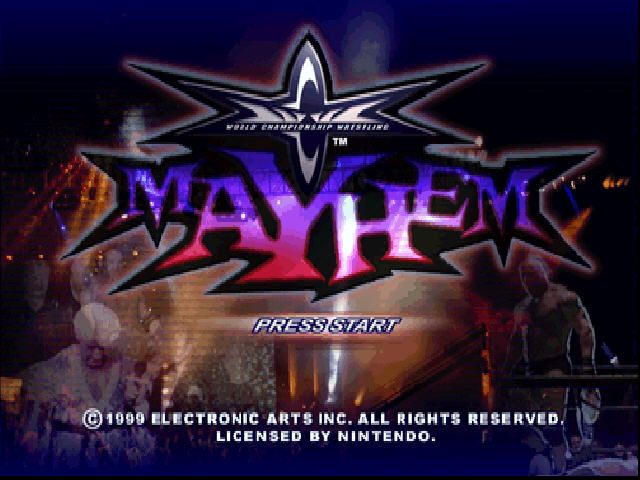
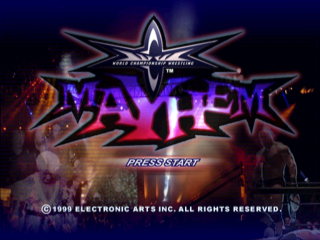
4. After the WCW Mayhem Intro video finishes, the Title screen appears.
5. Press START to advance to the Main menu.
Controls
Face Up
Note
Submissions can be performed by using these moves depending on where the player is positioned over an opponent on the mat. For example, Randy Savage will perform a High Arm Pull submission on an opponent lying on his back when he stands above his opponent's head.
With Your Character Standing and an Opponent Lying on a Turnbuckle
Action
•
Move Opponent to Sit on Turnbuckle
Control
•
With Your Character Standing and an Opponent Sitting on a Turnbuckle
Action
Control
or
With Your Character Standing on a Turnbuckle and an Opponent Standing
Action
•
Leaping Turnbuckle Attack 1
Control
or
With Your Character Standing on a Turnbuckle and an Opponent Lying Down
Action
•
Leaping Turnbuckle Attack 2
Control
or
With Your Character in the Center of the Ring, Running Towards an Opponent Outside the Ring
Action
Control
or
With Your Character Standing on the Ring Apron and Facing Your Opponent Standing or Lying Down Outside the Ring
Action
Control
*, , or
Note
Ring Apron: The very edge of the ring canvas, just outside the ropes.
With Your Character Standing on the Ring Apron and Facing Your Opponent Standing in the Ring
Action
Control
or
From an Apron Grapple
Action
Control
or
Match Setup Menu
Set up the match specifics for your bout.
•
D-Button to highlight an option, then D-Button to change option settings.
Match Type
Select the type of match you want to fight in.
•
Singles: A one-on-one fight to the finish.
•
Handicap: A single player must face a two-wrestler tag team.
•
Triangle: It's every man for himself in this three-way war. The first fighter to score a pinfall wins.
•
Four Way Dance: A four wrestler battle in which a competitor must be pinned to be eliminated. The winner is the last man standing.
•
Battle Royal: A fighter is eliminated once he is thrown over the ropes and touches the floor. The winner is the last man in the ring.
•
Tag Team: A two-on-two contest. One wrestler from each team competes in the ring at a time and must tag a partner to switch off.
Match Length
Set the match time limit.
Event
Select a venue to compete in.
Difficulty
Choose the CPU skill level for your match.
Match Rules
Press to access the Match Rules menu.
To advance to the Match Configuration screen, highlight any option except MATCH RULES, then press *.
Match Rules Menu
Set the specific regulations for your upcoming match.
Special Rules
Choose to enforce extra rules for the match.
•
Pin Anywhere: Pins can take place anywhere in the building.
•
None: A typical match where normal rules are enforced.
•
Raven's Rules: Pins or submissions can take place anywhere.
•
No DQ: Anything goes! Matches can be won with pinfalls and submissions.
•
Weapons Match: Wrestlers can fight with any of the weapons scattered around the arena.
Count Outs
Choose the amount of time a wrestler can safely stay outside the ring before being disqualified. When OFF, no count outs take place.
Submissions
When ON, wrestlers can win a match with a submission hold.
Rope Breaks
When ON, wrestlers can escape from a submission hold by touching a rope.
Run-Ins
When ON, wrestlers not involved in the match randomly enter the ring and attack the other wrestlers.
To return to the Match Setup menu, press.
Match Configuration Menu
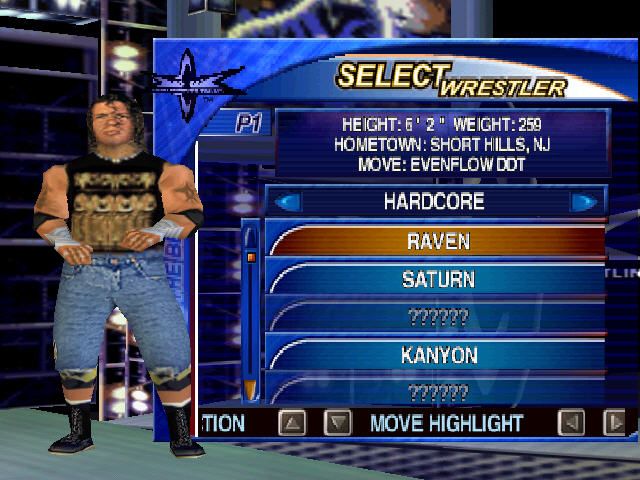
Depending on the type of match you choose, various configuration options appear. After selecting the match configuration you want, the Select Wrestler menu appears.
Select Wrestler Menu
Choose the wrestlers you want to fight with and/or against.
•
D-BUTTON TO HIGHLIGHT A WRESTLER, THEN PRESS TO SELECT
.png)