GETTING STARTED
Set up your PlayStation®2 computer entertainment system according to the instructions supplied with your system. Check that the system is turned on (the on/standby indicator is green).
Insert the BEN 10 ALIEN FORCETM: Vilgax Attacks disc in the system with the label side facing up. Attach game controllers and other peripherals as appropriate. Follow the on-screen instructions and refer to this manual for information on using the software.
Memory Card (8MB) (for PlayStation®2)
To save game settings and progress, insert a memory card (8MB) (for PlayStation®2) into MEMORY CARD slot 1 of your PlayStation®2 system.
You can load saved game data from the same memory card or any memory card (8MB) (for PlayStation®2) containing previously saved games.
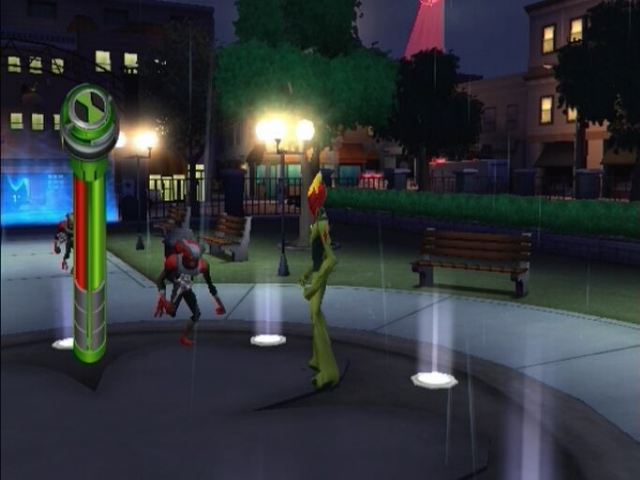
Game Screen
Saving Your Game
BEN 10 ALIEN FORCETM: Vilgax Attacks has an auto-saving feature that will automatically save your game after you complete a level. You will need 606Kb of free space on your Memory Card in order to save your game.
The game automatically saves when you complete a level. If you quit a level that you have not completed, your progress through the level will not be saved. However, all collectibles, experience, and abilities that you gained when you quit a level will be saved.
.png)

_1.png)
.png)
.png)
.png)
_1.png)
_1.png)
.png)



_1.png)
 (En,Fr,De,Es,It).png)



.png)

.png)
_1.png)
.png)


_1.png)
_1.png)

.png)
_1.png)