GETTING STARTED
Note
Illustration may not match all PlayStation 2 console types. For owners of SCPH-70000 series PlayStation 2 systems, refer to the setup instructions supplied with your system. Set up your PlayStation®2 computer entertainment system according to the instructions in its Instruction Manual. Make sure the MAIN POWER switch (located on the back of the console) is turned ON.
Press the RESET button. When the power indicator lights up, press the OPEN button and the display will open. Place the CHARLIE AND THE CHOCOLATE FACTORY disc on the disc tray with the label side facing up. Press the OPEN button again and the disc tray will close.
Attach game controllers and other peripherals, as appropriate. Follow on-screen instructions and refer to this manual for information on using the software.
Memory Card (8MB) (for PlayStation®2)
To save game settings and progress, insert a memory card (8MB) (for PlayStation®2) into MEMORY CARD slot 1 of your PlayStation®2 system.
You can load saved game data from the same memory card or any memory card (8MB) (for PlayStation®2) containing previously saved games.
LOADING & SAVING
Loading
Load a saved game from the Main Menu by selecting Continue. You must have a memory card inserted in order to load a saved game.
Saving
Game progress is automatically saved at the end of each level. If a memory card is inserted, the game will save automatically.
START MENU
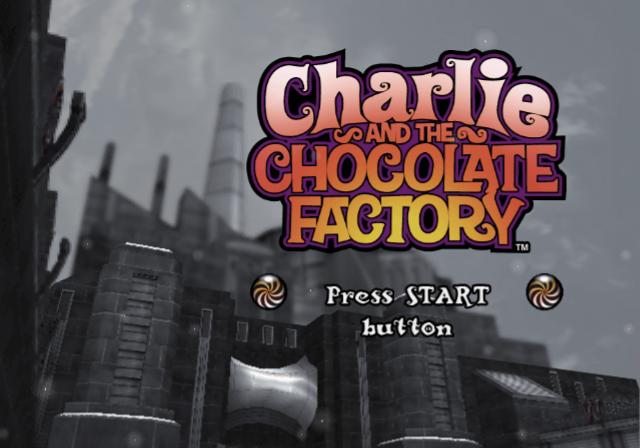
New Game
Choose this option to start a new game.
Continue
This option will load a previously saved game.
Options
Select Options to adjust the audio and controller settings for the game. You can also turn Autosave on or off.
Credits
Select this option to view the game credits.
Bonus
This menu selection is unavailable at the start of the game. By completing certain tasks during the game, you can activate this menu option and view exclusive bonus materials.
CONTROLLING THE CAMERA
The camera positions itself automatically behind Charlie to provide the best view of the environment. You can also use the right analog stick to turn the camera; this may be especially helpful in certain areas where you want to take a better look.
In some situations, you may want to rotate the camera directly behind Charlie to get his perspective.
THE GREAT GLASS ELEVATOR
Great Glass Elevator Level Select
How do visitors travel through the factory? Why, the Great Glass Elevator is one fun way, of course! Unfortunately, it doesn't seem to run as regularly as it used to.
Rumor has it that the quirkiness began when the Great Glass Elevator lost some of its buttons. If you collect any buttons during your adventure, maybe you can get it running again.
If you find the Great Glass Elevator at one of its stop points, be sure to take a look inside. It may be able to help you return to some unfinished business. There's also some buzz about a special button that no one has ever pushed; maybe that's the ticket to the best view in the entire world!
.png)

.png)
