Championship Menu
The Car Select Menu will be displayed. Press ← or → to highlight a car and driver. The car's strength, handling, and speed statistics will be displayed in the top right of the screen.
Press the button to review the driver's history. Finally, press the button to select a car and access the Championship Screen.
Wrecking Racing
The Players Menu will be displayed. Choose either 1P for a single player game or 2P for a two player battle and press the button to confirm.
The Car Select Menu will then be displayed. Press ← or → to highlight a car and driver and press the button to select a car and access the Track Select Screen.
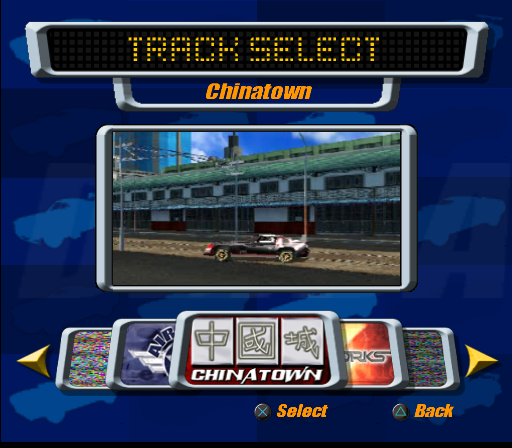
Press ← or → to select a track upon which to bend some fenders, then press the button to confirm.
Destruction Bowl
The Players Menu will be displayed. Choose either 1P for a one player game or 2P for a two player head-to-head contest, then press the button to access the Car Select Menu.
Press ← or → to highlight a driver and their vehicle, then press the button to confirm and access the Arena Select Screen.
Press ← or → to select an arena in which to buckle some bodywork, then press the button to confirm.
Online Menu
Refer to the "Online Play" section later in this manual for more details on playing DESTRUCTION DERBY ARENAS online.
Game Service Screen
Press ← or → to highlight a currently available game server and press the button to confirm and access the Policy Screen.
Policy Screen
Press and to read the Network Capabilities Access Terms and press the button to access the Name Screen.
Name Screen
Press ↑, ↓, ←, or → to highlight a character on the virtual keyboard and press the button to confirm. Repeat this procedure until your name is displayed, then highlight "END" and press the button to continue.
Password Screen
Press ↑, ↓, ←, or → to highlight a character on the virtual keyboard and press the button to confirm. Repeat this procedure until your password is displayed, then highlight "END" and press the button to continue.
If you are playing for the first time, you will be prompted to create an account before you access the Lobbies Screen.
Lobbies Screen
Press ↑, ↓, ←, or → to highlight an available lobby and press the button to join the lobby and access the Lobby Options Screen.
Lobby Options
Games
Follow the on-screen instructions to create and join online sessions of DESTRUCTION DERBY ARENAS.
Chat
Follow the on-screen instructions to send chat messages to everybody in that particular lobby or chatroom.
Buddies
Find out if any of your buddies are currently online and add new buddies to your ever-growing buddy list.
Options Menu
•
create, load and save profiles to Memory Card;
•
load previously saved replays from Memory Card and view various statistics.
•
check out each circuit's high score hall of fame.
•
view and alter the control configuration of your controller and alter its vibration function setting.
•
alter the Master Volume and adjust the volume levels of the music, SFX and commentary.
•
press ↑, ↓, ←, or → to position the screen to your satisfaction.
•
Then press the button to confirm the new screen position and return to the Options Menu.
Pause Menu
Press the START button to pause the action and access the Pause Menu.
•
continue the action from where you left off.
•
stop the current race and return to the Title Screen.
•
begin the current race again (not available in Championship Mode).
•
adjust the sound, camera, info, arrow and vibration function settings.
Playing the Game
Championship Mode
The Championship is split into four rounds. Each round has three tracks and a Destruction Bowl as the final event.
Rack up as many points as possible to complete a round and move on to the next circuit. In race events, bonus points are awarded for finishing in a high position, but if the car is written off then all points accrued will be lost.
When the round is completed, all the scores will be accumulated in the round's final standings table. Finish in one of the three top positions to progress on to the next round.
Beat the "Track Champ" driver on their own circuit in the Championship, to unlock their car and history details. Special power-up packages will be awarded to drivers who consistently finish in the top three positions.
Wrecking Racing Mode
Wrecking Racing is all about fast and furious race action and takes place on any of the currently available racetracks. Simply unlock more rounds in Championship Mode to access a greater variety of bonus tracks in Wrecking Racing Mode.
To begin with, only the airfield, steelworks, and Chinatown will be accessible. Accomplished drivers will succeed in unlocking many other race arenas including the subway, the glitzy casino, the harbour, and the madness that is "South Central Road Rage".
Rumour has it that drivers who finish each track in first place may even be able to access a special bonus circuit.
Destruction Bowl Mode
Destruction Bowls are where pure "smash'n'crash" combat takes place. Pile into as many cars as possible as quickly as possible in order to stack
.png)

.png)
.png)
.png)
