Getting Started
Set up your PlayStation®2 computer entertainment system according to the instructions in the Instruction Manual. Make sure the MAIN POWER switch (located on the back of the console) is turned on.
Press the RESET button. When the power indicator lights up, press the OPEN button and the disc tray will open. Place the EVOLUTION SNOWBOARDING™ disc on the disc tray with the labeled side facing up. Press the OPEN button again and the disc tray will close.
Attach game controllers and other peripherals, as appropriate. Follow the on-screen instructions and refer to this manual for information on using the software.
Memory Cards
To save game settings and progress, insert a memory card (8MB) (for PlayStation®2) into MEMORY CARD slot 1 of your PlayStation®2. You can load saved game data from the same card, or from any memory card containing previously saved games.
At least 100Kb of free space must be available on the memory card in order to save game data. If there is not 100Kb of free space available, then some older game data must be erased before saving.
Do not remove the memory card or turn off the power on the PlayStation®2 while data is being saved or loaded. Your game data may be lost if you do.
For more information, see "Saving & Loading Game Data" on page 15.
Objective
You are the main character in the game. You receive an e-mail with instructions to go to a ski resort that has been invaded by evil forces. You must clear the missions presented to you in order to reclaim the territory.
The mission has been accomplished for a given area when the "boss" of that territory has been defeated. As a result, the slopes return to their previous state, and the pro boarders are brought together again (and fight together from that point forth). Your ultimate goal is to win back all 8 areas that have been taken over by the enemy.
Game Modes
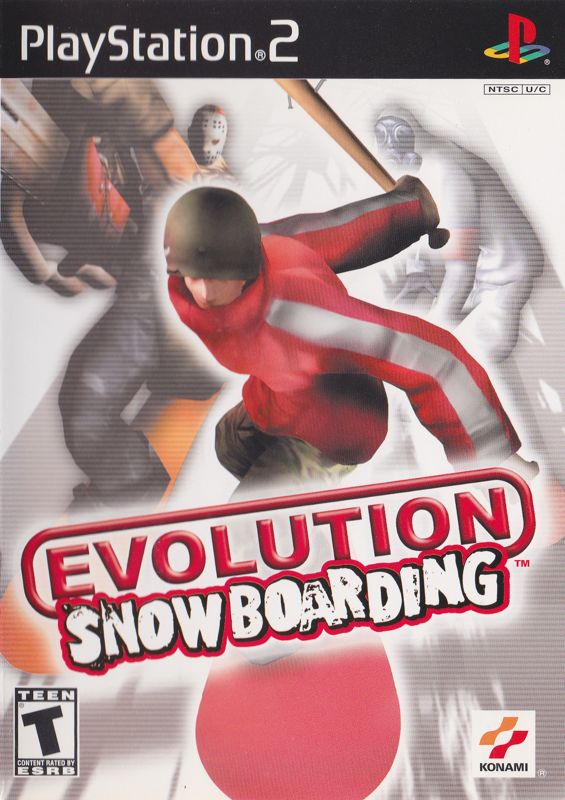
EVOLUTION SNOWBOARDING
©2002 KONAMI & Konami Computer Entertainment Osaka Evolution Mode
Select EVOLUTION MODE from the Top Menu. Then Select NEW for first-time play, or for creating a new player. If there is saved data from a previous play session, press CONTINUE to pick up where you left off.
Set preferences for NAME, BODY TYPE, and REGULAR/GOOFY. BODY TYPE selection will influence how the character learns. Press OK to begin.
Quick Mode
Embark on a Mission without going through all the initial settings. The number of available Missions depends on how far you have gotten in the game.
Duel Mode
Select DUEL for 2 player mode. Battle head-to-head against another human player.
Weapons
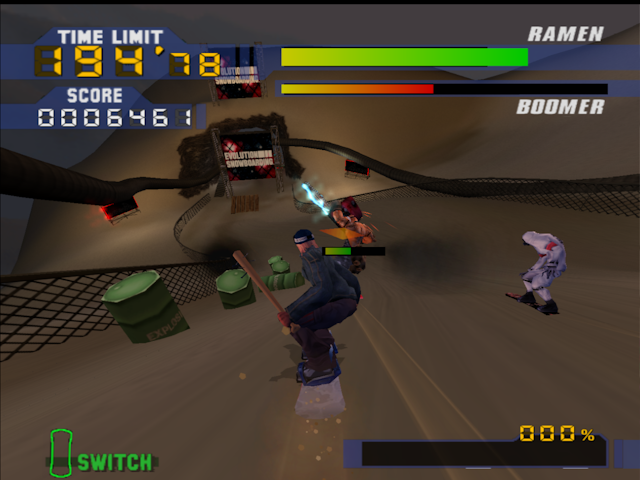
Pick up weapons and use them with the ⦿ button. Weapons may only be used in the areas in which they were found. Crashing or taking on damage causes you to lose the weapon you're currently equipped with.
Weapons Include
•
Other weapons are also available.
Areas & Missions
•
THE OVERALL LENGTH 3550M
There are 10 Missions (events) for each area. Each Mission has a different set of criteria, which must all be achieved in order to clear that segment.
Areas
You earn the right to play a new area when you have defeated the “boss” of the previous area. When the last area has been cleared, you have reclaimed the mountain, saved the world and won the game!
Missions
Missions may entail any one of the following:
•
Defeating the enemy on the course
•
Reaching the goal within a specified time
•
Collecting items along the course
•
Fulfilling a trick score requirement
•
Defeating the "boss" of that area
Gear Settings
Change your character's gear. Items may be picked up during a Mission. Each of the items affect the character's performance.
•
BOARD/JACKET/PANTS/BOOTS/BINDINGS/GOGGLES/BEANIE
•
Change clothing and assorted gear.
•
FRONT ANGLE/BACK ANGLE/STANCE WIDTH
•
Set binding angles and stance width.
Edit Stats
Hone your skills by distributing Mission points among the following parameters:
ATTACK
DEFENSE
SPEED
•
TOP SPEED: Maximum speed
JUMP
TECHNIQUE
•
SPIN: Spin trick ability
•
RAIL: Rail trick ability
Save/Load
Save all game data on a memory card (8MB) (for PlayStation®2). At least 100KB of memory will be required to save.
Load game data using a memory card (8MB) (for PlayStation®2). You may continue playing a game where the previous saved data left off.
To use the memory card (8MB) (for PlayStation®2), insert correctly into MEMORY CARD slot 1.
Do not turn off the console power or insert/remove
.png)

.png)



.png)


_1.jpg)



.png)
