Main Menu
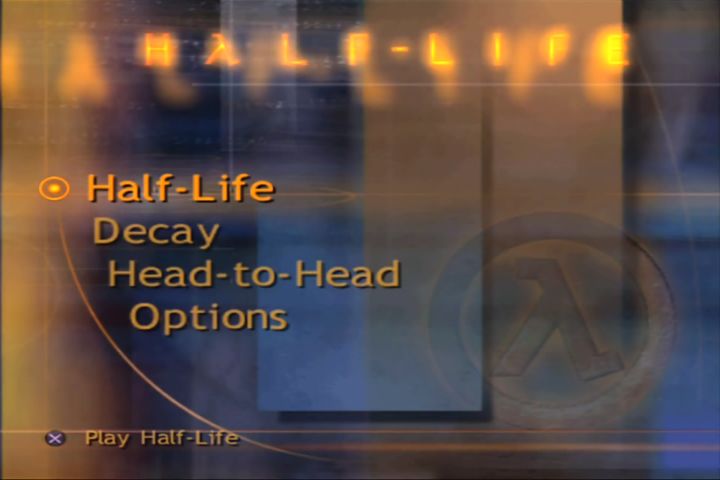
The main menu has four choices: Half-Life, Decay, Head-to-Head, and Options.
Move from choice to choice in the main menu with the left analog stick or the directional buttons. Make a selection by pressing the button.
When navigating the menu screens, you can usually go back to the previous screen by pressing the button.
Training
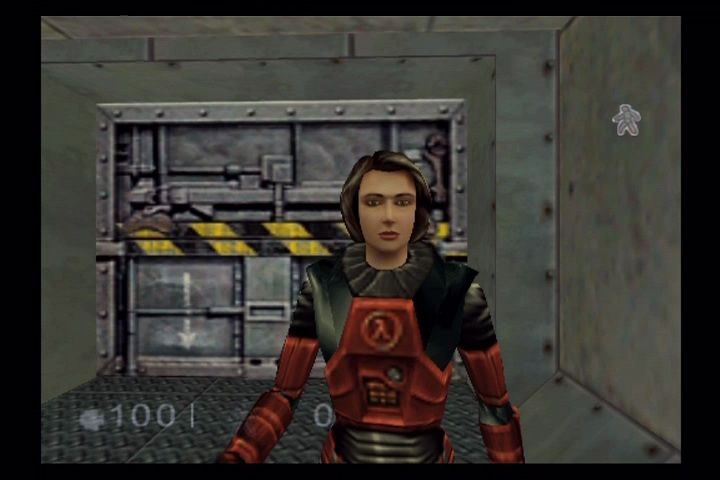
Activate this option for an in-game tutorial on the use of the Hazardous Environment (HEV) Suit. Training will teach you how to maneuver through the environment, manipulate objects, fire weapons, and interact with other characters.
Whether or not you are experienced playing games in the first person perspective, you would be wise to run through the training area at least once. In training, you'll quickly get accustomed to the controls and functions of your HEV suit and become familiar with a few of the characters and environments found in the Black Mesa Research Facility.
Half-Life
Choose "Half-Life" to load a previously saved game or begin a new single player game as scientist Gordon Freeman. When starting a new game, you'll be given the following skill level options:
Easy Skill Level
•
will attack weakly doing less than normal amounts of damage.
•
will be able to sustain a lesser amount of damage.
•
power-ups provide greater benefits.
Normal Skill Level
•
will attack normally doing an average amount of damage.
•
will be able sustain a medium amount damage.
•
power-ups provide normal benefits.
Difficult Skill Level
•
will attack fiercely doing a greater than average amount of damage.
•
will be able sustain large amounts of damage.
•
power-ups provide smaller benefits.
Decay
Choose "Decay" to play a cooperative campaign with a friend or a computer controlled partner.
Mission Briefing
•
BRIEFING: The experiment must be successful. Monitor the anti-mass spectrometer and deliver anomalous materials to Dr. Freeman.
High Scores
Mission Selection
The mission selection screen will report mission objectives and previously achieved performance records. On-screen instructions will describe how to accept your mission and select a one or two player game.
Head-to-Head
Choose "Head-to-Head" to engage in a multiplayer game in any one of a number of Black Mesa battlefields.
The Head-to-Head selection screen presents the available characters to choose from while previous screens will allow you to select your map and to set win conditions. Follow on-screen instructions.
Pause Menu
While playing any of the Half-Life game types, press the START button at any time to pause the action and display a text menu with some of the following choices (choices vary depending on game type): Resume
Choose "Resume" to return to the game. You may also immediately return to the game by pressing the START button from the pause menu.
Quick Save
Choosing "Quick Save" will allow the game to remember your current position to be quick loaded later at your convenience. This feature is only available when playing Half-Life.
Quick Saves are not stored to the memory card and will be lost if you shut off or reset the PlayStation 2 or otherwise quit the game. Quick Load
Choosing "Quick Load" will load the last "Quick Save". If no "Quick Save" is present, this option will not be available.
Restart
Choose "Restart" to clear scores and start over in Head-to-Head games or clear statistics and retry a mission in Decay. "Restart" is not an option when playing Half-Life.
Vibration On/Off
This option will toggle the DUALSHOCK™2 analog controller vibration function.
Mid-Game Menu
If you choose "Mid-Game Menu", you'll be taken to a screen that will allow you to adjust game options, save or load games from the memory card or quit playing and return to the main menu.
Danger Monitors
Your HUD has visual and audio alarms to warn you when the environment is threatening your health. If you see any of the following symbols appear in your HUD, act fast:
•
Acid or corrosive chemicals
Recovering From Damage
After being hurt by environmental threats or an enemy attack, you can recover by using wall-mounted first aid stations or by collecting first aid satchels. If you are very wounded, some civilians are capable of administering first-aid.
Weapons and Combat
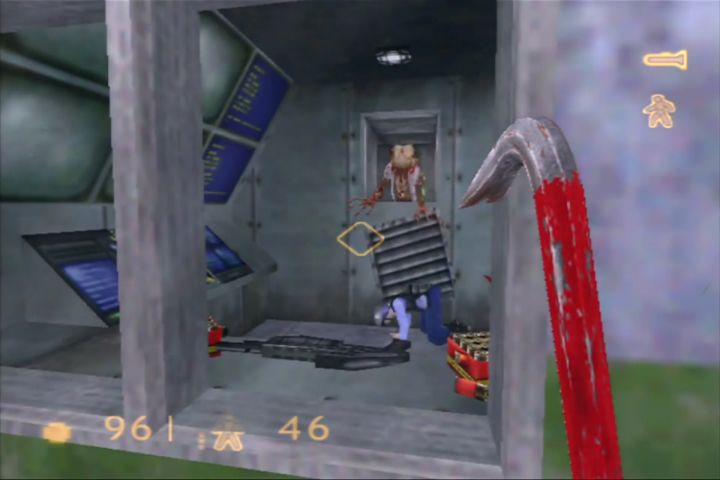
Half-Life has many different types of weapons - from basic shotguns, pistols, and semi-automatics, to rocket launchers, crossbows, and trip mines. There are even a few experimental toys we think you'll enjoy getting your hands on.
You'll find items and weapons in realistic locations, such as on gun racks, in the hands of your allies, or on the bodies of your dead enemies. Similarly, ammo will be strewn about on the ground, hidden in crates, and locked inside storage cages. On screen, you'll see your available weapons and ammo.
.png)


.png)

_1.png)
_1.png)
.png)
.png)
.png)

.png)