STARTING THE GAME
At the start of the game, you will register the rider's name and nationality. Once this data is saved, it can be used to play subsequent games.
Checking the Memory Card (PS2)
Press the START button at the MotoGP3 Title Screen. The game will check the Memory Card (PS2) in MEMORY CARD slot 1.
If a save file does not exist, the New Rider Entry Screen will appear. If a save file does exist, the Load Game Screen will appear. Memory Card (PS2) data can only be accessed from MEMORY CARD slot 1.
New Rider Entry/Rider Registration
Select the name, nationality, gender, and helmet for your rider. Choose one selection, highlight END, and press the button to move to the next category.
Registering Rider's Name
Create a name for your rider.
•
Press the directional buttons to select a letter or character.
•
Press the button to enter it.
•
To erase a letter, press the button.
Registering Nationality
Enter the rider's nationality using a three-letter abbreviation (e.g., USA = United States of America).
•
Press the directional buttons to select a letter.
•
Press the button to enter it.
Selecting Gender
•
Press the directional buttons to choose a gender.
•
Press the button to confirm the selection.
•
Note: There is no difference in ability based on gender.
Selecting a Helmet
•
Press the directional buttons to choose a helmet.
•
Press the button to confirm the selection.
SAVE GAME SCREEN
Once your rider registration is completed, the Memory Card (PS2) Save Game Screen will appear.
•
Press the directional buttons to choose a save file.
•
Press the button to confirm the selection.
•
A verification message will then be displayed. Choose Yes to save.
•
Note: Replays cannot be saved unless a game file is created.
LOAD GAME SCREEN
•
Press the directional buttons to choose a game file you wish to play or pick NEW RIDER ENTRY.
•
Press the button to confirm the selection.
If a game file is chosen, the save data is read and the Main Menu Screen will appear. If NEW RIDER ENTRY is chosen, a new rider can be registered.
MAIN MENU SCREEN
After registering a rider, the Main Menu Screen will be displayed. You may choose from the following eight modes.
•
Press the directional buttons to choose a mode.
•
Press the button to confirm your selection.
•
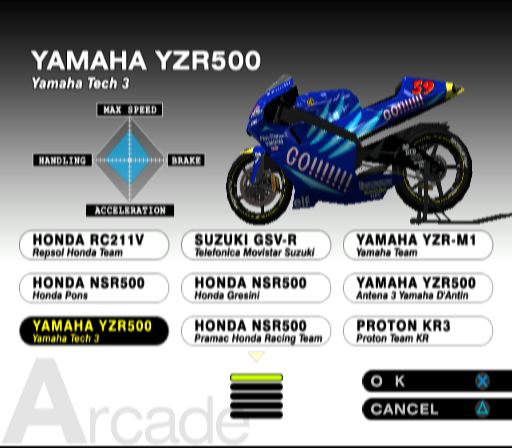
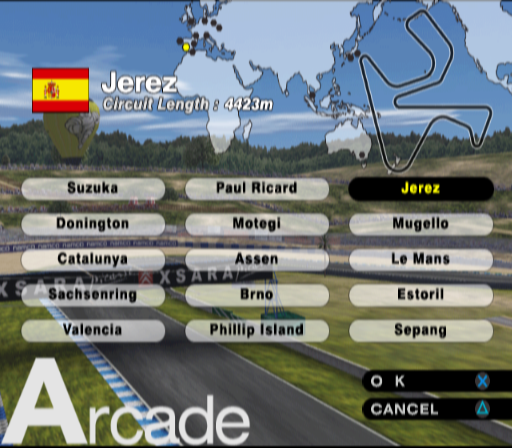
Arcade - Play one race against CPU riders. This mode is ideal for getting a feel for the game and the controls.
•
Season - Join a racing team and compete on the world circuit for combined points. Your goal is to defeat the best racers and win the championship. •
Time Trial - Select a bike and circuit, and compete for the best lap time. Unlike the Arcade Mode, there are no opponents in this mode.
•
Challenge - Test your skills by taking on various challenges. You will receive different rewards as you clear the challenges. Try to clear them all!
•
Multiplayer - This mode allows you to challenge your friends. Up to four players can play at once. It is necessary, however, to connect the appropriate number of controllers for the number of players.
•
Legends - Take on four of motorcycle racing's legendary riders. These famous riders are extremely skilled, so it will be difficult to beat them unless you give it your all! •
Options - You can adjust various settings such as controller button configurations and camera view.
•
Save/Load - Save and load data.
PLAYING THE GAME
This section covers general game play common to all modes. These are the fundamental skills needed to play the game, so make sure you have a good grasp of the information described below.
Race Screen
The Race Screen shown here is from the Arcade Mode. The Race Screen in each mode varies slightly in the information that it displays.
•
A Lap Count - Displays the current lap number.
•
B Position - Displays the player's position in the race.
•
C Time Limit - Displays when the rider in first place finishes. You must finish before it hits zero, or you will be disqualified.
•
D Circuit Map - A map of the entire circuit. You can check your current position (in red), and the position of the lead rider (in blue).
•
E Accelerator Gauge - Displays how much the accelerator is being engaged (LED on).
•
F Circuit Record - The fastest Lap Time on this circuit.
•
G Total Time - The total time elapsed since the start of the race.
•
H Lap Time - Displays your time for each lap.
•
I Speedometer - Your current speed.
•
J Current Gear - Displays your current gear.
•
K Tachometer - Displays your engine's RPM.
•
L Brake Gauge - Displays how much brake is being applied (LED on).
•
M Slipstream Indicator - Flashes when you encounter lower wind pressure (slipstream conditions) while positioned behind other racers.
HOW TO TURN
To turn, lean the bike in the direction you wish to turn. The turning radius will depend on the angle of lean.
If you are using the directional buttons [LED off] to turn, the maximum amount of lean will be applied. This makes it difficult to finesse the amount of turn. Steering with the left analog stick [LED on] allows you
.png)

_1.png)
.png)

_1.png)
.png)

.png)


_1.png)
.png)


_1.png)

_1.png)
_1.png)

_1.png)
.png)

_1.png)
_1.png)


_1.jpg)
