Starting a New Adventure
You are Amaterasu, the hero of this story, about to embark on a long, perilous journey. Select Begin Story from the Title screen.
Use the directional buttons or left analog stick to highlight an option on the Main Menu and press the button.
•
New Game: Begin a brand new adventure.
•
Continue: Load the save file data from the memory card and continue your adventure from the most recent save data.
•
Options: Change various game options (see below).
Changing Game Options
Select Options from the Main Menu. Move the directional buttons or left analog stick ↑/ to select an option. / to change the option.
Press the button or choose Exit Options to save the changes and return to the game with the new settings. To undo all of the changes, select Default and press the button.
•
Camera Control: Invert the horizontal/vertical camera controls.
•
Vibration: Turn controller vibration on/off.
•
BGM Volume: Adjust the volume of the game's background music.
•
SE Volume: Adjust the volume of the game's sound effects.
•
Sound Output: Change the sound output setting (monaural/stereo/Dolby® Pro Logic® II).
•
This game supports Dolby Pro Logic II. To enjoy surround sound effects, connect the PlayStation 2 console's AV MULTI OUT connector or DIGITAL OUT (OPTICAL) connector to a compatible system (an AV amp, etc.). Then select Dolby® Pro Logic II. •
Video Output: Change the TV type (standard TV/LCD TV).
•
Default: Return all Options settings to their original states.
•
Exit Options: Close the Options Menu and return to the game.
•
Return to Title: End the game and return to the Title screen.
Ending the Adventure
You can save the details of your adventure by using the Investigate command near an Origin Mirror. If you do not record your progress before terminating the adventure (by turning off the power, etc.) then your progress will be lost and the adventure will continue next time from the most recent save file.
When you Investigate near the Origin Mirror, a list of locations (save files) will be displayed. Select a location to save the game to that location. If you select a location that already has game save data, you must choose whether or not (Yes/No) to overwrite the data.
When you overwrite previous data, it will be deleted and will no longer be available. Be careful when saving over previous data.
This game supports saving and loading to and from MEMORY CARD slot 1 only. While saving or loading the game, do not remove the memory card or controller, or reset/switch off the game. Doing so may result in data loss.
In-Game Screen
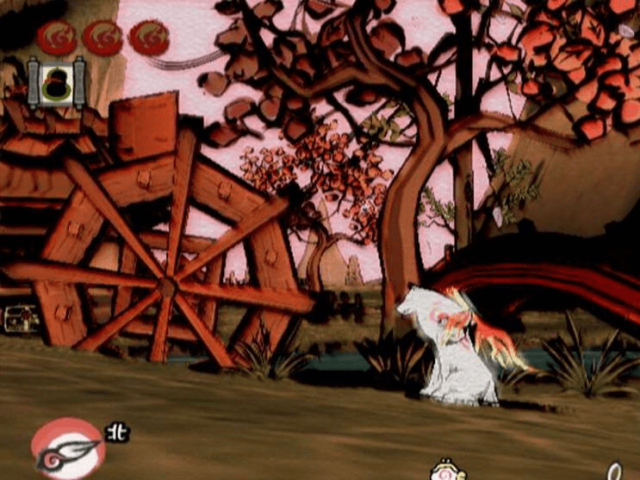
1. Health Gauge: Displays how much health Amaterasu has left. As Amaterasu takes damage, the solar energy symbols begin to disappear. When they are all gone, the game is over.
•
Amaterasu can recover solar power by breaking items and defeating enemies to receive spirit globes (small/medium/large).
2. Celestial Brush Gauge: Shows the number of times you can use the Celestial Brush (➡ page 12).
3. Astral Pouch: As Amaterasu eats food, it fills the astral pouch. If the astral pouch is full when Amaterasu runs out of health, it restores the health gauge to the maximum.
•
You can obtain additional astral pouches by fulfilling certain conditions (➡ page 26).
4. Control Window: Actions that Amaterasu can perform are represented in the control window as buttons with short descriptions of the actions.
5. Purse: The amount of yen (the game's currency) Amaterasu has.
See the World Around You!
Look around the world by pressing the L1 button to change the point of view. If you are lost, a change of perspective can sometimes make the way clear.
•
Press the L1 button once.
Celestial Brush Screen
Once you fulfill a certain requirement in the game, you can press the R1 button to employ the power of the Celestial Brush. The screen will change to the Celestial Brush screen.
•
Press the button to push the brush down on the screen.
•
Hold the button while moving the left analog stick in a direction to move the brush and draw on the screen.
•
Release the R1 button and, depending on the drawing, a change to the world may occur.
You can also use the button to draw lines. With the button, the drawing becomes pressure sensitive and the lines thicken according to how hard you press the button down.
1. Celestial Brush Gauge: Displays the number of times the Celestial Brush can be used. An ink pot disappears every time a change is brought about in the world from drawing.
•
Some changes to the world use several ink pots. If all the ink pots are empty, Amaterasu will not be able to activate the Celestial Brush power until they refill. The ink pots refill gradually over time.
2. Brush: Press the brush down (button) and move the left analog stick to draw on the screen with the brush.
3. Ink Supply: After you press the brush down, the amount of distance it can be moved is displayed. While you draw, the ink supply runs down. If it runs out, the Celestial Brush screen closes and play returns to the in-game screen.
Express Yourself with the Brush!
Use your creativity to
.png)

.png)
.png)
.png)

.png)

.png)
_1.png)
.png)


_1.png)